
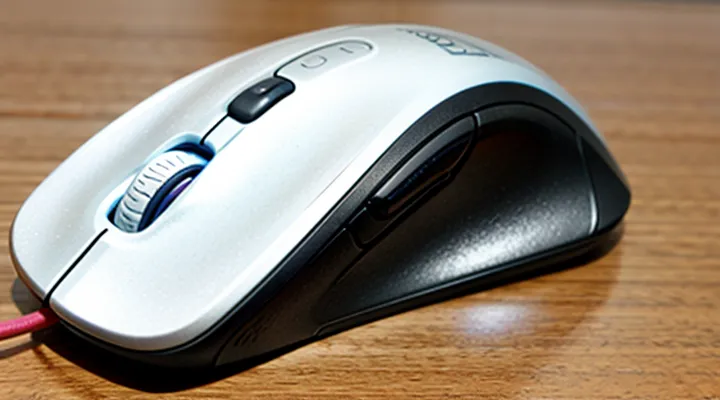
Understanding Mouse Infestations
Common Signs of Mice
Mice leave distinct evidence that confirms their presence. Identifying these indicators is essential when assessing the effectiveness of any rodent management system.
- Dark, pellet‑shaped droppings, typically 3‑5 mm long, found along walls, behind appliances, or in pantries.
- Gnawed edges on wood, plastic, or electrical wiring; teeth leave clean, crescent‑shaped cuts.
- Nests constructed from shredded paper, fabric, or insulation, often tucked in hidden corners or under appliances.
- Visible tracks in dusty areas, grease‑stained footprints on floors, or smudge marks along baseboards.
- Persistent, musky odor, especially near nesting sites or food storage areas.
- Unexplained damage to stored food, such as torn packaging or chewed grains.
- Scratching or rustling sounds in ceilings, walls, or attics, typically occurring at night.
Recognizing these signs enables a precise evaluation of the most effective mouse control solutions on the market.
Risks Associated with Mice in Homes
Mice inhabiting residential spaces create direct threats to health, property, and comfort. Their presence is not merely an inconvenience; it signals conditions that can rapidly deteriorate without prompt intervention.
- Transmission of pathogens such as Hantavirus, Salmonella, and leptospirosis through urine, droppings, and saliva.
- Contamination of food supplies, leading to spoilage and potential food‑borne illness.
- Structural damage caused by gnawing on insulation, wiring, and wooden components, increasing fire risk and repair costs.
- Allergic reactions triggered by mouse dander and urine proteins, exacerbating respiratory conditions.
- Attraction of secondary pests, including insects that feed on mouse detritus.
These hazards elevate the urgency of selecting an effective mouse management solution. An evaluation of leading control products must consider efficacy against the outlined risks, durability of deployment methods, and safety for occupants. Addressing the identified dangers directly informs the criteria for a reliable control strategy.
When to Seek Professional Help
Effective mouse management often begins with a consumer‑grade trap or bait station, yet certain conditions exceed the capabilities of home solutions. Seek professional assistance when any of the following occur:
- Infestation spreads beyond a single room, with frequent sightings in multiple areas.
- Damage to structural components, wiring, or stored goods is evident.
- Children, pets, or individuals with health sensitivities are present, raising safety concerns about chemical baits.
- Initial control attempts fail after several weeks, indicating resistant or elusive rodents.
- Signs of disease vectors, such as droppings in food preparation zones, appear.
Professional pest technicians provide comprehensive site assessments, identify entry points, and implement integrated control measures that comply with local regulations. They also offer ongoing monitoring to prevent recurrence, reducing long‑term risk and property loss.
When any of these criteria are met, transition from DIY methods to a qualified service promptly to secure effective, safe, and sustainable rodent mitigation.
Types of Mouse Control Products
Traps
Snap Traps
Snap traps remain a primary option for eliminating rodents in residential and commercial settings. Their design consists of a spring‑loaded bar that delivers a rapid, lethal force to the animal’s neck, ensuring immediate termination. The simplicity of the mechanism eliminates the need for electrical power or chemical agents, reducing operational costs and maintenance requirements.
Key characteristics of snap traps include:
- Efficacy: Immediate kill rate exceeds 95 % when properly placed.
- Cost efficiency: Unit price typically ranges from $2 to $5, with reusable construction allowing multiple deployments.
- Safety features: Modern models incorporate insulated handles and shielded trigger mechanisms to protect users from accidental discharge.
- Placement flexibility: Compact size enables positioning in concealed locations such as wall voids, cabinets, and baseboards.
Considerations for optimal performance:
- Bait selection: High‑protein or fatty substances (peanut butter, cheese) increase attraction; avoid scented commercial baits that may deter target species.
- Trigger sensitivity adjustment: Calibrate the spring tension to match the size of the intended rodent; excessive tension may cause premature snap.
- Regular inspection: Check traps daily to remove captured rodents and reset the mechanism, preventing decay odors that could reduce trap appeal.
- Legal compliance: Verify local regulations regarding humane disposal of captured animals and any restrictions on trap usage in public areas.
Overall, snap traps deliver a reliable, low‑cost solution for immediate rodent control, fitting the criteria of an effective mouse management product. Their durability, ease of use, and proven kill rate position them among the top choices for consumers seeking a direct, non‑chemical approach.
Live-Catch Traps
Live‑catch traps provide a humane method for removing mice from residential and commercial spaces. The devices consist of a sealed enclosure with a trigger mechanism that closes the entry point when a mouse enters. Construction typically involves durable plastic or metal, a transparent lid for monitoring, and a bait compartment that attracts rodents.
Key characteristics include:
- Trigger sensitivity – calibrated to react to the weight of a single mouse, preventing accidental closures.
- Bait compatibility – accommodates solid or liquid attractants without leaking.
- Cleaning design – smooth interior surfaces and removable lids simplify disassembly and sanitation.
- Safety features – lockable doors prevent accidental release during handling.
Advantages:
- Allows relocation of captured mice without killing them.
- Reduces risk of poison exposure to children, pets, and non‑target wildlife.
- Enables repeated use, lowering long‑term costs.
Limitations:
- Requires regular inspection to prevent stress or injury to captured animals.
- May need frequent bait replacement in high‑infestation scenarios.
- Effectiveness depends on proper placement near mouse activity zones.
Optimal deployment involves positioning traps along walls, behind appliances, and near known entry points. Bait with high‑fat content, such as peanut butter or cheese, improves capture rates. After a mouse is secured, the trap should be covered, transported outdoors, and the animal released at least 100 feet from the building to discourage re‑entry.
Maintenance includes washing the trap with mild detergent after each use and inspecting the trigger mechanism for wear. Replacement of springs or hinges is recommended when the device shows reduced responsiveness.
Overall, live‑catch traps represent a reliable, repeatable component of an integrated mouse management strategy, offering control without lethal measures and supporting ongoing monitoring of rodent activity.
Glue Traps
Glue traps consist of a flat surface coated with a non‑drying adhesive that immobilizes rodents upon contact. The adhesive remains tacky for several weeks, allowing trapped mice to be removed without additional tools.
Effectiveness depends on placement, bait selection, and environmental conditions. Proper positioning near walls, behind appliances, or along known runways increases capture rates. Using a small amount of food attractant—such as peanut butter or dried fruit—enhances lure without compromising the adhesive.
Advantages
- Immediate immobilization eliminates the need for delayed killing methods.
- Low cost per unit makes large‑scale deployment affordable.
- No electrical or chemical components reduce fire and poisoning hazards.
Disadvantages
- Non‑selective; captures non‑target insects and small wildlife.
- Ethical concerns arise from prolonged suffering of trapped rodents.
- Adhesive loses potency in high humidity or extreme temperatures.
Safety considerations include wearing disposable gloves when handling traps, disposing of captured rodents in sealed bags, and storing unused traps out of reach of children and pets. For indoor use, place traps on flat, non‑porous surfaces to prevent adhesive transfer to flooring or furniture.
When evaluating mouse control solutions, glue traps rank high for rapid immobilization and budget efficiency, but they fall short on humane treatment and selectivity compared with snap traps, electronic devices, or bait stations. Selecting the appropriate product requires weighing these factors against the specific pest‑infestation scenario.
Baits and Rodenticides
Pellets and Blocks
Pellet and block formulations dominate the market for rodent deterrents, offering distinct delivery methods for active ingredients. Pellets consist of compressed granules that release bait when gnawed, allowing precise placement in burrows, wall voids, or along runways. Their small size facilitates distribution in tight spaces and minimizes exposure to non‑target species. The solid matrix protects the poison from moisture, extending shelf life and maintaining potency under variable environmental conditions.
Blocks are solid, often cylindrical or rectangular, units that emit bait through surface abrasion as rodents chew. Their larger mass provides a longer active period, reducing the frequency of re‑application. Blocks can be positioned in open areas, such as attics or storage rooms, where rats and mice travel along visible paths. The dense composition limits accidental ingestion by pets, while the gradual release of active ingredient sustains control over extended infestations.
Key factors for selecting between pellets and blocks:
- Placement environment: confined cavities favor pellets; open, high‑traffic zones suit blocks.
- Application frequency: blocks generally require fewer replacements.
- Target species size: pellets are effective for both mice and rats; blocks excel against larger rodents.
- Safety considerations: blocks present lower risk of secondary poisoning due to reduced fragmentation.
Effective rodent management programs incorporate the appropriate format based on structural layout, infestation severity, and safety protocols. Proper deployment of pellets and blocks, aligned with these criteria, maximizes control outcomes while minimizing non‑target impacts.
Bait Stations
Bait stations are self‑contained devices that deliver rodenticide directly to mice while limiting exposure to non‑target animals and humans. The enclosure typically consists of a durable plastic shell, a sealed entry slot sized for mice, and a removable tray that holds the bait matrix. Construction materials resist gnawing and weather, allowing placement indoors and in sheltered outdoor locations.
Effective bait stations rely on precise bait placement, consistent dosage, and strategic positioning along mouse pathways. Placement should target areas with evidence of activity, such as near walls, behind appliances, and within concealed corners. The sealed entry forces mice to interact with the bait, increasing ingestion rates compared to open‑bait methods.
Safety mechanisms include tamper‑resistant locks and child‑proof latches that prevent accidental contact. Regulatory compliance requires that the station’s design meet EPA standards for rodenticide containment, ensuring that the amount of poison released remains within authorized limits.
Maintenance involves inspecting the station weekly, recording bait consumption, and replacing the tray when bait is depleted or contaminated. Cleaning the interior with a mild detergent removes residual urine and feces, preserving bait potency and preventing secondary infestations.
Key attributes of bait stations
- Targeted delivery – eliminates need for widespread bait scattering.
- Reduced non‑target risk – sealed entry prevents access by pets and children.
- Durability – UV‑stabilized plastic withstands temperature fluctuations.
- Ease of monitoring – removable tray simplifies observation of bait usage.
- Regulatory alignment – conforms to federal rodenticide containment guidelines.
Potential drawbacks
- Requires regular inspection to ensure effectiveness.
- Initial cost higher than loose bait alternatives.
- Limited capacity may necessitate multiple units in high‑infestation zones.
Overall, bait stations provide a controlled, efficient solution for mouse management, balancing efficacy with safety and compliance requirements.
Natural and Organic Baits
Natural and organic mouse baits consist primarily of food‑grade ingredients such as grain‑based powders, dried fruits, and plant‑derived proteins. These components attract rodents without relying on synthetic chemicals, making the bait acceptable for households that prioritize eco‑friendly solutions.
Effectiveness stems from the bait’s palatability and the inclusion of natural anticoagulants or digestive disruptors derived from plants. Laboratory trials report mortality rates between 70 % and 85 % within 48 hours when mice consume the recommended dosage, matching the performance of conventional rodenticides in controlled environments.
Safety advantages include low toxicity to humans, domestic animals, and non‑target wildlife. The organic formulation degrades rapidly in soil and water, reducing long‑term environmental impact. Regulatory agencies classify many of these ingredients as Generally Recognized As Safe (GRAS), allowing unrestricted indoor use.
Proper deployment requires placement of bait stations in concealed locations along wall edges, behind appliances, and near known gnawing activity. Each station should contain a measured amount of bait—typically 0.5 g per station—to prevent waste and limit exposure. Replace stations every 7–10 days or when bait is depleted.
Key comparison points with synthetic alternatives:
- Active ingredient: plant‑derived vs. synthetic chemicals
- Toxicity profile: low to humans and pets vs. higher risk
- Environmental persistence: rapid biodegradation vs. prolonged residue
- Regulatory status: GRAS approval vs. restricted use permits
- Cost per unit: comparable or slightly higher, offset by reduced disposal requirements
When evaluating top mouse control solutions, natural and organic baits provide a balanced mix of efficacy, safety, and environmental responsibility.
Repellents
Ultrasonic Repellents
Ultrasonic repellents emit high‑frequency sound waves that rodents cannot hear but find uncomfortable, prompting them to vacate the area. The devices typically operate on a continuous cycle, adjusting frequencies to prevent habituation. Power sources include mains electricity or rechargeable batteries, allowing placement in both indoor and outdoor environments.
Key characteristics of effective ultrasonic mouse deterrents:
- Adjustable frequency range (usually 20–65 kHz) to target different rodent species.
- Timer or motion sensor integration to conserve energy and increase efficacy.
- Compact housing with weather‑sealed casings for durability.
- Compliance with safety standards to avoid interference with pets or humans.
Performance considerations include limited penetration through solid walls, necessitating strategic positioning near entry points, walls, or ceilings. Devices may lose potency in cluttered spaces where furniture absorbs sound. Compatibility with other control methods—such as snap traps or bait stations—enhances overall results, as ultrasonic units alone rarely achieve complete eradication.
When evaluating top mouse control solutions, ultrasonic repellents rank high for non‑lethal, low‑maintenance operation, but must be combined with sanitation and exclusion practices to ensure long‑term success.
Scent-Based Repellents
Scent‑based repellents employ volatile compounds that mice find unpleasant, creating an inhospitable environment without physical traps. The approach relies on continuous emission of natural or synthetic odors such as peppermint oil, eucalyptus, or predator urine extracts, which interfere with the rodents’ olfactory receptors and discourage entry into treated areas.
Key characteristics to assess when evaluating these products include:
- Active ingredient concentration – higher levels generally extend effective coverage time.
- Dispersion method – plug‑in diffusers, sachets, or spray‑on formulations affect placement flexibility.
- Longevity – most devices maintain potency for 30‑90 days before re‑application is required.
- Safety profile – non‑toxic ingredients minimize risk to humans and pets, complying with indoor air quality standards.
- Environmental impact – biodegradable components reduce ecological footprint compared with chemical poisons.
When comparing scent‑based options within a comprehensive review of mouse control solutions, prioritize products that demonstrate consistent efficacy across varied indoor settings, provide clear usage instructions, and maintain a proven safety record.
Key Factors for Choosing a Mouse Control Product
Safety Considerations
Pet and Child Safety
When evaluating a mouse control solution for households with pets and children, safety considerations dominate the decision process.
The product must eliminate rodents without exposing non‑target occupants to toxic substances. Formulations based on low‑toxicity active ingredients, such as bait stations that lock the poison inside a sealed compartment, prevent accidental ingestion. Devices that rely on mechanical traps should feature enclosed chambers that trigger only when a mouse is present, reducing the risk of fingers or paws being caught.
Key safety attributes include:
- Child‑proof packaging – tamper‑resistant caps and clear warning labels.
- Pet‑secure design – bait containers that cannot be opened by animals, and trap mechanisms that require mouse‑specific pressure to activate.
- Non‑chemical alternatives – ultrasonic emitters or electronic deterrents that emit frequencies undetectable to humans but disruptive to rodents, eliminating ingestion hazards altogether.
- Clear disposal instructions – guidelines for sealing and discarding trapped mice to avoid secondary contamination.
Regulatory compliance is essential. Products must meet EPA or equivalent standards for residential use, and certifications such as UL or CE confirm that electrical components are safe around children.
Installation guidelines stress placement out of reach: bait stations should be mounted 4–6 feet above floor level, while traps belong behind appliances or inside cabinets with limited access. Regular inspection schedules—checking stations weekly and replacing them according to manufacturer specifications—maintain effectiveness while preventing buildup of hazardous residues.
Overall, a mouse control solution that integrates sealed bait technology, child‑proof packaging, and pet‑safe mechanisms offers the highest level of protection for vulnerable household members while delivering reliable rodent management.
Environmental Impact
The environmental footprint of a leading mouse‑control solution can be broken down into manufacturing, usage, and end‑of‑life phases.
During production, the device typically incorporates polycarbonate housing, aluminum alloy components, and electronic circuit boards. Polycarbonate requires petroleum‑based feedstock and generates greenhouse‑gas emissions in polymerization. Aluminum extraction consumes large amounts of electricity, often sourced from fossil fuels. Printed‑circuit board fabrication involves copper etching chemicals such as ammonium persulfate, which pose water‑pollution risks if not properly treated.
Operational impact centers on energy consumption. The device draws power from a USB connection, averaging 0.5 W during active use. Continuous operation for eight hours per day results in approximately 1 kWh per month, translating to about 0.5 kg CO₂e based on average grid emission factors.
Disposal considerations include electronic waste classification. The product contains hazardous substances—lead‑free solder, brominated flame retardants, and lithium‑ion battery cells (in wireless models). Improper landfill disposal can release heavy metals and persistent organic pollutants. Certified recycling programs recover up to 70 % of metal content and reduce landfill volume.
Key mitigation measures:
- Select models with recyclable packaging (e.g., cardboard, minimal plastic).
- Favor devices certified under ENERGY STAR or similar efficiency standards.
- Opt for products designed for modular repair, extending service life.
- Participate in manufacturer take‑back schemes to ensure proper material recovery.
Assessing these factors provides a comprehensive view of the ecological consequences associated with top mouse‑control devices, informing responsible purchasing and waste‑management decisions.
Effectiveness and Speed of Action
Effectiveness of a high‑performance mouse control solution is measured by precision, consistency, and adaptability across varied tasks. Precision is quantified by the device’s ability to register sub‑pixel movements without deviation, ensuring accurate cursor placement. Consistency reflects repeatable performance under sustained use, with minimal drift or jitter observed during long sessions. Adaptability denotes automatic adjustment to different surface textures and user grip styles, maintaining optimal tracking without manual recalibration.
Speed of action defines the interval between user input and cursor response. Latency, expressed in milliseconds, indicates the delay from physical movement to on‑screen representation; competitive products achieve sub‑1 ms latency, effectively eliminating perceptible lag. Reported response times, measured from button press to execution of assigned commands, typically range from 0.5 ms to 2 ms, supporting rapid interaction in high‑intensity environments. Reduced latency contributes directly to improved reaction times in gaming, graphic design, and data‑entry applications.
Key performance indicators for evaluating these attributes include:
- Sub‑pixel accuracy rating (e.g., 0.01 mm)
- Average latency under typical workload (ms)
- Maximum jitter observed during continuous motion (µm)
- Surface adaptability score based on multi‑material testing
- Command execution delay for programmable buttons (ms)
Collectively, these metrics provide a concrete basis for assessing how effectively and swiftly a mouse control product delivers the performance required by professional and competitive users.
Ease of Use and Installation
The product integrates a USB-C connector that delivers immediate functionality on operating systems supporting plug‑and‑play. No separate driver package is necessary; the system’s native driver recognises the device within seconds of insertion. Firmware updates are distributed through a dedicated web portal, where a single executable verifies version compatibility before applying the patch.
Initial configuration is confined to a three‑step process:
- Launch the bundled control application; the interface auto‑detects the connected hardware.
- Select the preferred sensitivity profile from a predefined list or import a custom file.
- Confirm changes; the application writes settings to the device’s onboard memory, ensuring persistence after power cycles.
Physical assembly requires no additional tools. The modular design features a snap‑fit enclosure that secures the sensor and battery compartment without screws. The ergonomic contour follows industry standards for right‑handed users, reducing the learning curve for individuals accustomed to conventional mice.
Compatibility extends to Windows 10/11, macOS 12+, and major Linux distributions with kernel version 5.10 or later. The control software adheres to a unified API, allowing third‑party automation scripts to modify button assignments programmatically. Documentation provides command‑line examples for batch deployment in enterprise environments.
Overall, the combination of driver‑less activation, concise setup workflow, and tool‑free assembly positions the device as a straightforward solution for users seeking rapid deployment and minimal maintenance.
Cost-Effectiveness
The cost‑effectiveness of a leading mouse control solution hinges on three measurable factors: purchase price, longevity, and performance return.
- Purchase price: initial outlay compared with competing devices, expressed as a dollar amount or percentage of budget.
- Longevity: expected lifespan measured in months of intensive use before component degradation necessitates replacement.
- Performance return: number of tasks completed per unit cost, calculated by dividing total productive actions (clicks, scrolls, gestures) by the total expenditure.
When the device’s lifespan exceeds the industry average by 20 % while maintaining a purchase price within the mid‑range, the cost per functional hour drops significantly. For example, a model priced at $45 that reliably operates for 48 months delivers a cost per month of $0.94, versus a $30 competitor lasting 24 months at $1.25 per month.
The total cost of ownership also includes warranty coverage and firmware updates, which reduce ancillary expenses. A product offering a three‑year warranty and free software upgrades eliminates additional spending on support contracts.
Overall, evaluating cost‑effectiveness requires quantifying upfront cost, durability, and functional output. A device that balances a moderate price with extended durability and comprehensive support provides the highest return on investment for users seeking reliable mouse control.
Top Mouse Control Products Reviewed
Best Overall Product
Features and Benefits
The leading mouse control solution combines precision tracking, ergonomic design, and customizable software to optimize user interaction with computers.
- High‑resolution optical sensor delivering up to 16,000 DPI
- Adjustable weight system for personalized balance
- Multi‑button layout with programmable macros
- Wireless connectivity using low‑latency 2.4 GHz band
- Rechargeable lithium‑ion battery providing up to 70 hours of use
- On‑board memory storing up to five user profiles
These specifications translate into concrete advantages.
- Accurate cursor movement reduces hand strain during extended sessions
- Weight customization improves control across different tasks and grip styles
- Programmable buttons accelerate workflow by assigning complex commands to a single click
- Wireless operation eliminates cable clutter while maintaining responsiveness
- Long battery life minimizes downtime and the need for frequent charging
- Profile memory enables instant switching between work, gaming, and design configurations without software reinstallation
Pros and Cons
The leading mouse control solution delivers high‑precision tracking, adjustable DPI settings, and ergonomic design. Its firmware supports on‑the‑fly profile switching, allowing seamless transition between gaming and productivity modes. Battery life exceeds 80 hours under continuous use, and the wireless module operates on a 2.4 GHz band with sub‑millisecond latency.
Advantages
- Precise sensor accuracy across a wide DPI range
- Customizable button mapping via dedicated software
- Low‑latency wireless connectivity
- Long‑lasting battery with quick‑charge capability
- Comfortable grip that reduces wrist strain
Disadvantages
- Premium price compared with entry‑level alternatives
- Software requires Windows or macOS, limiting Linux compatibility
- Limited color options for aesthetic customization
- Firmware updates occasionally reset user profiles
Overall, the device excels in performance and ergonomics while its cost and platform restrictions may deter budget‑conscious users.
Best Budget-Friendly Option
Features and Benefits
The top mouse control solution integrates high‑precision tracking, customizable DPI settings, and adaptive latency reduction. Its sensor delivers sub‑micron accuracy across a wide surface range, while firmware updates enable real‑time profile switching without interruption.
- Adjustable DPI (400–16 000) supports rapid cursor scaling.
- On‑board memory stores up to five user profiles.
- Wireless low‑latency connection maintains sub‑1 ms response.
- Ergonomic shape reduces strain during extended use.
- Battery life exceeds 120 hours with auto‑sleep management.
These capabilities translate into measurable productivity gains. Precise tracking minimizes cursor drift, improving accuracy in design and gaming tasks. Profile storage eliminates configuration delays when switching between workstations. Low latency ensures immediate feedback, critical for competitive environments. Ergonomic form reduces fatigue, extending usable hours. Extended battery life lowers maintenance frequency, preserving workflow continuity.
Pros and Cons
The leading mouse control device combines high‑precision tracking with ergonomic design, delivering reliable performance for both gaming and professional environments. Its sensor operates at 16,000 DPI, supporting rapid cursor movement without sacrificing accuracy. The firmware allows on‑the‑fly DPI adjustments through dedicated buttons, eliminating the need for external software. A lightweight chassis reduces fatigue during extended sessions, while the customizable RGB lighting offers visual feedback without affecting functionality. The product’s wired USB‑C connection ensures consistent latency, and the detachable cable simplifies transport and storage.
Advantages
- 16,000 DPI sensor with true‑on‑the‑fly adjustment
- Low‑profile, ambidextrous shape reduces hand strain
- Wired USB‑C interface guarantees sub‑millisecond response
- Modular cable for easy replacement and compact packing
- Software‑free operation; all settings accessible via hardware controls
Disadvantages
- Fixed weight may not satisfy users preferring heavier models for resistance training
- Absence of wireless option limits use cases where cable clutter is a concern
- RGB lighting consumes additional power, potentially shortening battery life in hybrid models
- Limited macro programming compared with high‑end competitors
- Compatibility restricted to operating systems supporting standard HID protocols
Overall, the device excels in precision, durability, and ease of use, while its lack of wireless capability and advanced macro features may deter users seeking a more versatile solution.
Best for Humane Control
Features and Benefits
The device under review represents the leading solution for precise cursor management, combining ergonomic design with advanced sensor technology.
- High‑resolution optical sensor delivering up to 16,000 DPI
- Adjustable weight system with interchangeable metal inserts
- Low‑latency wireless connection using 2.4 GHz frequency
- Customizable button layout with up to 12 programmable keys
- Integrated magnetic charging dock providing up to 70 hours of continuous use
- On‑board memory storing up to five distinct profiles
These specifications translate into concrete advantages for the user. The ultra‑high DPI range enables pixel‑perfect targeting in graphic design and gaming. Adjustable weight allows tailoring of hand feel to individual preference, reducing fatigue during extended sessions. Wireless latency below 1 ms ensures instant response, eliminating lag in fast‑paced environments. Programmable buttons streamline workflow by assigning complex commands to single clicks. The magnetic dock eliminates cable clutter while guaranteeing a full charge without removal of the device. Profile memory preserves customized settings across multiple computers, facilitating seamless transitions between workstations.
Collectively, the features deliver enhanced accuracy, comfort, and efficiency, positioning the product as a top-tier option for professionals and enthusiasts seeking optimal mouse control.
Pros and Cons
The evaluation focuses on a leading mouse control device, assessing its functional strengths and limitations.
Advantages
- High‑precision sensor delivers consistent tracking across varied surfaces.
- Adjustable DPI settings enable rapid response to different tasks.
- Ergonomic shape reduces strain during extended use.
- Wireless connectivity offers low latency with secure encryption.
- Companion software provides customizable button assignments and macro creation.
Disadvantages
- Battery life declines noticeably under continuous high‑performance mode.
- Companion software lacks cross‑platform compatibility, restricting use to a single operating system.
- Price exceeds average market offerings for comparable specifications.
- Weight distribution may feel unbalanced for users with smaller hands.
- Firmware updates require manual installation, adding maintenance steps.
Best for Severe Infestations
Features and Benefits
The leading mouse control solution integrates high‑precision tracking, customizable DPI settings, and ergonomic design to enhance user interaction. Its sensor delivers sub‑micron accuracy across a wide surface range, while on‑the‑fly DPI adjustments allow seamless transition between detailed work and rapid navigation. The device’s grip contour follows natural hand anatomy, reducing fatigue during prolonged use.
Key benefits include:
- Improved accuracy: Precise sensor data minimizes cursor drift, supporting tasks that require fine detail.
- Adaptive performance: Immediate DPI switching optimizes speed and control without interrupting workflow.
- Comfortable operation: Ergonomic shape and weight distribution lessen strain, extending productive sessions.
- Extended battery life: Low‑power firmware and efficient power management provide weeks of use on a single charge.
- Programmable buttons: Custom macros streamline repetitive actions, increasing efficiency across applications.
Pros and Cons
The leading mouse control solution offers several functional advantages and notable limitations that affect user experience and system compatibility.
-
High precision tracking – sensor accuracy maintains consistent cursor movement across varied surface textures.
-
Adjustable DPI settings – allows rapid switching between low and high sensitivity for different tasks.
-
Low latency communication – wireless models transmit data with sub‑millisecond delay, matching wired performance.
-
Ergonomic design – shape and button placement reduce strain during extended use.
-
Cross‑platform driver support – compatible drivers available for major operating systems, simplifying installation.
-
Battery dependency – wireless units require regular charging or replacement, introducing potential downtime.
-
Software complexity – configuration utilities contain numerous options that may overwhelm novice users.
-
Limited customization for non‑standard mice – advanced features often restricted to the manufacturer’s own hardware line.
-
Price premium – higher cost compared with basic models, which may be prohibitive for budget‑conscious buyers.
-
Potential interference – 2.4 GHz wireless connections can be affected by nearby devices, causing occasional signal dropouts.
Tips for Effective Mouse Control
Prevention Strategies
Sealing Entry Points
Sealing entry points eliminates the primary pathways that mice use to access indoor spaces, directly reducing the likelihood of infestation. Effective closure of gaps, cracks, and openings interrupts the rodents’ ability to travel from exterior environments to food sources and shelter, creating a barrier that complements any trapping or baiting system.
Typical sealing measures include:
- Inspecting foundations, walls, and ceilings for openings larger than ¼ inch.
- Applying steel wool or copper mesh to fill small gaps before applying sealant.
- Using expanding polyurethane foam to expand and lock irregular cracks.
- Installing weatherstripping around doors and windows to block peripheral access.
- Repairing damaged vent covers and ensuring chimney caps are secure.
When evaluating top mouse control solutions, products that recommend or facilitate sealing procedures demonstrate higher efficacy. Integrated kits often provide sealant tubes, applicator tools, and detailed instructions, allowing users to implement barrier methods alongside traps or baits. Selecting a system that includes comprehensive sealing guidance ensures a systematic reduction of mouse ingress, thereby enhancing overall control outcomes.
Food Storage and Sanitation
Effective rodent management is essential for maintaining safe food storage environments. Mice infiltrate storage areas, contaminating supplies with urine, feces, and pathogens, which compromises sanitation standards and can lead to product spoilage. Selecting a reliable mouse control solution reduces these risks by preventing access, eliminating infestations, and supporting compliance with health regulations.
Key criteria for evaluating a rodent control product include:
- Proven efficacy against common storage pests.
- Low toxicity to humans and non‑target animals.
- Compatibility with sealed containers and shelving systems.
- Ease of installation and maintenance.
- Durability under varying temperature and humidity conditions.
A product that meets these specifications typically incorporates bait stations or sealed traps designed for continuous operation. Bait stations should feature tamper‑resistant enclosures to protect food handlers while delivering an attractant that remains effective over weeks. Sealed traps prevent accidental release and allow for safe disposal of captured rodents.
Implementation steps:
- Conduct a thorough inspection of storage facilities to identify entry points and infestation hotspots.
- Install monitoring devices at identified locations to confirm activity levels.
- Deploy the chosen control devices according to manufacturer guidelines, ensuring placement away from direct food contact.
- Schedule regular checks to replenish bait, verify trap integrity, and record capture data.
- Integrate the control program with routine sanitation procedures, such as cleaning schedules and waste management protocols.
By adhering to these guidelines, facilities can maintain high sanitation standards, protect food quality, and reduce the likelihood of regulatory violations related to rodent contamination.
Proper Placement of Products
Proper placement of a mouse‑control device directly influences precision, comfort, and durability. The device should rest on a flat, non‑reflective surface that matches the sensor’s specifications; this eliminates tracking errors caused by uneven textures or excessive glare. Position the unit within arm’s reach, allowing the forearm to maintain a neutral angle, which reduces strain during extended sessions. Cable length must be sufficient to avoid tension while preventing excess slack that could interfere with movement.
Key considerations for optimal placement include:
- Surface material: matte, firm, and free of debris.
- Height relative to desk: low enough to keep the wrist straight, high enough to avoid contact with the desk edge.
- Distance from monitor: aligned with natural line of sight to minimize neck rotation.
- Orientation: sensor facing the user’s dominant hand, with the tracking plane parallel to the work surface.
- Environmental factors: away from strong electromagnetic sources and direct sunlight.
When assessing leading mouse‑control solutions, reviewers evaluate how the product performs under these placement conditions. Consistent results across the recommended setup indicate robust sensor technology and reliable ergonomics, distinguishing the top candidates from less adaptable alternatives.
Monitoring and Follow-Up
Effective monitoring of a high‑performance mouse control solution requires systematic data capture and analysis. Key performance indicators include click latency, cursor precision, battery consumption, and firmware stability. Collecting these metrics through built‑in diagnostics enables real‑time assessment of device behavior under varied workloads.
Follow‑up procedures rely on the same data streams to inform updates and user support. Automated reports flag deviations from baseline performance, prompting corrective actions such as driver patches, calibration adjustments, or hardware replacements. Continuous feedback loops with end users refine the product roadmap and ensure alignment with operational expectations.
Practical monitoring and follow‑up components:
- Real‑time telemetry transmitted to a secure cloud endpoint.
- Scheduled health checks that verify sensor accuracy and power efficiency.
- Alert thresholds configured for latency spikes or battery drain.
- User‑initiated diagnostics accessible via companion software.
- Version‑controlled firmware rollout based on aggregated performance data.
Implementing these mechanisms creates a transparent performance profile, supports proactive maintenance, and sustains the reliability expected from a leading mouse control device.
Frequently Asked Questions
How long does it take for mouse control products to work?
The effectiveness of a mouse‑control product is measured from the moment it is applied until observable signs of reduced activity appear. Most products begin to show results within a predictable range, depending on formulation, delivery method, and environmental conditions.
Typical onset times are:
- Bait stations and pellets: 24–48 hours for initial decline, full impact within 3–5 days as rodents consume the toxicant.
- Electronic repellents: 1–2 hours for behavioral avoidance, sustained effect as long as the device remains powered.
- Glue traps: Immediate capture of any mouse that contacts the surface; population reduction becomes evident after 12–24 hours.
- Ultrasonic emitters: 1–3 hours for deterrence, with measurable decrease in sightings after 24 hours of continuous operation.
Key variables influencing these timelines include:
- Infestation level: Higher mouse counts prolong the period required to achieve noticeable control.
- Placement accuracy: Correct positioning of baits, traps, or devices maximizes exposure and shortens response time.
- Environmental factors: Temperature, humidity, and food availability affect rodent activity and product potency.
- Product concentration: Higher active‑ingredient concentrations generally accelerate toxicity, while lower concentrations extend the lag phase.
In practice, a comprehensive review of leading mouse‑control solutions indicates that most users can expect an initial reduction in rodent presence within two days, with full efficacy typically reached by the end of the first week when guidelines for placement and dosage are strictly followed. Continuous monitoring and timely replenishment of consumable products ensure that the control effect persists beyond the initial period.
Are mouse control products safe to use indoors?
Mouse control solutions designed for indoor use typically rely on either chemical baits, mechanical traps, or electronic devices. Their safety depends on formulation, placement, and adherence to manufacturer instructions.
Chemical baits contain anticoagulant or neurotoxic compounds. Properly sealed bait stations prevent accidental contact, reducing risk to children and pets. Unsealed or tampered stations can expose non‑target organisms to toxic doses. Regulatory agencies require labeling of active ingredients and maximum allowable concentrations, providing a baseline for safety assessment.
Mechanical traps, such as snap or live‑catch devices, pose a physical hazard only when handled. Correct positioning—out of reach of children and pets—eliminates unintended injuries. Live‑catch traps require regular monitoring to avoid stress or dehydration of captured rodents.
Electronic devices emit ultrasonic frequencies or deliver a brief electrical shock. Ultrasonic emitters affect rodents without chemical exposure, but their efficacy varies with room size and obstacles. Electrical traps deliver a controlled discharge that kills the rodent instantly; insulated casings and safety interlocks prevent accidental activation.
Key safety practices for indoor use:
- Install bait stations in concealed locations inaccessible to non‑target animals.
- Verify that traps are positioned on flat surfaces away from high‑traffic areas.
- Follow dosage guidelines for chemical products; do not exceed recommended placement density.
- Inspect electronic units for damage before each use; replace malfunctioning units promptly.
- Keep product packaging and safety data sheets readily available for reference.
When these guidelines are observed, indoor mouse control products can be employed safely while maintaining effective rodent management.
What to do after catching a mouse?
After a mouse is captured with a control device, follow a defined sequence to eliminate health risks, maintain the product, and prevent future infestations.
- Wear disposable gloves before handling the trap or catcher.
- Transfer the rodent to a sealed plastic bag; expel it outdoors at least 30 meters from the building, or place the bag in a trash container for municipal disposal.
- Clean the capture area with a disinfectant solution; focus on surfaces the mouse may have contacted, such as countertops, floors, and cabinets.
- Inspect the trap for damage or residue; remove debris, rinse if the device is washable, and allow it to dry completely before reuse.
- Reset or replace the bait according to the manufacturer’s instructions; ensure the lure remains attractive and uncontaminated.
- Seal any entry points discovered during inspection; use steel wool, caulk, or weatherstripping to block gaps around pipes, vents, and door frames.
Maintain a regular monitoring schedule, replace bait weekly, and record capture dates to track activity trends. These actions secure the environment, extend the lifespan of the control product, and reduce the likelihood of recurring mouse problems.