
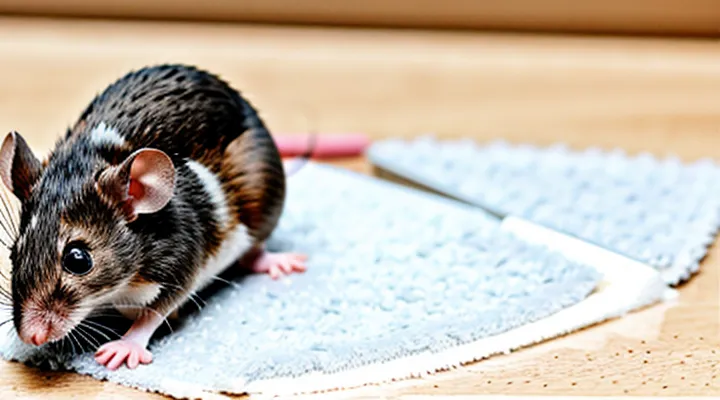
Understanding Glue Traps and Their Dangers
What are Glue Traps?
Glue traps are flat devices coated with a strong, non‑drying adhesive designed to capture rodents on contact. The adhesive remains tacky for extended periods, allowing a mouse that steps onto the surface to become immobilized without the need for a lethal mechanism.
The construction typically consists of a thin cardboard or plastic base covered by a clear, viscous glue. The base is often printed with a warning label and a schematic mouse silhouette to indicate the intended target. The adhesive formulation is formulated to resist dust and moisture, maintaining effectiveness in indoor and semi‑outdoor environments.
Functionally, a mouse is drawn to the trap by visual cues or odor attractants placed near the adhesive surface. Once the animal contacts the glue, its paws and fur adhere, preventing escape. The trap does not require electricity, chemicals, or mechanical parts, making it a low‑maintenance option for pest control.
Variations include:
- Indoor models with low‑profile designs for placement under cabinets or along walls.
- Outdoor versions featuring weather‑resistant backing and stronger adhesive for exposure to rain.
- Scented traps that incorporate food‑grade attractants such as grain or peanut butter.
Key characteristics:
- Immediate immobilization upon contact.
- Reusable surface until adhesive loses tackiness.
- Disposable after capture to prevent contamination.
- Non‑toxic adhesive, though still hazardous if ingested.
Understanding the design and operation of glue traps provides essential context for selecting appropriate cleaning agents and methods when removing mouse residue from surfaces.
Why is Glue a Problem?
Health Risks to Humans
Mouse glue traps contain strong adhesive compounds that can affect human health through direct contact, inhalation, or accidental ingestion. Skin exposure may cause irritation, dermatitis, or chemical burns, especially on sensitive or broken skin. Inhalation of vapors released during removal can irritate the respiratory tract, producing coughing, wheezing, or shortness of breath. Accidental swallowing of adhesive fragments or contaminated fingers can lead to gastrointestinal upset, ulceration, or obstruction. Some individuals develop allergic reactions, presenting as hives, swelling, or systemic symptoms such as anaphylaxis.
- Dermal irritation: redness, itching, blistering after contact with adhesive.
- Respiratory irritation: coughing, throat discomfort from volatile components.
- Gastrointestinal effects: nausea, abdominal pain, potential blockage if ingested.
- Allergic response: rash, swelling, possible anaphylactic shock.
- Long‑term exposure: sensitization leading to increased reaction severity over time.
Preventive measures include wearing chemical‑resistant gloves, protective eyewear, and a mask rated for organic vapors while handling traps. Immediate washing of exposed skin with soap and water reduces irritation risk. If inhalation occurs, move to fresh air and monitor symptoms; seek medical attention for persistent respiratory distress. In case of ingestion, do not induce vomiting; rinse the mouth and consult a healthcare professional promptly. Proper disposal of used traps eliminates residual adhesive, minimizing environmental contamination and secondary exposure.
Harm to Pets and Other Animals
Mouse glue poses significant risks to domestic pets and wildlife. The adhesive contains toxic chemicals that can cause skin irritation, respiratory distress, and gastrointestinal blockage if ingested.
Potential hazards include:
- Dermal contact: Burns, redness, and ulceration after brief exposure.
- Inhalation: Irritation of nasal passages and lungs, leading to coughing or labored breathing.
- Ingestion: Swelling of the esophagus, obstruction of the digestive tract, and systemic poisoning.
Preventive measures focus on securing the product and removing residues before animals can access the area. Store mouse glue in sealed containers, keep it out of reach of pets, and apply it only in locations inaccessible to animals. After use, wipe the surface with a disposable cloth soaked in warm, soapy water, then rinse thoroughly. Dispose of the cloth and any contaminated material in a sealed bag.
If an animal contacts mouse glue, act promptly. Rinse the affected area with lukewarm water for at least five minutes, avoiding scrubbing that could spread the adhesive. Observe the animal for signs of distress, such as excessive drooling, pawing at the mouth, or difficulty breathing. Contact a veterinarian immediately, providing details of the product and exposure duration.
Immediate Steps When Encountering Glue
Assessing the Situation
For Skin Contact
When adhesive from a computer mouse contacts skin, it can create a strong, uncomfortable bond that requires prompt, careful removal to avoid irritation or damage.
Start with gentle methods. Immerse the affected area in warm water for several minutes; the heat softens the glue. Apply a mild, fragrance‑free soap and massage the skin lightly to loosen the residue. Rinse thoroughly and pat dry with a clean towel.
If the glue remains, employ an oil‑based solvent. Suitable options include:
- Baby oil or mineral oil applied with a soft cloth, rubbed in circular motions until the adhesive releases.
- A small amount of isopropyl alcohol (70 % concentration) applied to a cotton pad, pressed onto the area for 30 seconds, then wiped away.
Proceed with caution: test the solvent on a small skin patch first to ensure no adverse reaction. Avoid harsh chemicals such as acetone, which can strip natural oils and cause dermatitis.
After the adhesive is removed, rinse the skin again with warm water, dry gently, and apply a hypoallergenic moisturizer to restore hydration and protect the barrier function.
If irritation, redness, or swelling persists after cleaning, seek medical advice promptly.
For Hair or Fur Contact
When adhesive intended for rodent traps contacts hair or fur, immediate action prevents pain and damage. Use a gentle, controlled approach to dissolve the glue without pulling strands.
- Apply a small amount of vegetable oil, mineral oil, or specialized adhesive remover directly to the affected area.
- Allow the liquid to penetrate for 30–60 seconds; the glue will soften.
- Gently work the product through the hair or fur with a wide-tooth comb, starting at the tips and moving toward the base.
- If resistance remains, repeat the oil application and continue combing until the adhesive releases completely.
- Rinse the area with warm water and a mild shampoo to eliminate residual oil.
- Dry with a soft towel; avoid rubbing, which can re‑adhere particles.
For severe cases where the glue has hardened, warm water immersion for several minutes can further loosen the adhesive before oil treatment. Do not use harsh chemicals such as acetone or bleach, as they can damage the coat and irritate skin. After cleaning, inspect the hair or fur for any remaining residue and repeat the process if necessary.
For Objects and Surfaces
Mouse adhesive can damage a wide range of items, from electronic casings to household furnishings. Effective removal requires material‑specific techniques that preserve the underlying surface while fully eliminating residue.
-
Plastic and polymer components – Apply a small amount of isopropyl alcohol to a soft cloth; gently rub the glue until it softens, then wipe clean. Rinse with water and dry with a lint‑free towel. Avoid abrasive pads that may scratch the finish.
-
Wooden surfaces – Dampen a cotton swab with mineral oil; press lightly on the adhesive to loosen it. After the glue lifts, wipe the area with a damp cloth and polish with a wood‑safe conditioner to restore sheen.
-
Fabric and upholstery – Place a clean white cloth over the glue, then press a warm, damp sponge soaked in mild detergent. The heat and moisture will break down the adhesive, allowing the cloth to absorb it. Rinse the fabric spot with cold water and blot dry.
-
Metal objects – Use a commercial adhesive remover formulated for metal, following the manufacturer’s safety instructions. Apply with a brush, let act for the recommended duration, then scrub with a non‑scratching pad and rinse thoroughly.
-
Glass and glossy surfaces – Spray a thin layer of acetone or nail‑polish remover onto a paper towel; lay it over the glue for a few seconds to dissolve the bond. Wipe the area with a glass‑safe cleaner and dry with a microfiber cloth to avoid streaks.
General precautions apply to all materials: test any solvent on an inconspicuous spot before full application, wear protective gloves, and ensure adequate ventilation. Prompt removal prevents hardening of the adhesive, which can complicate the cleaning process.
Recommended Cleaning Agents
Oil-Based Solutions
Vegetable Oil
Vegetable oil works as a mild, non‑toxic solvent for the adhesive used on computer mice. Its low viscosity allows the oil to seep under the glue, loosening the bond without damaging plastic surfaces.
To apply vegetable oil effectively:
- Choose a light, food‑grade oil such as canola or grapeseed. Avoid heavily scented or thick oils that may leave residues.
- Dampen a soft cloth or cotton swab with a few drops of oil.
- Gently rub the glued area until the adhesive softens and lifts. Do not apply excessive pressure that could scratch the mouse casing.
- Use a plastic scraper or fingernail to peel away the loosened glue. Repeat oil application if needed.
After the adhesive is removed, wipe the surface with a damp lint‑free cloth to eliminate remaining oil. Follow with a brief dry‑cloth wipe to prevent moisture accumulation.
Handle oil with clean hands, store it in a sealed container, and keep the mouse away from heat sources while the oil dries. This approach yields a clean, residue‑free mouse ready for normal use.
Mineral Oil
Mineral oil serves as an effective solvent for removing adhesive residue from computer mice. Its low viscosity allows it to penetrate the glue film, loosen the bond, and facilitate safe removal without damaging plastic components.
- Apply a few drops of mineral oil directly onto the glued area.
- Let the oil sit for 30‑60 seconds to soften the adhesive.
- Use a soft, lint‑free cloth or a plastic spudger to lift the glue away; repeat the process if residue remains.
- After the glue is removed, wipe the surface with a clean cloth dampened with isopropyl alcohol to eliminate oil traces.
- Dry the mouse thoroughly before reconnecting it to a computer.
Safety considerations: use only food‑grade mineral oil to avoid contaminating the mouse surface; keep the oil away from open flames and store it in a sealed container to prevent oxidation. Regular maintenance with mineral oil reduces the need for aggressive chemicals and extends the lifespan of the device.
Peanut Butter
Peanut butter serves as a practical agent for loosening adhesive traps used on rodents. Its oil‑rich composition penetrates the sticky matrix, reducing cohesion between the glue and the captured animal’s fur.
The mechanism relies on the fat particles separating the polymer chains that give the adhesive its tackiness. When applied, the oil spreads under the glue, weakening the bond and allowing the material to release without tearing the fur.
- Apply a thin layer of smooth peanut butter directly onto the adhesive surface.
- Allow the coating to sit for 30–60 seconds, observing the gradual softening of the glue.
- Gently lift the trapped mouse using tweezers or gloved fingers, ensuring the peanut butter remains in contact with the adhesive.
- Place the mouse in a safe container with warm water to rinse off residual peanut butter and glue.
- Rinse the adhesive trap with warm, soapy water; the remaining oil will aid in removing any leftover residue.
- Dry the trap thoroughly before reuse or disposal.
Safety precautions include wearing disposable gloves to prevent skin contact with both the glue and peanut butter, and ensuring the mouse is handled humanely. After cleaning, inspect the trap for any remaining stickiness; repeat the oil application if necessary. Alternative solvents such as vegetable oil or mineral oil provide comparable results, but peanut butter offers the advantage of low toxicity and easy availability.
Other Common Household Items
Rubbing Alcohol
Rubbing alcohol, specifically 70 % isopropyl, dissolves the polymer matrix of most mouse adhesives. Its low surface tension allows penetration into narrow crevices without damaging plastic components.
- Select a clean, lint‑free cloth or a cotton swab.
- Moisten the tip until it is damp, not dripping.
- Apply the liquid directly to the glue spot, allowing 10–15 seconds for the solvent to act.
- Gently rub the area in a circular motion until the residue lifts.
- Wipe away the dissolved material with a dry portion of the cloth.
Perform the procedure on a well‑ventilated surface. Keep the alcohol away from internal circuitry; excess liquid can seep into openings and corrode contacts. Test the solvent on an inconspicuous area first to confirm material compatibility. After cleaning, allow the mouse to air‑dry for several minutes before reconnecting or powering on. If traces of adhesive remain, repeat the application once more; repeated exposure beyond two cycles may weaken surface finishes.
Nail Polish Remover (Acetone)
Acetone, the primary component of most nail‑polish removers, dissolves synthetic adhesives quickly and leaves minimal residue, making it suitable for removing glue from a computer mouse.
Before application, work in a well‑ventilated area, wear nitrile gloves, and test the solvent on an inconspicuous surface to confirm that the mouse’s plastic coating tolerates acetone.
- Dampen a lint‑free cloth or cotton swab with a small amount of acetone; excess liquid may seep into internal mechanisms.
- Gently press the cloth onto the glued area, allowing the solvent to wet the adhesive for 5–10 seconds.
- Lightly rub in a circular motion until the resin softens and lifts away.
- Use a dry cloth to wipe off dissolved glue and residual acetone.
- Inspect the surface; repeat the process only if necessary, avoiding prolonged exposure.
After cleaning, let the mouse air‑dry for at least two minutes before reconnecting power. Verify that moving parts operate smoothly; if friction remains, apply a thin layer of silicone‑based lubricant to the contact points.
Acetone is flammable and can degrade certain polymers. Keep it away from open flames, store in a sealed container, and avoid contact with painted or rubberized components. For mice with delicate finishes, consider isopropyl alcohol (≥90 %) as a milder alternative, recognizing that it may require longer exposure to achieve comparable results.
Dish Soap
Dish soap is a practical choice for dissolving mouse adhesive without damaging delicate surfaces. Its surfactants break down the polymer bonds of the glue, allowing easy removal.
Prepare a cleaning solution by mixing one part liquid dish detergent with three parts warm water. Stir until a uniform foam forms; the temperature should be comfortably warm to the touch, not hot enough to warp plastic components.
- Submerge a soft cloth or sponge in the solution, squeeze out excess liquid.
- Press the damp material against the glue spot for 30–60 seconds, letting the surfactants penetrate.
- Gently rub in a circular motion; the adhesive will soften and lift.
- Rinse the area with clean water to eliminate soap residue.
- Dry with a lint‑free towel.
After treatment, inspect the surface for remaining tackiness. If traces persist, repeat the process with a slightly stronger mixture (two parts detergent to two parts water).
Avoid abrasive scrubbers, excessive force, or solvents that could corrode metal parts. Test the solution on an inconspicuous area before full application to confirm compatibility.
Step-by-Step Cleaning Procedures
Cleaning Glue from Skin
Gentle Application and Rubbing
Gentle application and controlled rubbing are essential when removing adhesive from a computer mouse. The method minimizes surface damage while effectively loosening the residue.
- Dampen a lint‑free cloth with a mild solvent (isopropyl alcohol 70 % or a dedicated adhesive remover). Excess liquid can seep into internal components, so wring the cloth until only a thin film remains.
- Place the cloth over the affected area and press lightly for 5–10 seconds. This allows the solvent to penetrate the glue without forcing it deeper into crevices.
- Using the same cloth, execute short, circular motions with a force no greater than a fingertip press. Keep movements smooth; abrupt or heavy strokes risk scratching the plastic coating.
- After the glue softens, lift the cloth and wipe away the dissolved material. If residue persists, repeat the dampening and gentle rubbing cycle, limiting each iteration to a few seconds to prevent over‑exposure to the solvent.
- Finish by drying the surface with a clean, dry microfiber cloth. Verify that no solvent remains before reconnecting the mouse to power.
Apply the technique only to external surfaces; internal circuitry should be protected with tape or removed components before any solvent contact. Consistent, low‑pressure rubbing yields a clean mouse without compromising structural integrity.
Rinsing and Soaking
Rinsing and soaking are essential steps when removing adhesive residue from a computer mouse. Begin with a warm water bath—approximately 40‑45 °C—to soften the glue without damaging plastic components. Submerge the mouse for 5–10 minutes, allowing the heat to penetrate seams and joints.
- Use distilled or filtered water to prevent mineral deposits.
- Add a few drops of mild, pH‑balanced dish soap to the bath.
- Gently agitate the water every two minutes to promote even dissolution.
After soaking, hold the mouse under a steady stream of lukewarm water. Direct the flow between buttons, scroll wheel, and any crevices where glue may have accumulated. Employ a soft‑bristled brush or cotton swab to dislodge remaining particles, taking care not to scratch surfaces.
Complete the process by drying the device with a lint‑free cloth and allowing it to air‑dry for at least 15 minutes before reconnecting. This method ensures thorough removal of adhesive while preserving the mouse’s functional integrity.
Removing Glue from Fur or Hair
Applying Oil Gently
Applying oil gently is an effective step when removing adhesive residue from a computer mouse. Oil penetrates the polymer network, loosening the bond without damaging plastic surfaces. Choose a light, non‑reactive oil such as mineral, vegetable, or specialized silicone oil; avoid heavy greases that can attract dust.
- Dampen a soft cloth or cotton swab with a few drops of oil.
- Press the cloth lightly against the glued area for 10–15 seconds, allowing the oil to seep in.
- Move the cloth in slow, circular motions; do not scrub aggressively, as excessive force can scratch the mouse shell.
- After the adhesive softens, use a plastic spatula or fingernail to lift the residue gently.
- Wipe the treated spot with a dry lint‑free cloth to remove excess oil, then clean the surface with a mild soap solution if necessary.
Select oil sparingly; a thin film is sufficient. Test on an inconspicuous area first to confirm that the material does not react adversely. Repeat the process only if residue remains, allowing the surface to dry between applications. This method preserves the mouse’s finish while efficiently eliminating glue.
Combing Through
Combing through the mouse interior is a precise method for dislodging hardened adhesive without damaging delicate components. The technique relies on a fine-toothed tool that separates glue remnants from the plastic housing and internal mechanisms.
Essential items include:
- A narrow, stainless‑steel comb or a plastic dental pick with a spacing of 0.5 mm.
- Isopropyl alcohol (70 % or higher) in a small container.
- Lint‑free wipes or microfiber cloth.
- A pair of tweezers for extracting loose fragments.
Procedure:
- Power off the device and disconnect it from any source.
- Apply a few drops of alcohol to the glue spot; allow 30 seconds for softening.
- Insert the comb at a shallow angle, aligning the teeth with the glue line.
- Gently slide the comb forward, maintaining steady pressure to lift the adhesive.
- Use tweezers to pull away any detached pieces, then wipe the area with a lint‑free cloth.
- Repeat the alcohol application and combing motion until the surface is clean.
- Allow the mouse to dry completely before reassembly.
Precautions:
- Avoid excessive force; the plastic casing can crack under stress.
- Do not introduce liquid into the circuitry; limit alcohol to the glue area.
- Verify that the comb material is non‑conductive to prevent short circuits.
By following these steps, the adhesive is removed efficiently, preserving the mouse’s functionality and extending its service life.
Bathing the Affected Area
When adhesive residue from a computer mouse contacts skin, immediate washing reduces irritation and prevents the glue from hardening. Use lukewarm water; hot water may open pores and increase absorption of chemicals, while cold water can cause the adhesive to cling more tightly.
Begin by rinsing the area for at least 15 seconds to loosen the surface film. Apply a mild, fragrance‑free cleanser that contains surfactants but no alcohol or oil‑based ingredients, as these can interfere with glue dissolution. Gently massage the lather in circular motions for 20–30 seconds, avoiding aggressive scrubbing that could damage the epidermis.
Rinse thoroughly, ensuring all soap residues are removed. Pat the skin dry with a clean, lint‑free towel; do not rub, which could re‑adhere fragments of the adhesive. After drying, inspect the site for remaining particles. If any glue persists, repeat the washing cycle once more before proceeding to targeted solvent treatment.
Key points for effective bathing:
- Lukewarm water (≈35 °C)
- Mild, fragrance‑free cleanser, free of alcohol and oils
- Gentle circular massage, 20–30 seconds
- Complete rinse, then pat dry without rubbing
Completing this washing step before applying any chemical remover maximizes safety and improves overall cleaning efficiency.
Cleaning Glue from Hard Surfaces
Scraping off Excess Glue
When adhesive residue builds up on a computer mouse, the first corrective action is to remove the surplus material before applying solvents or cleaners. Direct removal prevents further spread and reduces the amount of chemical exposure needed.
- Choose a rigid, non‑metallic tool such as a plastic scraper, a wooden toothpick, or a disposable credit‑card edge.
- Hold the mouse steady on a flat surface; support the device with one hand to avoid pressure on internal components.
- Position the tool at the edge of the glue mass and apply gentle, consistent pressure to lift the bulk away.
- Work from the outer perimeter toward the center, breaking the adhesive into manageable sections.
- Collect the detached glue with a paper towel or disposable cloth; discard it promptly to avoid re‑contamination.
After the majority of the adhesive is removed, inspect the surface for remaining thin layers. If traces persist, a soft‑bristled brush can dislodge them without scratching the casing. Avoid excessive force that could crack the plastic housing or dislodge internal screws. Finally, wipe the area with a lint‑free cloth lightly dampened with isopropyl alcohol to eliminate residual stickiness before proceeding with deeper cleaning steps.
Applying Solvents
When adhesive residue remains on a mouse, a solvent can dissolve the polymer bonds without damaging plastic components. Choose a solvent that is compatible with the mouse’s material: isopropyl alcohol (70 %–90 %), acetone, or a citrus‑based remover. Test the liquid on an inconspicuous area for discoloration before full application.
- Dampen a lint‑free cloth or cotton swab with the selected solvent; avoid soaking the surface.
- Apply the cloth to the glued area, allowing the solvent to penetrate for 30–60 seconds.
- Gently rub the residue with a soft brush or the cloth, moving in small circular motions.
- Wipe away dissolved glue and excess solvent with a clean, dry cloth.
- Inspect the surface; repeat the process if any trace remains, but limit exposure to prevent material fatigue.
Ventilate the workspace, wear nitrile gloves, and keep the solvent away from open flames. After cleaning, dry the mouse completely before reconnecting power to avoid moisture‑related faults.
Wiping and Rinsing
Wiping and rinsing are essential stages in removing adhesive residue from a computer mouse. Proper execution prevents damage to the surface and eliminates leftover tackiness.
- Dampen a lint‑free cloth with warm water.
- Gently press the cloth against the glued area, allowing moisture to soften the adhesive.
- Move the cloth in a straight, controlled motion to lift the softened glue without spreading it.
- Rinse the cloth frequently in clean water to avoid redepositing residue.
- After the bulk of the adhesive is removed, rinse the mouse surface with a small amount of distilled water or a mild, residue‑free cleaning solution.
- Pat the area dry with a separate dry microfiber cloth; avoid rubbing, which could scratch the coating.
Additional considerations: use water at a temperature that feels comfortably warm, not hot, to protect internal components. If the mouse is not waterproof, limit exposure to moisture by applying the liquid only to the cloth, not directly to the device. Complete drying should take no more than a few minutes; any remaining dampness can be removed with a gentle airflow from a low‑speed fan.
Cleaning Glue from Fabrics and Carpets
Blotting and Scraping
When adhesive residue clings to a mouse, blotting and scraping are the most reliable removal techniques. Blotting supplies moisture without spreading the glue, while scraping provides controlled mechanical action to lift the hardened film.
- Choose a lint‑free cloth or paper towel; dampen it with a solvent such as isopropyl alcohol (70 % or higher) or a commercial adhesive remover. Press the cloth against the sticky area for 10–15 seconds to soften the bond. Avoid excessive soaking, which can damage internal components.
- After the glue softens, insert a thin, non‑metallic scraper—plastic card edge, wooden toothpick, or dedicated plastic spatula—at a shallow angle. Gently push the material upward, keeping the tool parallel to the surface. Apply steady pressure; do not pry or force the scraper, which could scratch the casing.
- If residue remains, repeat the blotting step, then use the scraper again. Finish by wiping the surface with a clean, dry cloth to remove any solvent traces.
Maintain a dry environment after cleaning; allow the mouse to air‑dry for several minutes before reconnecting it to a computer. This sequence prevents re‑adhesion and protects the device’s exterior.
Using Solvent on a Test Patch
When removing adhesive residue from a computer mouse, begin by confirming that the chosen solvent will not damage the device’s surface. Apply the solvent to a small, inconspicuous area—known as a test patch—before treating the entire affected zone. This precaution reveals any adverse reactions such as discoloration, swelling of plastic, or degradation of printed markings.
Procedure for a test patch
- Select a spot no larger than a few square millimeters, preferably on a corner or under a label.
- Dampen a cotton swab or lint‑free cloth with the solvent; avoid soaking the material.
- Gently rub the area for 5–10 seconds, then let it dry completely (usually 1–2 minutes).
- Inspect the patch under normal lighting; look for changes in color, texture, or structural integrity.
- If the surface remains unchanged, the solvent is safe for broader use; otherwise, discontinue and choose an alternative.
Common solvents and their typical behavior
| Solvent | Typical effect on mouse housing | Recommended use |
|---|---|---|
| Isopropyl alcohol (70‑90 %) | Generally safe on ABS, polycarbonate; evaporates quickly | First‑line choice for most adhesives |
| Acetone | Can soften or melt certain plastics; may cause fogging on transparent parts | Use only on metal components or after confirming compatibility |
| Citrus‑based adhesive remover | Mild, less aggressive; may leave a residue | Suitable for delicate finishes |
| Mineral spirits | Effective on rubber‑based glues; may dull glossy surfaces | Test thoroughly before full application |
After a successful test patch, proceed to treat the remaining glue with the same solvent, applying it sparingly and using a soft tool (plastic scraper or fingertip) to lift the softened adhesive. Finish by wiping the area with a clean, damp cloth and allowing the mouse to dry completely before reconnecting it.
Washing or Spot Cleaning
Washing and spot cleaning are the two practical approaches for removing adhesive residue from a computer mouse. Choose washing when the entire surface is contaminated; select spot cleaning for isolated patches that require minimal exposure to moisture.
For a full wash, follow these steps:
- Disassemble the mouse, separating the shell from the internal circuit board.
- Fill a container with lukewarm water and add a mild, non‑abrasive detergent.
- Submerge only the plastic housing; keep electronic components dry.
- Agitate gently for 30–60 seconds to dissolve the glue.
- Rinse thoroughly with clean water to eliminate detergent traces.
- Pat dry with a lint‑free cloth, then allow the parts to air‑dry completely before reassembly.
For spot cleaning, use a targeted method:
- Prepare a soft microfiber cloth dampened with isopropyl alcohol (70 %–90 % concentration) or a dedicated adhesive remover.
- Apply the liquid to the cloth, not directly onto the mouse, to control moisture.
- Rub the affected area in small, circular motions until the residue lifts.
- Wipe the spot with a dry portion of the cloth to remove any solvent.
- Inspect for remaining tack; repeat if necessary, then let the area dry for a few minutes before using the device.
Both techniques require careful handling of electronic components. Avoid submerging any part that contains circuitry, and ensure complete drying to prevent short‑circuit risk. Selecting the appropriate method based on the extent of contamination yields a clean, functional mouse without compromising durability.
Safety Precautions During Cleaning
Protecting Yourself
Wearing Gloves
Wearing gloves protects hands from the chemical agents used to dissolve mouse adhesive and from direct contact with the sticky residue.
Choose gloves that resist solvents such as acetone, isopropyl alcohol, or commercial adhesive removers. Options include nitrile gloves for general use, neoprene gloves for prolonged exposure, and latex gloves for light tasks.
Select the correct size to prevent gaps that allow the adhesive to reach skin. Verify that the glove material is compatible with the cleaning solution; a mismatch can cause swelling, tearing, or reduced barrier performance.
Proper glove handling:
- Inspect gloves for tears before each use.
- Put on gloves with clean, dry hands; avoid touching the inner surface after removal.
- Secure the cuff to prevent slippage while working.
- Replace gloves immediately if contamination occurs or after 15 minutes of continuous exposure.
After cleaning, dispose of single‑use gloves in a sealed bag and place them in regular waste. Reusable gloves should be rinsed with water, washed with mild detergent, and air‑dried before storage.
Consistent glove use minimizes skin irritation, reduces the risk of chemical burns, and maintains a safe work environment while removing mouse glue.
Ensuring Ventilation
Proper airflow prevents adhesive fumes from accumulating and reduces the risk of respiratory irritation while removing the sticky residue from a computer mouse. Open windows or activate a mechanical exhaust fan before beginning any solvent‑based cleaning. Position the work area near a source of fresh air; a cross‑draft created by two open windows accelerates vapor dispersal.
- Turn on a nearby ceiling or portable fan to direct fumes away from the breathing zone.
- Keep the mouse elevated on a heat‑resistant surface to allow vapors to rise unobstructed.
- If using chemical cleaners, apply them in a well‑ventilated room and avoid enclosing the space with doors or curtains.
- Monitor air quality; a lingering odor after 10–15 minutes indicates insufficient ventilation and requires additional airflow.
Maintain ventilation throughout the entire cleaning cycle, from solvent application to residue removal and final drying. Continuous airflow ensures that any volatile compounds are swiftly diluted, protecting both the operator and nearby equipment.
Protecting Pets and Children
Keeping Cleaning Agents Out of Reach
Ensuring that cleaning chemicals are stored securely prevents accidental contact, especially when dealing with adhesive residues on a computer mouse. Unsecured agents increase the risk of skin irritation, ingestion, or damage to surrounding equipment, which can compromise the cleaning process.
Practical measures for safe storage:
- Place all solvents, detergents, and specialty cleaners in a locked cabinet or high shelf out of reach of children and pets.
- Use containers with child‑proof caps and label them clearly with contents and hazard warnings.
- Keep a written inventory near the storage area and update it after each use.
- Separate flammable agents from oxidizers and store them according to manufacturer specifications.
- Dispose of empty containers in a designated waste bin rather than leaving them on work surfaces.
Implementing these steps creates a controlled environment where cleaning agents remain inaccessible to unintended users, reducing hazards and preserving the effectiveness of the mouse‑adhesive removal routine.
Supervising During Cleaning
Supervising the cleaning of adhesive residue from a computer mouse requires clear authority, consistent monitoring, and strict adherence to safety protocols. The supervisor must verify that all personnel understand the recommended cleaning agents, such as isopropyl alcohol or specialized adhesive removers, and confirm proper application techniques before work begins.
- Confirm that the work area is well‑ventilated and that protective equipment (gloves, eye protection) is worn.
- Ensure the cleaning solution is applied with a lint‑free cloth or swab, avoiding excess liquid that could damage internal components.
- Observe the removal process to detect any signs of over‑saturation, which can cause corrosion or short‑circuiting.
- Record the duration of each cleaning cycle, noting any deviations from the standard procedure.
- Provide immediate feedback if an operator deviates from the prescribed method, and require corrective action before continuation.
Maintain a log of all cleaning sessions, including the type of adhesive, the solvent used, and the condition of the device after treatment. Review the log regularly to identify trends, such as recurring damage or ineffective solvents, and adjust the protocol accordingly.
Final verification involves testing the mouse for functional integrity, confirming that the sensor and buttons respond correctly. The supervisor signs off only after successful operation, ensuring that the cleaning process meets the established quality standards.
Avoiding Damage to Surfaces
When removing adhesive left by a computer mouse, the primary concern is preserving the integrity of the underlying surface. Choose a solvent compatible with the material; water‑based solutions suit painted or laminated desks, while isopropyl alcohol works on metal and hard plastics. Test the solvent on an inconspicuous area for discoloration or warping before full application.
Apply the solvent sparingly with a soft cloth or cotton swab. Excess liquid can seep into seams, causing swelling or delamination. Allow the liquid to sit for no more than 30 seconds; prolonged exposure increases the risk of chemical damage. Gently rub the glue in a circular motion, avoiding aggressive scrubbing that could scratch or abrade the finish.
After the adhesive loosens, lift it with a plastic scraper or a fingernail. Metal tools may gouge the surface. Wipe away residue with a clean, damp cloth, then dry the area with a lint‑free towel to prevent moisture marks.
Key precautions:
- Use only the minimum amount of solvent needed to dissolve the glue.
- Keep the work area well‑ventilated to reduce inhalation risk.
- Protect surrounding components (e.g., keyboards, cables) with a sheet of paper or plastic wrap.
- Store cleaning agents out of reach of children and pets.
Following these steps minimizes the chance of surface impairment while effectively eliminating mouse glue.
Post-Cleaning Care
Skin Care After Glue Removal
After adhesive from a mouse trap is removed, the skin often feels irritated, dry, or slightly inflamed. Prompt care reduces discomfort and prevents infection.
- Rinse the area with lukewarm water; avoid hot water that can increase redness.
- Apply a mild, fragrance‑free cleanser to eliminate residual glue particles.
- Pat the skin dry with a clean towel; do not rub, which can aggravate irritation.
- Cover the site with a thin layer of a hypoallergenic ointment or barrier cream containing petrolatum, lanolin, or dimethicone.
- If the skin feels tight, use a fragrance‑free moisturizer containing ceramides or hyaluronic acid to restore the lipid barrier.
Continue gentle care for the next 24–48 hours. Refrain from using alcohol‑based products, harsh exfoliants, or strong soaps, as they can strip natural oils and delay healing. Replace the protective layer every few hours if it becomes wet or dislodged.
Watch for signs of infection: increasing redness, swelling, pus, or escalating pain. Seek medical attention if any of these symptoms appear, or if the adhesive caused a deep abrasion that does not improve with basic care.
Pet Grooming and Monitoring
Pet owners often encounter adhesive residues when rodents, such as laboratory mice, are handled during grooming or health checks. The presence of glue on a pet’s fur can cause skin irritation, matting, and difficulty in movement. Prompt removal is essential to maintain animal welfare and prevent secondary infections.
Effective removal combines gentle mechanical action with safe solvents. Follow these steps:
- Inspect the affected area, identify the extent of adhesion, and isolate the pet to avoid spread.
- Dampen a soft cloth with warm water and mild, pet‑compatible soap; gently soften the glue for 1–2 minutes.
- Apply a small amount of veterinary‑approved adhesive remover or diluted isopropyl alcohol; avoid contact with eyes and mucous membranes.
- Use a fine‑toothed comb to work the softened glue out, moving from the base of the hair outward to prevent pulling.
- Rinse thoroughly with clean water, pat dry with a lint‑free towel, and examine the skin for redness or lesions.
- Document the incident in the pet’s health log and monitor the area for at least 24 hours, noting any changes.
Continuous monitoring after cleaning ensures that the skin recovers and that no residual adhesive remains. Record observations such as inflammation, behavioral signs of discomfort, or changes in coat condition. If adverse reactions appear, consult a veterinarian promptly. Regular grooming routines, combined with attentive observation, reduce the risk of adhesive buildup and support overall animal health.
Disposing of Glue Trap Residue
When a glue trap has captured a rodent, the adhesive that remains on the surface must be discarded safely to avoid accidental contact and environmental contamination. Follow these steps to ensure proper disposal:
- Wear protective gloves made of nitrile or latex. The gloves prevent skin exposure to the tacky residue, which can cause irritation.
- Place the used trap in a sealable plastic bag. Fold the bag tightly to enclose the adhesive side, then press out excess air before sealing. This containment stops the glue from sticking to other objects.
- Label the bag with “hazardous adhesive waste” to inform anyone handling the bag of its contents.
- Dispose of the sealed bag according to local regulations. Many municipalities classify glue trap waste as non‑hazardous solid waste, allowing placement in the regular trash. Some jurisdictions require disposal at a designated hazardous‑waste collection point; verify the requirement with the local waste‑management authority.
- Clean the disposal container if the bag leaks. Use a solvent such as isopropyl alcohol or a commercial adhesive remover, applying it to a disposable cloth and wiping the interior. Rinse with water, then dry thoroughly before reuse.
- Sanitize hands and tools after the process. Wash hands with soap and water for at least 20 seconds; clean any reusable equipment with an appropriate solvent followed by a mild detergent.
If a large quantity of glue residue accumulates, consider the following additional measures:
- Bulk containment – gather multiple sealed bags in a sturdy cardboard box, then wrap the box in plastic film before disposal.
- Professional waste services – for commercial settings, arrange for a licensed waste‑collection contractor to handle adhesive waste, ensuring compliance with occupational safety standards.
By adhering to these practices, the adhesive residue is isolated, human exposure is minimized, and the risk of environmental release is reduced.