
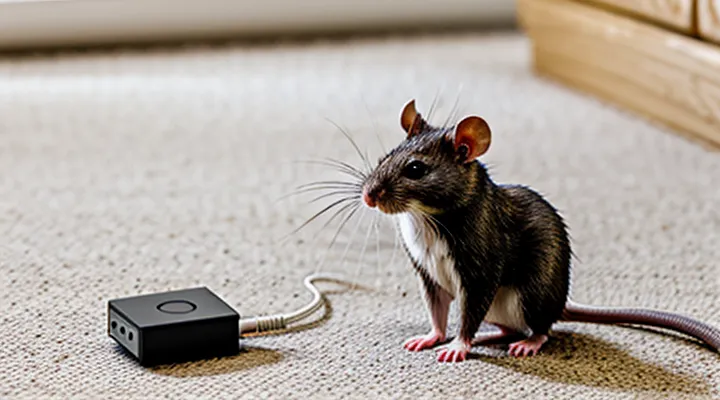
Understanding Ultrasonic Repellers
How Ultrasonic Repellers Work
The Science Behind Ultrasound
Ultrasound consists of sound waves with frequencies above the upper limit of human hearing, typically greater than 20 kHz. In the context of rodent deterrence, frequencies between 30 kHz and 70 kHz are most effective because mice and rats possess auditory sensitivity that peaks in this range.
The generation of ultrasonic energy relies on piezoelectric transducers. When an alternating voltage is applied, the crystal deforms, producing pressure variations in the surrounding air. The resulting acoustic pressure (p(t)) can be expressed as:
[ p(t) = P_{\text{peak}} \sin (2\pi f t) ]
where (f) denotes the carrier frequency and (P_{\text{peak}}) the peak pressure amplitude. The amplitude determines the sound pressure level (SPL) measured in decibels (dB SPL); values between 80 dB and 100 dB are typical for repellent devices.
Key physical factors influencing effectiveness:
- Frequency selection: Aligns with the auditory sensitivity curve of target rodents.
- Amplitude (SPL): Must exceed the discomfort threshold without causing structural damage or excessive power consumption.
- Beam pattern: Determined by transducer size and housing geometry; a focused beam concentrates energy, while a diffuse pattern covers a wider area.
- Propagation loss: Air attenuation increases with frequency, roughly 1 dB m⁻¹ at 40 kHz, limiting effective range to a few meters.
Rodents respond to ultrasonic exposure through two primary mechanisms:
- Auditory overstimulation: High‑frequency sounds trigger the startle reflex, causing rapid retreat from the source.
- Physiological discomfort: Sustained exposure can induce stress responses, reducing foraging and nesting activity.
Safety considerations include avoiding frequencies that interfere with domestic pets (e.g., dogs hear up to 45 kHz) and ensuring that electrical components meet isolation standards to prevent accidental shock.
Overall, the interaction of frequency, amplitude, and beam geometry defines the acoustic environment that repels rodents while remaining inaudible to humans. Proper selection and calibration of these parameters enable a reliable, low‑cost DIY solution for pest control.
Frequencies Affecting Pests vs. Humans
Ultrasonic pest deterrents rely on sound frequencies that rodents perceive as uncomfortable while remaining inaudible to most humans. Laboratory data identify a peak sensitivity in mice and rats between 20 kHz and 50 kHz, with discomfort intensifying near 30 kHz. Frequencies above 70 kHz produce minimal behavioral response in these species, while lower frequencies (<20 kHz) are audible to people and can cause irritation.
Human hearing typically declines sharply after 20 kHz, with the average adult unable to detect sounds above this threshold. Consequently, devices that emit strictly above 20 kHz avoid audible disturbance for occupants. However, some individuals, particularly younger users, retain limited perception up to 22–25 kHz; designs should consider this upper margin to prevent inadvertent exposure.
Key frequency parameters for a homemade ultrasonic deterrent:
- Primary rodent‑targeted band: 25 kHz – 45 kHz
- Upper safety limit for human inaudibility: > 20 kHz, preferably ≥ 22 kHz
- Maximum output frequency to avoid ultrasonic fatigue in components: ≤ 65 kHz
Selecting a carrier frequency within the 30 kHz to 40 kHz range maximizes rodent aversion while guaranteeing silence for occupants. Adjusting duty cycle and amplitude further refines efficacy without breaching human safety thresholds.
Limitations of Ultrasonic Repulsion
Ultrasonic devices operate within a narrow frequency band that matches the hearing range of rodents, typically 20‑50 kHz. Frequencies above this window are inaudible to mice and rats, rendering the repeller ineffective. Conversely, lower frequencies may be detectable by non‑target species, causing unintended disturbance.
Sound energy dissipates rapidly in air; obstacles such as walls, furniture, or insulation absorb or reflect ultrasonic waves. Consequently, the active zone rarely exceeds a few meters in open space and shrinks dramatically in cluttered environments. Placement near solid surfaces reduces coverage and creates dead zones where rodents can remain undetected.
Rodents quickly habituate to continuous ultrasonic exposure. Repeated, unvarying signals lose deterrent effect after several days, requiring intermittent operation or frequency modulation to sustain efficacy. Even with modulation, some individuals develop tolerance, limiting long‑term reliability.
Power constraints of battery‑driven DIY units restrict output intensity. Low‑power circuits produce sound pressure levels insufficient to penetrate deeper crevices or thick bedding, allowing pests to avoid the audible zone. Upgrading to higher‑capacity power sources increases cost and size, compromising the simplicity of a homemade solution.
Regulatory considerations impose limits on emitted ultrasonic intensity to prevent interference with other electronic equipment and to protect human health. Exceeding prescribed thresholds may violate local safety standards and necessitate certification, which many hobbyist projects overlook.
Key limitations
- Narrow effective frequency range; species‑specific hearing thresholds.
- Rapid attenuation; limited reach in obstructed environments.
- Habituation; reduced deterrence over time without signal variation.
- Battery‑driven power limits; insufficient sound pressure for deep penetration.
- Compliance requirements; potential legal restrictions on emission levels.
Planning Your DIY Repeller Project
Essential Components and Materials
Ultrasonic Transducer Selection
Choosing the right ultrasonic transducer determines the effectiveness of a home‑built rodent deterrent. Frequency, power output, beam pattern, and impedance matching are the primary parameters to evaluate.
- Frequency: Rodents respond to frequencies between 20 kHz and 45 kHz. Select a transducer that operates within this band; 30 kHz provides a balance between audibility to pests and reduced visibility to humans.
- Power output: Effective range correlates with acoustic pressure. Transducers rated for at least 80 dB SPL at 1 m deliver sufficient coverage for typical indoor spaces. Higher SPL extends reach but increases power consumption.
- Beam pattern: A wide‑angle (≈120°) transducer covers larger areas without mechanical steering. For narrow corridors, a focused beam (≈30°) concentrates energy where pests travel.
- Impedance: Match the transducer’s impedance (commonly 8 Ω or 16 Ω) to the driver circuit. Mismatched impedance reduces efficiency and may damage components.
- Supply voltage: Verify the transducer’s rated voltage; most hobby‑grade units operate at 12 V‑24 V DC. Higher voltage allows greater SPL but requires robust driver circuitry.
Additional considerations include durability of the piezoelectric element, resistance to humidity, and availability of replacement parts. Selecting a transducer that meets these criteria ensures reliable operation of the ultrasonic repeller and maximizes pest‑deterrent performance.
Microcontroller Options (e.g., Arduino, ESP32)
A microcontroller drives the ultrasonic transducer, sets the frequency sweep, and manages power consumption in a home‑built rodent deterrent. The controller must generate precise PWM or DAC signals, support timer interrupts for frequency modulation, and operate reliably on battery power.
Arduino boards, such as the Uno or Nano, provide a straightforward development environment, abundant libraries, and 5 V logic compatible with most ultrasonic modules. Their 16 MHz AVR processor delivers sufficient timing resolution for 20–30 kHz sweeps, while the built‑in USB interface simplifies firmware updates. Limitations include higher idle current (≈50 mA) and lack of native Wi‑Fi or Bluetooth connectivity, which may be unnecessary for a standalone device but restrict remote monitoring options.
The ESP32 offers a 32‑bit dual‑core processor, integrated Wi‑Fi and Bluetooth, and low‑power sleep modes that reduce idle draw to under 5 mA. Its hardware PWM and DAC peripherals enable finer frequency control, and the ESP‑IDF or Arduino core provides flexible programming. The higher clock speed (up to 240 MHz) allows more complex signal patterns, though the increased pin count and 3.3 V logic require level shifting for 5 V transducers. Development complexity rises due to additional configuration steps for power management and wireless stacks.
- Arduino Uno/Nano: 5 V, 16 MHz, simple IDE, ≈50 mA idle, no wireless.
- ESP32 DevKit: 3.3 V, up to 240 MHz, Wi‑Fi/BLE, ≈5 mA idle, requires level shifting.
- Cost: Arduino Nano ≈$4, ESP32 DevKit ≈$8.
- Power efficiency: ESP32 superior in sleep mode; Arduino better for constant 5 V supply.
- Signal precision: ESP32’s DAC provides smoother frequency ramps; Arduino relies on PWM filtering.
For a portable unit powered by a small battery pack, the ESP32’s low‑sleep current and wireless telemetry outweigh the added complexity. In a fixed installation with a stable 5 V source, an Arduino Nano delivers adequate performance with minimal setup effort. Selecting the appropriate controller aligns with power budget, connectivity requirements, and desired signal fidelity.
Power Supply Considerations
A reliable power source determines the effectiveness of an ultrasonic pest deterrent. The circuit requires a stable DC voltage that matches the transducer’s operating range, typically 5 V to 12 V, with a current capacity of at least 200 mA to sustain continuous emission. Voltage fluctuations introduce frequency drift, reducing repellent efficiency and potentially damaging the piezoelectric element.
-
Battery solutions:
• 18650 lithium‑ion cells provide 3.7 V nominal; a boost converter raises voltage to the required level.
• Alkaline AA packs supply up to 12 V; low internal resistance ensures adequate current.
• Rechargeable NiMH packs offer higher capacity but require periodic replacement. -
Mains options:
• Wall‑wart adapters deliver regulated voltage with minimal ripple; select units certified for safety.
• AC‑DC modules integrated into the enclosure eliminate external adapters but must include over‑current protection.
Voltage regulation and filtering are essential regardless of source. A low‑dropout regulator (LDO) smooths battery output, while a π‑filter (capacitor‑inductor‑capacitor) attenuates high‑frequency noise from mains adapters. Include a reverse‑polarity diode to protect the circuit during battery insertion, and a fuse rated slightly above the expected draw to guard against short circuits. Secure wiring with heat‑shrink tubing and route power lines away from the ultrasonic driver to prevent electromagnetic interference.
Enclosure Design
The enclosure protects electronic components, directs ultrasonic waves toward target areas, and prevents rodents from damaging the device. Material selection influences durability, acoustic transparency, and ease of construction. High‑density polyethylene, acrylic, or thin aluminum sheets provide structural strength while allowing sound transmission; avoid thick metal that attenuates frequencies above 20 kHz.
Design considerations include:
- Size and shape – Fit the transducer array and power supply with minimal internal volume; a cylindrical or rectangular housing aligns with typical rodent pathways.
- Sealing – Use silicone gaskets or weather‑strip tape to block dust, moisture, and chewing; ensure openings for power cables are fitted with strain‑relief clamps.
- Mounting options – Incorporate brackets or screw holes for wall, ceiling, or pole installation; include adjustable angles to target specific entry points.
- Ventilation – Add narrow vent slots covered with fine mesh to dissipate heat while maintaining acoustic integrity.
- Accessibility – Design a removable lid or hinged panel secured with latch clips for battery replacement and firmware updates without disassembly of the entire unit.
Construction steps:
- Cut material to predetermined dimensions using a jigsaw or laser cutter.
- Drill mounting holes at measured intervals; deburr edges to prevent stress concentrations.
- Assemble panels with screws and apply silicone sealant at seams.
- Install the ultrasonic transducer module, securing it with vibration‑absorbing pads to reduce mechanical noise.
- Route power leads through a sealed gland, attach strain‑relief, and test for continuity.
- Seal the enclosure, verify that vent mesh does not obstruct sound propagation, and perform a functional acoustic test.
A well‑engineered housing ensures reliable operation, prolongs component life, and maximizes the deterrent effect against mice and rats.
Circuit Design and Schematic
Oscillator Circuit for Ultrasound Generation
The oscillator circuit creates the ultrasonic signal that drives a rodent‑deterrent device. It must produce a stable frequency in the 20 kHz–50 kHz range, where mice and rats are most sensitive, and deliver sufficient acoustic power to cover the intended area.
A common implementation uses a crystal or ceramic resonator as the frequency‑determining element. The resonator is placed in an LC tank together with a small inductor, forming a parallel‑resonant network that sets the oscillation frequency. Typical component values are:
- Resonator: 22 kHz or 40 kHz ceramic crystal, ±0.5 % tolerance
- Inductor: 10 µH to 30 µH, low‑loss ferrite core
- Capacitors: 100 pF to 470 pF (parallel‑tuned to the resonator)
The resonant network feeds a buffer stage built from a bipolar junction transistor (e.g., 2N3904) or a MOSFET (e.g., BS170). The buffer isolates the oscillator from load variations and provides the current required to drive the ultrasonic transducer. A simple bias network with a resistor divider and an emitter (or source) resistor stabilizes the operating point.
Frequency stability is maintained by selecting a temperature‑compensated resonator and adding a trimmer capacitor for fine adjustment. A decoupling capacitor (0.1 µF) across the power rails suppresses supply noise that could modulate the output frequency.
The output stage consists of a push‑pull driver that directly powers a piezoelectric ultrasonic emitter. The driver uses complementary transistors (e.g., a pair of MOSFETs) to achieve full‑wave swing, delivering up to 5 V peak‑to‑peak across the transducer. A series resistor (≈10 Ω) limits the peak current and protects the emitter from overload.
Power is supplied from a regulated 9 V DC source, optionally filtered through a linear regulator (7805) to ensure voltage stability under load. The entire circuit occupies less than 50 mm × 30 mm of PCB area, allowing integration into compact, battery‑operated pest‑control units.
Amplifier Stage for Transducer
The amplifier stage drives the ultrasonic transducer that produces the high‑frequency sound used to deter rodents. Its primary function is to increase the voltage from the signal generator to a level sufficient for the piezoelectric element, while preserving the required 20–40 kHz frequency range.
A typical configuration employs a class‑D push‑pull output with a pair of MOSFETs controlled by a complementary driver. The driver receives a low‑level sine wave from a microcontroller‑based oscillator, amplifies it to several volts, and feeds the MOSFETs, which switch the supply voltage at the ultrasonic frequency. This topology provides high efficiency, low heat dissipation, and the ability to operate from a 12 V or 24 V battery pack.
Key design parameters include:
- Gain: Set to deliver 30–50 V peak‑to‑peak across the transducer, measured with an oscilloscope while monitoring load current.
- Bandwidth: Maintain flat response from 20 kHz to 45 kHz to cover the effective range for rodents.
- Impedance matching: Use a series resonant network (inductor and capacitor) tuned to the transducer’s resonant frequency to minimize reflected power.
- Supply decoupling: Place 0.1 µF ceramic and 10 µF electrolytic capacitors close to the MOSFETs to suppress switching transients.
- Protection: Incorporate a fast‑acting diode clamp on the output to prevent over‑voltage when the transducer is disconnected.
Component selection guidelines:
- MOSFETs with RDS(on) < 20 mΩ and VDS rating ≥ 30 V.
- Gate driver capable of 5 A peak current for rapid transitions.
- High‑Q inductor (10–15 µH) matched to the transducer’s capacitance.
- Low‑ESR electrolytic capacitor for bulk energy storage.
PCB layout should keep the high‑current paths short, separate the power plane from the low‑level oscillator traces, and use a ground pour beneath the driver circuitry to reduce EMI. Thermal vias beneath the MOSFETs enhance heat removal when the device operates continuously.
Testing proceeds by verifying the output waveform with a spectrum analyzer, confirming the frequency stability under varying supply voltage, and measuring acoustic output with an ultrasonic microphone. Adjust the resonant network until the measured SPL peaks at the target frequency range, ensuring reliable performance for the rodent‑deterrent application.
Power Management Circuitry
The power management circuitry supplies stable voltage to the ultrasonic transducer while maximizing battery endurance and protecting the device from electrical faults. A typical arrangement includes a rechargeable lithium‑ion cell (3.7 V nominal) paired with a high‑efficiency buck‑boost converter that maintains the transducer’s operating voltage (typically 12 V) across the full discharge curve. A low‑dropout linear regulator can be added downstream to reduce ripple for the control microcontroller, ensuring reliable frequency generation.
Key design elements:
- Battery protection – a dedicated IC monitors cell temperature, over‑charge, and over‑discharge, cutting off the supply before damage occurs.
- Voltage regulation – synchronous buck‑boost topology provides >90 % efficiency, reducing heat and extending runtime.
- Power‑on reset – a supervisory circuit holds the microcontroller in reset until the supply stabilizes above the minimum operating threshold.
- Current limiting – a sense resistor and comparator trigger a MOSFET shut‑off if the transducer draws excess current, preventing acoustic distortion and component wear.
- Energy‑saving mode – the microcontroller enters deep‑sleep between ultrasonic bursts, with the regulator remaining active only during transmission windows.
Component selection criteria focus on low quiescent current (<10 µA), high surge capability (≥2 A for brief transducer activation), and compact footprint to fit within a handheld enclosure. Proper layout separates high‑current paths from sensitive signal traces, utilizes ground planes for noise suppression, and includes decoupling capacitors (0.1 µF and 10 µF) close to the regulator pins.
Testing procedures verify voltage stability under load steps, battery discharge curves, and protection circuit response times. Data collected during these tests guide final component values, ensuring the repeller operates continuously for several weeks on a single charge without performance degradation.
Step-by-Step Construction Guide
Preparing the Components
Soldering Techniques for Electronics
Soldering is the critical process that transforms a circuit schematic into a functional ultrasonic deterrent. Mastery of basic and advanced techniques ensures reliable connections, minimizes failure rates, and reduces the need for later repairs.
Begin with component preparation. Clean leads with isopropyl alcohol, trim excess length, and apply a thin coat of flux. Flux lowers oxidation, promotes wetting, and improves joint strength. Use rosin‑based flux for general purpose work; no‑clean flux is acceptable when post‑assembly cleaning is undesirable.
Select solder appropriate for small‑signal electronics. A 60/40 tin‑lead alloy melts at 183 °C and flows readily, ideal for quick prototyping. Lead‑free solder (Sn‑Ag‑Cu) requires higher temperature (≈217 °C) and may produce less fluid joints; adjust iron settings accordingly. For fine pitch components, a 0.5 mm diameter solder wire provides better control than thicker stock.
Key soldering parameters:
- Iron tip temperature: 350–370 °C for leaded solder, 380–410 °C for lead‑free.
- Tip size: conical or chisel tip of 1–2 mm for through‑hole parts; fine tip for surface‑mount devices.
- Dwell time: 1–2 seconds per joint; longer exposure risks damage to delicate components and PCB substrate.
Forming a sound joint follows a three‑step sequence: heat the pad and lead simultaneously, introduce solder to the joint (not the tip), allow capillary action to draw solder around the connection, then remove heat and let the joint solidify without movement. A good joint exhibits a smooth, shiny fillet that covers both surfaces evenly.
Inspection methods include visual examination under magnification and a mechanical test by gently tugging each lead. Rework procedures involve desoldering braid or a solder wick, applying fresh flux, and re‑soldering. For stubborn bridges, a solder sucker or low‑temperature hot air tool can remove excess solder without harming adjacent traces.
Safety considerations are mandatory. Wear eye protection, work in a ventilated area, and use a stand‑by fire‑extinguishing blanket. Keep the soldering iron on a heat‑resistant mat when idle, and never leave it unattended while powered.
Applying these soldering practices to the ultrasonic repeller circuit—comprising a microcontroller, ultrasonic transducer driver, and power regulation stage—produces robust electrical pathways, reliable ultrasonic emission, and long‑term operation in environments where rodents are present.
Wiring the Circuit Board
The circuit board for a homemade ultrasonic pest deterrent must be assembled with precision to ensure reliable operation. Begin by inspecting the board for any manufacturing defects, such as solder bridges or missing pads. Clean the surface with isopropyl alcohol before proceeding.
Place the ultrasonic transducer in the designated footprint, aligning the polarity markings with the silkscreen. Solder the leads using a fine‑tip iron set to 350 °C; apply just enough solder to form a smooth, concave fillet that fully wets both pad and lead. Avoid excess that could cause short circuits.
Connect the oscillator module to the power rail and the transducer output according to the schematic. Typical connections include:
- VCC (5 V) to the oscillator’s supply pin.
- GND to the board’s ground plane.
- Signal pin to the transducer’s positive lead.
- Optional potentiometer for frequency adjustment, wired between the oscillator’s control pin and ground.
Secure the voltage regulator, ensuring correct orientation of the input, ground, and output pins. Verify that the regulator’s input voltage matches the chosen power source (e.g., 9 V battery or 12 V DC adapter). Add a decoupling capacitor (0.1 µF) across the regulator’s input and ground to suppress transients.
Route the power switch between the battery connector and the regulator’s input. Solder the switch leads to the designated pads, confirming that the switch toggles the circuit without introducing resistance spikes.
After all components are soldered, inspect each joint under magnification. Perform a continuity test with a multimeter: confirm that VCC connects to the regulator input, GND is common across the board, and no unintended bridges exist between adjacent traces. Finally, apply power briefly and measure the output frequency with an ultrasonic frequency counter to ensure the device operates within the 20–30 kHz range. Adjust the potentiometer if necessary, then secure the board in its enclosure.
Assembling the Repeller
Mounting Components in the Enclosure
The enclosure must securely hold every functional element while preserving acoustic performance and environmental resilience. Choose a non‑conductive housing, such as ABS or polycarbonate, with dimensions that accommodate the ultrasonic transducer, control board, power source, and wiring clearances. An IP‑rated case prevents moisture ingress when the device operates outdoors.
Position the ultrasonic emitter near the interior wall to maximize sound transmission into the target area. Align the printed circuit board opposite the emitter to reduce signal loss, and locate the battery pack on the opposite side to balance weight. Leave a minimum of 5 mm between the transducer and any metal surfaces to avoid acoustic attenuation.
Mount components using machine screws and nylon standoffs that isolate vibrations. Brackets printed from the same material as the enclosure provide precise alignment for the transducer and allow easy removal for maintenance. Apply a thin layer of silicone adhesive where brackets contact the housing to improve sealing without obstructing sound waves.
Route cables through pre‑drilled grommets, securing them with zip ties or cable clamps. Incorporate strain‑relief sleeves at entry points to protect against pull forces. Keep power lines separate from the signal path to minimize electromagnetic interference.
Seal all openings with rubber O‑rings or silicone gasket material. Apply a bead of silicone sealant around cable penetrations and screw threads to create a watertight barrier. Verify that the enclosure remains airtight after assembly.
Conduct a functional test by powering the unit and measuring output frequency with a calibrated microphone. Adjust transducer angle or mounting depth if the measured amplitude deviates from the design specification. Re‑secure any loosened fasteners before final deployment.
Connecting the Power Source
Connecting the power source is the final critical step before the device can emit ultrasonic frequencies that deter rodents. Begin by confirming the voltage rating of the transducer and the chosen battery or wall adapter; mismatched voltage can damage the circuit or reduce effectiveness. Use a regulated 5 V or 12 V supply, depending on the design specifications, and verify polarity with a multimeter.
Secure the power leads to the circuit board using soldered connections or reliable crimp terminals. Insulate each joint with heat‑shrink tubing to prevent short circuits, especially in environments where moisture may be present. Route the wiring away from the ultrasonic emitter to avoid interference, and anchor the cable with zip ties to maintain a tidy layout.
If employing a rechargeable battery pack, integrate a protection module that includes over‑charge, over‑discharge, and short‑circuit safeguards. Connect the module’s output to the power input terminals, then attach a switch in series to allow easy activation and deactivation without unplugging the device.
Typical connection sequence:
- Measure and confirm supply voltage.
- Attach positive lead to the board’s VCC node; secure with solder or crimp.
- Attach negative lead to the GND node; insulate both connections.
- Add protective module (if using rechargeable cells) between supply and board.
- Install a toggle or push‑button switch in series with the positive lead.
- Verify continuity and correct polarity with a multimeter.
- Power the unit and observe the indicator LED or voltage regulator output to ensure stable operation.
After completing these steps, the repeller can be positioned in the target area, and the power connection will remain reliable for continuous ultrasonic emission.
Testing the Output
To verify that a homemade ultrasonic deterrent functions as intended, follow a systematic testing protocol that quantifies frequency output, acoustic intensity, and effective range.
First, connect the device to a calibrated ultrasonic meter capable of measuring frequencies from 20 kHz to 100 kHz. Power the unit and record the dominant frequency. If the reading deviates more than ±2 kHz from the target band (typically 30‑45 kHz for rodent aversion), adjust the oscillator circuit and repeat the measurement until the desired range is achieved.
Second, assess sound pressure level (SPL) at incremental distances from the emitter. Position the probe at 0.5 m, 1 m, and 2 m along a straight line, noting SPL values in dB SPL. Document the distance at which SPL falls below the threshold known to affect rodents (approximately 80 dB SPL). This establishes the practical coverage radius.
Third, conduct a behavioral trial using a controlled enclosure. Place a small group of laboratory‑raised mice or rats in a compartment separated from the device by a transparent barrier. Operate the repeller for a fixed period (e.g., 10 minutes) and record activity levels with infrared video. Compare movement frequency and zone occupancy against a baseline trial with the device turned off. A statistically significant reduction in time spent near the source confirms efficacy.
Finally, log all data in a structured table, including frequency, SPL at each distance, and behavioral metrics. Repeat the entire sequence on at least three separate units to ensure reproducibility. Consistent results across devices validate the design and ready the system for field deployment.
Optimizing and Deploying Your Repeller
Calibration and Testing
Measuring Frequency Output
Accurate assessment of the ultrasonic device’s frequency output is essential for ensuring effective rodent deterrence. Use a calibrated ultrasonic frequency counter or a spectrum analyzer capable of detecting signals in the 20 kHz–100 kHz range. Position the sensor at the same distance from the transducer that the device will operate in real use, typically 10–30 cm, to replicate field conditions.
- Power the repeller and allow it to reach steady‑state operation (approximately 30 seconds after activation).
- Activate the measurement instrument, select the appropriate frequency span, and record the peak frequency reading.
- Verify that the measured frequency remains within the target band (usually 30 kHz–45 kHz for rodent aversion).
- Repeat the measurement at three separate locations around the transducer to detect any directional variance.
- Document the average frequency and note any deviation exceeding ±2 kHz, which may indicate component aging or assembly error.
If the output falls outside the desired range, adjust the driving circuit’s oscillator component values or replace the piezoelectric element. Re‑measure after each adjustment until the frequency stabilizes within specifications. Consistent documentation of measurements supports quality control and facilitates troubleshooting in future builds.
Adjusting Power and Range
When configuring a homemade ultrasonic deterrent, power and effective distance are the two parameters that determine performance against rodents.
The output level of the transducer is directly linked to the voltage supplied. Raising the supply voltage increases acoustic pressure, extending the audible range but also elevating power consumption and heat generation. Use a variable‑output regulator or a PWM‑controlled driver to fine‑tune voltage in small increments (e.g., 5 V steps) while monitoring temperature with a thermistor.
Frequency selection influences range as well. Higher frequencies (>30 kHz) attenuate more quickly in air, limiting coverage to a few meters; lower frequencies (20–25 kHz) travel farther but may be audible to humans. Choose a frequency that balances rodent sensitivity and desired coverage.
Physical placement affects the usable radius. Mount the emitter at ceiling height and angle it downward to maximize line‑of‑sight propagation. Avoid obstacles that reflect or absorb sound; smooth surfaces help maintain beam integrity.
A practical adjustment checklist:
- Set supply voltage to the transducer’s rated maximum, then reduce by 10‑15 % to prevent overheating.
- Program PWM duty cycle between 40 % and 70 % to modulate intensity without altering frequency.
- Verify frequency with a calibrated ultrasonic meter; keep within 22‑28 kHz for optimal rodent detection.
- Measure field strength at 1 m intervals using a sound pressure level probe; aim for ≥80 dB SPL at the target distance.
- Install a heat sink and, if necessary, a small fan to maintain temperature below the transducer’s limit.
By methodically adjusting voltage, duty cycle, frequency, and mounting geometry, the device can achieve a reliable coverage area of 3‑5 meters while maintaining safe operating conditions. Continuous monitoring ensures that power remains sufficient to repel rodents without causing excessive wear on components.
Strategic Placement
Ideal Locations for Repeller Units
Place each unit where rodent activity is most likely to begin or concentrate. Install devices close to entry points such as door cracks, window gaps, utility openings, and foundation cracks. Mount units on interior walls at a height of 4–6 feet to maximize ultrasonic propagation across the room’s lower zone, where mice and rats travel. Ensure the emitter faces outward from the wall to avoid sound reflection that reduces coverage.
Position units in corners or along continuous wall runs to create overlapping fields that eliminate blind spots. Use a second unit in large open areas—kitchens, pantries, or storage rooms—so the combined range covers the entire floor space. For multi‑level structures, locate a unit on each level: attic, basement, and ground floor, focusing on areas where food, water, or shelter are present.
Avoid placement near thick metal surfaces, large appliances, or dense insulation, which absorb ultrasonic waves. Keep units at least 12 inches away from solid furniture that could block the signal. Provide a reliable power source; plug units into dedicated outlets rather than shared power strips to prevent voltage drops that weaken emission strength.
Recommended locations
- Near exterior doors and windows
- Around utility penetrations (pipes, vents, cables)
- Inside kitchen cabinets and pantry shelves
- Along baseboard runs in hallways
- In attic corners above insulation
- In basement near water sources or storage bins
- Adjacent to garage door openings
Proper positioning ensures continuous coverage, reduces the need for excessive power, and enhances the effectiveness of a home‑built ultrasonic deterrent system.
Factors Affecting Ultrasonic Wave Propagation
Ultrasonic waves used in a homemade rodent deterrent are influenced by several physical parameters that determine effective range and signal integrity.
Propagation speed varies with the temperature and humidity of the surrounding air; higher temperatures increase molecular activity, raising the speed of sound, while elevated humidity reduces attenuation by lowering acoustic impedance mismatches. Air density, altered by altitude or pressure changes, also modifies wave velocity and energy loss.
Frequency selection directly impacts penetration and absorption. Higher frequencies (above 30 kHz) produce sharper directional beams but suffer greater atmospheric attenuation, limiting effective distance. Lower frequencies travel farther but may fall below the hearing threshold of target pests, reducing deterrent efficacy.
Obstructions and surface characteristics cause reflection, diffraction, and scattering. Smooth, hard surfaces reflect energy efficiently, potentially creating standing‑wave patterns that concentrate intensity in specific zones. Rough or porous materials absorb energy, diminishing signal strength. The distance between the transducer and the target follows an inverse‑square law; intensity decreases proportionally to the square of the separation.
Power supply and transducer design contribute to output stability. Voltage fluctuations cause frequency drift and amplitude variation, while transducer diaphragm size and material affect beam width and acoustic coupling with the air.
Ambient acoustic noise introduces interference. Background sounds in the ultrasonic range can mask the deterrent signal, especially in environments with other electronic devices emitting high‑frequency emissions.
Key factors affecting ultrasonic wave propagation:
- Air temperature, humidity, and pressure
- Selected frequency and bandwidth
- Presence and nature of obstacles or reflective surfaces
- Distance from source to target
- Transducer specifications and power stability
- Ambient ultrasonic noise levels
Optimizing these variables enhances the reliability of a DIY ultrasonic rodent repeller.
Avoiding Obstructions
When building a homemade ultrasonic rodent deterrent, placement must prevent any material from blocking the sound waves. Even a thin sheet of plywood or a glass panel can absorb or reflect the high‑frequency signal, reducing the area that the device protects.
Ultrasonic energy travels in straight lines and loses intensity when it encounters solid objects. Metals, dense plastics, and thick fabrics act as barriers; they either reflect the waves back toward the source or convert the energy into heat. Open‑space propagation ensures the full frequency range reaches the target zone.
- Position the unit where the line of sight to the surrounding area is clear of furniture, walls, or cabinets.
- Mount the emitter at least 12–18 inches above floor level to avoid interference from carpet or clutter.
- Keep a minimum distance of 6 inches from large metal objects, such as radiators or appliances.
- Avoid placing the device near reflective surfaces like glass doors; use acoustic foam or fabric curtains to dampen unwanted echoes.
- Verify coverage by observing rodent activity after installation; relocate the unit if dead zones appear.
Troubleshooting and Maintenance
Common Issues and Solutions
No Sound Output
The device fails to emit ultrasonic waves when the power supply is connected, the transducer receives voltage, but no audible or ultrasonic signal is detected. This condition typically indicates a fault in the oscillator circuit, a damaged piezoelectric element, or insufficient power delivery.
Common causes include:
- Incorrect component values in the oscillator (e.g., wrong capacitor or resistor tolerance).
- Solder bridges or cold joints that interrupt the frequency‑generating network.
- Transducer polarity reversed or the element cracked during assembly.
- Power source voltage lower than the required operating level.
To resolve the issue, follow these steps:
- Verify that the battery or DC supply provides the specified voltage with a multimeter.
- Inspect the schematic and compare each component against the bill of materials; replace any out‑of‑spec parts.
- Examine solder connections under magnification; re‑flow any suspicious joints.
- Measure the output at the transducer pins with an oscilloscope; a clean 20‑30 kHz waveform confirms proper oscillation.
- If the waveform is absent, replace the piezoelectric transducer with a known‑good unit, observing correct polarity.
After corrective actions, re‑test the unit in a controlled environment. A stable ultrasonic output confirms that the repeller is functional and ready for deployment against rodents.
Weak Repulsion Effect
The ultrasonic deterrent built at home often exhibits a modest repulsion effect, meaning rodents may not abandon an area promptly. This limitation stems from several technical and biological factors.
Key contributors to reduced efficacy include:
- Frequency selection – Rodents detect a narrow band of ultrasonic tones; devices that emit frequencies outside this range fail to trigger an avoidance response.
- Sound pressure level – Low amplitude limits the distance over which the signal remains audible, allowing mice and rats to remain beyond the effective radius.
- Habituation – Continuous exposure to a constant tone leads to sensory adaptation, diminishing the aversive impact after a short period.
- Environmental attenuation – Walls, furniture, and fabric absorb ultrasonic energy, further shrinking the coverage zone.
Mitigation strategies:
- Combine multiple frequencies (e.g., 20 kHz, 25 kHz, 30 kHz) to address the full hearing spectrum of common rodent species.
- Increase the transducer output power while staying within safe limits for household pets and humans.
- Implement a timer or randomization circuit to vary pulse intervals, preventing habituation.
- Position transducers strategically near entry points and unobstructed paths to maximize direct line‑of‑sight transmission.
Understanding these constraints enables designers to refine homemade ultrasonic systems, improving the likelihood of achieving a decisive deterrent outcome.
Power Fluctuation
Power fluctuation directly influences the performance of a self‑built ultrasonic rodent deterrent. Voltage spikes or drops alter the frequency and amplitude of the emitted sound, reducing the device’s effectiveness against mice and rats and potentially damaging the transducer.
Typical sources of instability include household wiring variations, battery discharge curves, and inadequate power‑regulation circuitry. When the supply voltage deviates by more than 5 % from the design value, the oscillator may shift outside the 20–30 kHz range, which rodents no longer perceive as a threat.
Mitigation measures:
- Install a low‑dropout linear regulator or a buck‑boost converter to maintain a constant 5 V (or other specified voltage) despite input changes.
- Add a decoupling capacitor bank (e.g., 100 µF electrolytic in parallel with 0.1 µF ceramic) close to the ultrasonic driver to smooth transient spikes.
- Use a rechargeable lithium‑ion cell with a built‑in protection circuit for portable units, ensuring a stable discharge profile.
- Incorporate a voltage‑monitoring circuit that shuts down the oscillator if the supply falls below the safe threshold.
Testing should involve measuring the output frequency with a spectrum analyzer while deliberately varying the input voltage. Record the frequency drift and adjust the regulator’s feedback network until the deviation remains within the acceptable band. Consistent power delivery guarantees reliable ultrasonic emission, sustaining the deterrent’s intended impact on rodent activity.
Longevity and Care
Cleaning and Inspection
A homemade ultrasonic rodent deterrent must remain free of dust, debris, and corrosion to function reliably. Accumulated particles can block the speaker diaphragm, reduce acoustic output, and shorten component lifespan. Regular maintenance preserves signal strength and prevents false‑triggering.
Cleaning should begin with power removal and battery disconnection. Wipe the exterior with a lint‑free cloth dampened in a mild detergent solution; avoid saturating openings. Use compressed air to clear vents and speaker grilles. For stubborn residue, apply isopropyl alcohol to a cotton swab and gently scrub the diaphragm surface. Allow all parts to dry completely before reassembly.
Inspection focuses on structural integrity and electrical continuity. Verify the following items:
- Speaker cone: no cracks, tears, or discoloration.
- Wiring: insulation intact, connections tight, no corrosion.
- Circuit board: solder joints solid, no burnt marks.
- Enclosure: seals intact, no gaps that could admit moisture.
- Power source: batteries fresh, contacts clean.
If any defect is detected, replace the affected component before the next deployment. Consistent cleaning and thorough inspection extend operational life and maintain deterrent efficacy.
Battery Replacement or Power Supply Check
When a homemade ultrasonic rodent deterrent stops emitting, the first diagnostic step is to verify the power source. A depleted battery or a loose connection will silence the device instantly.
Check the battery compartment for corrosion, loose terminals, or misaligned contacts. Clean any residue with isopropyl alcohol and ensure the terminals make firm contact with the battery leads. Replace the battery with a fresh unit of the same voltage and chemistry; alkaline 9 V cells are common, but lithium packs provide longer life and stable output under load.
If the device still fails after a new battery, inspect the power wiring:
- Confirm that wires are soldered securely and insulated.
- Measure voltage at the circuit board input while the battery is installed; the reading should match the battery’s nominal voltage within ±5 %.
- Look for signs of overheating, broken traces, or damaged connectors.
When the power supply checks out, examine the ultrasonic transducer for damage. A cracked or detached transducer will not produce the high‑frequency signal needed to deter rodents, regardless of power quality.
Regular maintenance—replacing batteries every six months and inspecting connections during each cleaning cycle—prevents unexpected downtime and ensures continuous operation of the ultrasonic repeller.