
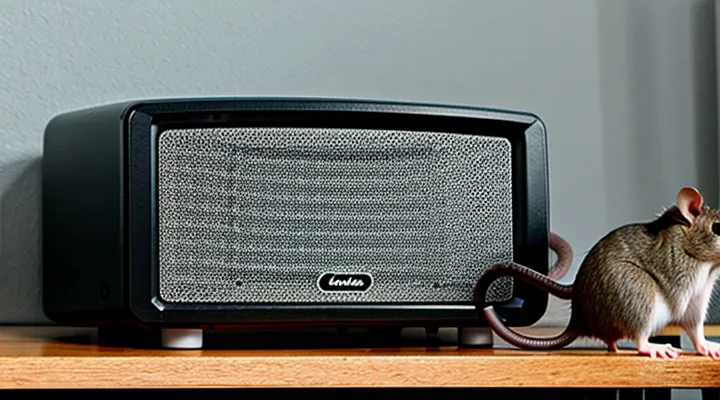
Understanding Ultrasonic Repellers
What is an Ultrasonic Repeller?
An ultrasonic repeller is an electronic device designed to emit high‑frequency sound waves that are inaudible to humans but uncomfortable for rodents such as mice and rats. The emitted frequencies typically range from 20 kHz to 65 kHz, a spectrum that interferes with the animals’ hearing and balance systems, prompting them to vacate the treated area.
The core components of the system include:
- A power source (battery or mains connection) that supplies continuous voltage to the circuit.
- An oscillator circuit that generates the ultrasonic signal at a preset frequency.
- A transducer (piezoelectric speaker) that converts electrical oscillations into acoustic energy.
- A housing that protects the electronics and directs the sound outward.
Operational principles:
- The oscillator produces a stable ultrasonic tone.
- The transducer radiates the tone into the surrounding space.
- Rodents detect the tone as a persistent irritant and relocate to avoid exposure.
Effectiveness depends on factors such as placement height, line‑of‑sight to target zones, and ambient noise levels. Proper installation ensures the acoustic field covers the intended area without obstruction.
How Ultrasonic Repellers Work
The Science Behind Ultrasonic Frequencies
Ultrasonic frequencies occupy the range above 20 kHz, beyond the upper limit of human auditory perception. In this spectrum, sound waves retain the same physical properties as audible sound—pressure variations traveling through a medium—but their wavelengths become sufficiently short to interact with small biological structures.
Rodents detect frequencies up to approximately 80–100 kHz, with peak sensitivity around 40–50 kHz. When an ultrasonic emitter produces sound within this band, the auditory nerves of mice and rats are stimulated, causing discomfort and prompting avoidance behavior. The effectiveness of a repelling device depends on matching the emitted frequency to the species‑specific hearing curve and delivering sufficient acoustic pressure to elicit a response without causing tissue damage.
Generation of ultrasonic waves typically relies on piezoelectric transducers. An alternating voltage applied to a ceramic crystal induces rapid mechanical deformation, converting electrical energy into acoustic energy at the desired frequency. The transducer’s resonant frequency determines the output tone, while the drive circuit controls amplitude and modulation patterns.
Propagation through air attenuates ultrasonic energy more rapidly than lower frequencies due to viscous losses and molecular absorption. Attenuation increases with frequency, limiting effective coverage to a few meters from the source. Proper placement of the emitter—elevated, unobstructed, and directed toward target areas—maximizes the audible field for rodents while minimizing dead zones.
Key technical parameters for a rodent‑repelling ultrasonic unit:
- Frequency: 30 kHz – 70 kHz, centered on the rodent hearing peak
- Sound pressure level: 90 dB SPL at 1 m, sufficient to cause aversive response
- Beam pattern: wide‑angle or multi‑directional to cover typical infestation zones
- Duty cycle: continuous or intermittent modulation to prevent habituation
- Power source: stable voltage supply ensuring consistent output
Safety considerations include shielding the device from direct human exposure, avoiding prolonged operation in occupied rooms, and complying with local electromagnetic emission standards. Properly configured, ultrasonic emitters create an environment that discourages rodent presence while remaining inaudible to people.
Target Pests and Their Hearing Range
Mice and rats are the primary rodents affected by ultrasonic deterrents. Their auditory systems are tuned to high‑frequency sounds that humans cannot perceive, making acoustic interference an effective control method.
- House mouse (Mus musculus): hearing sensitivity from approximately 1 kHz to 100 kHz, peak responsiveness around 30–70 kHz.
- Norway rat (Rattus norvegicus): hearing range roughly 0.5 kHz to 80 kHz, with maximum sensitivity near 20–50 kHz.
Effective devices must emit frequencies within these bands, preferably targeting the peak sensitivity zones to maximize discomfort and encourage avoidance. Emission below 1 kHz will be ineffective, while frequencies above 100 kHz may exceed the rodents’ auditory capacity and waste power. Selecting a variable‑frequency model allows adjustment to the optimal range for both species, ensuring consistent repellent performance.
Types of Ultrasonic Repellers
Plug-in Devices
Plug‑in ultrasonic repellers draw power directly from a standard electrical outlet, eliminating the need for batteries or external power packs. The device’s internal circuitry converts alternating current into high‑frequency sound waves that rodents cannot tolerate, while remaining inaudible to humans.
Installation requires the following steps:
- Connect the power cord to a grounded socket, ensuring the outlet supplies the voltage specified by the manufacturer.
- Verify that the unit’s indicator light illuminates, confirming electrical contact.
- Adjust the built‑in control knob or switch to the “on” position; some models feature a momentary press‑to‑activate button.
- Position the unit at a height of 12–18 inches above the floor, away from walls, to maximize acoustic coverage.
After activation, the repeller continuously emits ultrasonic pulses. Most units include an automatic shut‑off timer; set the timer according to the desired protection period. Periodic cleaning of the exterior surface prevents dust accumulation, which can attenuate sound transmission.
Battery-Powered Units
Battery-powered ultrasonic deterrents rely on a compact power source to generate high‑frequency sound that rodents cannot tolerate. Most models use either AA or AAA alkaline cells, rechargeable lithium‑ion packs, or sealed lead‑acid batteries. The choice of battery determines operating time, voltage stability, and the need for periodic replacement.
When installing a battery unit, remove the protective cover, insert the cells according to the polarity markings, and reseal the compartment. A secure connection prevents voltage drop that could reduce acoustic output. After the battery is in place, locate the power switch—typically a sliding or push‑button control—on the device’s housing.
To activate the repeller:
- Verify that the battery indicator (if present) shows sufficient charge.
- Press the power switch; a brief audible click confirms engagement.
- Observe the indicator LED; a steady light indicates normal operation, while a blinking pattern signals low battery or fault.
- Position the unit at least 30 cm above the floor, away from direct sunlight and moisture, to maximize sound propagation.
Regular maintenance includes checking battery voltage every two weeks, cleaning the exterior with a dry cloth, and replacing cells before they reach the end of their rated life. Rechargeable packs should be cycled after 300 hours of use to preserve capacity. Failure to maintain adequate power can lead to diminished ultrasonic emission, reducing the device’s effectiveness against mice and rats.
Solar-Powered Options
Solar-powered ultrasonic deterrents provide a self‑sufficient solution for controlling mice and rats in outdoor environments. The integrated photovoltaic panel converts sunlight into electrical energy, charging an internal rechargeable battery that powers the high‑frequency emitter.
The device consists of three functional parts: a solar cell mounted on the exterior, a sealed lithium‑ion or NiMH battery, and an ultrasonic transducer calibrated to frequencies above 20 kHz. The panel must receive direct sunlight for at least four hours daily to maintain full charge; shading reduces operational time proportionally.
Activation proceeds as follows:
- Position the unit on a stable surface where the solar panel faces the sun for the majority of daylight.
- Connect the power switch to the “ON” position; an LED indicator will illuminate, confirming battery charge and emitter activity.
- Verify that the ultrasonic output is active by listening for a faint high‑pitch tone with a frequency meter or specialized detector.
When selecting a solar model, consider:
- Panel area (larger panels deliver higher charge rates).
- Battery capacity (measured in mAh; higher capacity extends night‑time operation).
- Weather rating (IP65 or higher ensures protection against rain and dust).
- Frequency range (ensure the device covers the 20–65 kHz spectrum effective against rodents).
Routine upkeep includes cleaning the solar surface of dust or debris, inspecting the battery compartment for corrosion, and testing the LED indicator monthly. In regions with limited sunlight, supplement the system with a manual charging cable or a hybrid model that accepts AC power.
Preparing for Installation
Unboxing Your Device
Unpacking the ultrasonic rodent deterrent begins with removing the outer cardboard. Verify that seals are intact; broken seals may indicate tampering or damage during shipment.
Open the inner tray and examine each component. Confirm that all parts are present, free of visible defects, and securely packaged.
- Main repelling unit (plastic housing with ultrasonic transducer)
- Power adapter or battery pack (depending on model)
- Mounting bracket or adhesive pads
- Quick‑start guide
- Warranty card
- Safety disclaimer sheet
Inspect the main unit for cracks, loose parts, or missing screws. Check the power source: if a battery pack is supplied, ensure cells are correctly oriented and contacts are clean. For models with an external adapter, confirm that the cable is free of kinks and the connector fits snugly.
After verification, place the device on a stable surface, attach the mounting accessory if desired, and connect the power source. Do not press any buttons until the power connection is secure; this prevents accidental activation during setup.
The unboxing stage concludes with a clear inventory, intact hardware, and ready‑to‑use equipment, allowing immediate transition to the activation instructions.
Reading the User Manual
Important Safety Precautions
Before activating an ultrasonic device intended to deter rodents, observe the following safety measures.
- Verify that the unit is installed at a height of at least 12 inches above the floor to prevent accidental contact.
- Ensure the power source matches the manufacturer’s voltage and frequency specifications; mismatched supply can cause overheating or electrical shock.
- Disconnect the unit during cleaning, maintenance, or any adjustment of settings; reconnect only after the area is dry and the device is inspected for damage.
- Keep the device out of reach of children and pets; ultrasonic emissions may cause stress or hearing impairment in non‑target species.
- Do not place the repeller near water sources, open flames, or combustible materials; moisture and heat increase the risk of short‑circuiting.
- Use protective gloves when handling the unit to avoid skin irritation from the plastic housing or internal components.
- Follow the recommended exposure time; continuous operation for more than 24 hours may lead to component fatigue and reduced efficacy.
- Store the device in a cool, dry location when not in use; extreme temperatures can degrade the ultrasonic transducer.
Adhering strictly to these precautions minimizes hazards and ensures reliable performance of the ultrasonic rodent deterrent.
Specific Model Instructions
The specific model of ultrasonic rodent deterrent requires a precise activation sequence to ensure reliable operation. Begin by confirming that the unit is positioned at least 30 cm above the floor and at least 1 m away from walls or large objects that could reflect sound waves. Install the supplied AA batteries, observing correct polarity, or connect the AC adapter to a grounded outlet if the model supports mains power.
- Press the power button until the indicator LED flashes amber, indicating the device is in standby mode.
- Rotate the mode dial to the “continuous” setting; this mode emits a constant ultrasonic frequency optimized for mouse and rat deterrence.
- Hold the “activate” button for three seconds; the LED will change to steady green, confirming that the ultrasonic emitter is active.
- Adjust the volume control to the desired intensity, keeping in mind that higher settings increase coverage but may affect nearby pets.
After activation, monitor the area for at least 24 hours to verify effectiveness. If the LED turns red, replace the batteries or check the power connection. Periodically clean the exterior with a dry cloth; avoid liquids that could damage the transducer. The device automatically shuts off after 12 hours of continuous use; to restart, repeat steps 1–3.
Optimal Placement Considerations
Avoiding Obstructions
A clear acoustic path is essential for any ultrasonic rodent deterrent to function effectively. Physical barriers absorb or reflect high‑frequency waves, reducing the area covered and allowing mice or rats to remain undetected.
- Position the unit at least 30 cm away from walls, cabinets, and large pieces of furniture.
- Ensure no solid objects, such as bookshelves or radiators, stand directly between the device and the target zone.
- Avoid placing the repeller under tables, inside closets, or behind curtains that can trap sound.
- Keep pets, especially cats and dogs, from lying on or covering the emitter, as their bodies block transmission.
- Verify that the ceiling height exceeds the recommended minimum (usually 2.5 m) to prevent upward reflection.
Before activation, inspect the surrounding area for any newly added items that could interrupt the ultrasonic field. Remove or relocate obstacles, then test the device by observing rodent activity for several hours. Adjust placement as needed until an unobstructed zone is confirmed.
Proximity to Power Outlets
When installing an ultrasonic rodent deterrent, the distance from a wall outlet determines both safety and effectiveness. A power source that is too far requires an extension cord, which can introduce voltage drop, reduce the device’s output frequency, and create additional points of failure. Conversely, placing the unit directly adjacent to the socket minimizes electrical resistance and ensures the emitted ultrasonic waves reach their intended range without attenuation caused by long wiring.
Key considerations for positioning relative to a receptacle:
- Keep the device within 6 inches (15 cm) of the outlet to avoid the need for adapters.
- If an extension cord is unavoidable, select a heavy‑gauge (18 AWG or thicker) cord no longer than 3 feet (0.9 m) to maintain voltage integrity.
- Verify that the cord’s insulation is rated for indoor use and that connections are secure to prevent intermittent power loss.
- Ensure the plug does not block the unit’s speaker grille; a clear line of sight maximizes acoustic coverage.
Proper placement also reduces the risk of accidental unplugging. Secure the plug with a socket cover or a short cable tie, especially in high‑traffic areas where pets or children might pull on cords. By adhering to these distance guidelines, the repeller will activate reliably and deliver the full ultrasonic spectrum intended to deter mice and rats.
Coverage Area and Multiple Units
Ultrasonic deterrent devices emit high‑frequency sound that travels in a roughly spherical pattern. The effective radius typically ranges from 15 to 30 feet, depending on the model’s power output and the layout of the space. Solid walls, furniture, and other obstacles absorb or reflect the waves, reducing the usable zone. Open‑plan areas allow the signal to reach the maximum distance, while compartmentalized rooms may require additional units to eliminate dead zones.
When a single unit cannot cover the entire target area, installing multiple devices creates overlapping fields that ensure continuous protection. Follow these guidelines:
- Measure the dimensions of each room and note any barriers that could block sound propagation.
- Position devices at least 6 feet above the floor to avoid interference from furniture and to maximize line‑of‑sight coverage.
- Space units so that the edge of one device’s effective radius meets the edge of the next, creating a seamless field.
- Align units in a staggered pattern rather than a straight line to prevent gaps caused by directional nulls.
- Verify that each unit is powered and activated according to the manufacturer’s instructions before connecting additional devices.
Using several units in larger homes, warehouses, or multi‑level structures expands the protected perimeter without sacrificing performance. Proper placement and overlap maintain a consistent ultrasonic field, reducing the likelihood of rodents finding a quiet refuge.
Activating Your Ultrasonic Repeller
Plugging In the Device
To connect the ultrasonic rodent deterrent, first verify that the outlet provides the voltage specified by the manufacturer, typically 120 V AC (or 220 V AC for models sold overseas). Use only the supplied power adapter; third‑party cords may lack the necessary insulation or grounding.
Insert the adapter plug into the wall socket, ensuring that the prongs align with the outlet’s polarity. Press the connector firmly until it clicks into place, confirming a secure electrical contact. If the device includes a power switch, set it to the “off” position before plugging in to avoid sudden activation.
After the plug is seated, observe the indicator light on the unit. A steady green or blue illumination signals proper power reception; a flashing or absent light indicates a faulty connection or incompatible voltage. In the latter case, disconnect the device, inspect the cord for damage, and consult the user manual for troubleshooting steps.
Finally, once the indicator confirms power, switch the device to the “on” position. The ultrasonic emitter will begin emitting high‑frequency sound waves, creating an effective barrier against mice and rats. Ensure the unit remains on a stable surface, away from water sources, and that the cord is not stretched or pinched.
Inserting Batteries (If Applicable)
Insert the power source before activating the ultrasonic device designed to deter rodents. Follow these precise steps:
- Verify the model requires batteries; some units operate on mains electricity only.
- Open the battery compartment located on the rear or underside of the unit. Use a flat‑head screwdriver or the built‑in latch if present.
- Identify the correct battery type (commonly AA, AAA, or 9 V) and polarity markings inside the compartment.
- Place each cell with the positive (+) and negative (–) ends aligning to the indicated symbols. Mismatched orientation can prevent operation or damage the circuit.
- Close the compartment securely, ensuring the latch snaps or the screws are tightened to prevent accidental opening.
- Press the power button to confirm the device powers up; a LED indicator or audible tone should confirm proper installation.
If the device does not respond, re‑examine polarity, replace batteries with fresh ones, and repeat the activation sequence.
Understanding Indicator Lights
Power On/Off Confirmation
The ultrasonic rodent deterrent includes a built‑in verification system that signals the device’s power status. When the unit is switched on, a bright LED illuminates and a brief chirp sounds, confirming activation. Conversely, turning the switch to the off position extinguishes the LED and silences the chirp, indicating that the emitter is no longer operational.
Key elements of the confirmation process:
- LED indicator – green for active, off for inactive.
- Audible cue – single tone at power‑on, none at power‑off.
- Power switch position – tactile click provides tactile feedback; the switch’s “ON” label aligns with the illuminated LED.
If the LED does not light or the tone is absent after toggling the switch, verify the power source, check battery polarity, and ensure the device is seated on a flat surface. Re‑engage the switch after correcting any issue; the confirmation signals should appear immediately.
Mode Selection Indicators
The ultrasonic rodent deterrent offers several operational modes, each represented by a distinct visual cue on the device’s indicator panel. These cues allow the user to verify the selected function without consulting a manual.
A solid green light signals that the unit is in continuous‑emission mode, delivering a constant ultrasonic frequency aimed at deterring mice and rats. A slow amber pulse indicates a timed cycle, during which the device alternates between active and standby periods to conserve energy. A rapid red flash warns that the device has entered a high‑intensity burst mode, typically used in severe infestations. When no light is illuminated, the system is powered off or the battery is depleted.
To change the mode, press the selector button once for continuous operation, twice for timed cycles, and three times for burst mode. After each press, the indicator updates within one second to reflect the new setting. If the indicator does not change, verify that the battery is correctly installed and that the button’s travel is complete.
When the device is first powered on, the indicator briefly flashes all three colors in sequence. This start‑up sequence confirms that the circuitry is functional and that each mode indicator is operational. After the sequence, the device settles on the mode that was active before power loss.
Regular inspection of the indicator panel ensures that the selected mode matches the intended control strategy. Any deviation, such as an unexpected amber pulse during continuous operation, should prompt an immediate reset by turning the unit off, waiting ten seconds, and re‑activating the desired mode.
Setting Up Advanced Features (If Available)
Frequency Adjustment
The ultrasonic rodent deterrent operates by emitting sound waves above the hearing range of mice and rats. Adjusting the frequency determines the device’s effectiveness across different species and environmental conditions.
Typical models provide a selectable range between 20 kHz and 60 kHz. Lower frequencies (20–30 kHz) affect larger rodents, while higher frequencies (40–60 kHz) target smaller, more sensitive individuals. Selecting the appropriate band reduces habituation and maximizes coverage.
To modify the frequency:
- Locate the frequency selector switch or digital menu on the unit.
- Turn the power off before changing settings to avoid damage.
- Choose the desired frequency band based on the target pest size.
- Confirm the selection by pressing the confirm button or waiting for the indicator light to stabilize.
- Reactivate the device and observe the response for at least 24 hours.
If the device includes a continuous‑tune dial, rotate it clockwise to increase frequency and counter‑clockwise to decrease it, watching the on‑screen meter for the exact value.
Regular verification of the frequency ensures the unit remains within the optimal range. Use a calibrated ultrasonic meter, if available, to measure output and adjust as needed. Failure to maintain the correct frequency can result in reduced deterrence and increased tolerance among the rodent population.
Timer Functions
The ultrasonic deterrent for rodents includes a built‑in timer that controls activation periods without manual intervention. The timer can be programmed to start and stop the device at specific times of day, allowing users to align operation with typical rodent activity cycles while conserving power during inactive hours.
Typical timer options are:
- Fixed interval – set a single duration (e.g., 8 hours) after which the unit automatically powers off.
- Daily schedule – define start and stop times for each day (e.g., 22:00 – 06:00) to target nocturnal behavior.
- Multi‑day program – configure different schedules for weekdays and weekends, useful for facilities with variable occupancy.
Programming steps are straightforward: press the timer button, use the up/down controls to select the desired mode, confirm with the set key, and the display will show the remaining active time. After the preset period expires, the unit enters standby mode and resumes operation only when the next scheduled interval begins. This functionality eliminates continuous exposure, reduces battery drain, and ensures the device operates precisely when rodents are most active.
Pest-Specific Settings
The ultrasonic rodent deterrent includes adjustable parameters that target specific pest species. Selecting the correct settings improves efficacy and reduces unnecessary energy consumption.
- Frequency range: set to 30–45 kHz for mice, 35–55 kHz for rats. Most units allow manual selection or automatic switching based on detected activity.
- Sensitivity level: increase to high when infestations are recent; lower to medium for occasional sightings to avoid habituation.
- Timer function: program active periods during peak rodent activity (dusk to dawn). A 12‑hour cycle is typical for consistent coverage.
- Volume output: ensure the speaker emits at least 85 dB at 1 m for mice, 90 dB for rats. Adjust according to room size and barrier density.
Placement recommendations complement the settings. Position the device at least 30 cm above the floor, near entry points, and away from solid walls that can reflect sound. Verify that obstacles do not block the ultrasonic field.
Before activation, confirm that the unit is powered, the selected frequency matches the target species, and the timer is programmed. Press the power button; the indicator light will confirm operation. Monitor for a minimum of 48 hours to assess pest response, then fine‑tune frequency or sensitivity if activity persists.
Post-Activation and Maintenance
Initial Observation Period
After activating an ultrasonic rodent deterrent, allocate a dedicated observation window to verify proper operation before permanent placement. During this phase, maintain a silent environment to prevent external sounds from masking the device’s output. Record the following parameters at regular intervals:
- Device power status (indicator light, audible cue if present).
- Frequency range emitted (verify with a calibrated ultrasonic detector).
- Ambient temperature and humidity (conditions can affect sound propagation).
- Rodent activity signs (droppings, gnaw marks, movement tracks) inside and near the coverage zone.
The observation period typically spans 48 hours. The first 12 hours reveal immediate behavioral responses; the subsequent 36 hours confirm sustained deterrence. Document any reduction in rodent indicators compared with baseline data collected before activation. If activity persists, reassess device placement, ensure unobstructed line of sight, and confirm that the emitted frequency matches the manufacturer’s specifications.
Troubleshooting Common Issues
No Sound or Light
The unit repels rodents by generating ultrasonic frequencies that exceed the upper limit of human hearing, typically above 20 kHz. Because the energy is transmitted as high‑frequency sound waves, no audible noise can be detected by most people. The transducer vibrates at a rate that produces pressure waves, not audible acoustic output.
Visible illumination is absent from the design. The casing contains no LEDs or lamps that emit light during operation. Any indicator present is usually a low‑intensity diode that glows only when power is applied, not when the device is actively emitting ultrasonic pulses.
To verify that the repeller is functioning despite the lack of audible or visual cues, follow these steps:
- Confirm that the power source is correctly connected and the device shows an indicator glow.
- Use a smartphone app or a dedicated ultrasonic detector to sense frequencies above 20 kHz near the unit.
- Measure voltage at the input terminals with a multimeter to ensure the supply matches specifications.
- Relocate the device away from metal surfaces that could dampen ultrasonic transmission and repeat the detection test.
If the indicator does not illuminate or the detector registers no ultrasonic activity, check the following:
- Battery orientation and charge level, or replace the power adapter if voltage is insufficient.
- Integrity of the plug and wiring for signs of damage or loose connections.
- Presence of debris obstructing the transducer opening; clean gently if needed.
- Warranty status; a defective transducer may require replacement.
Apparent Ineffectiveness
The device that emits ultrasonic frequencies to deter mice and rats often appears ineffective when users do not observe immediate reductions in rodent activity. Several factors explain this perception.
- Frequency range: Most rodents detect sounds above 20 kHz, but the repeller may operate at frequencies that exceed the hearing threshold of older or larger individuals, reducing impact.
- Signal attenuation: Ultrasonic waves lose intensity quickly over distance and are blocked by furniture, walls, and curtains. Placement in open space without obstacles is essential.
- Acclimation: Rodents can become desensitized after repeated exposure, especially if the source remains constant and unvarying.
- Species variation: Mice and rats differ in hearing sensitivity; a frequency effective against one may be less so against the other.
- Environmental noise: Background sounds, especially from appliances, can mask the ultrasonic output, diminishing its reach.
To verify whether the unit functions as intended, follow these steps:
- Confirm power connection and indicator light status.
- Use a calibrated ultrasonic detector or a smartphone app capable of measuring high‑frequency emissions to ensure the device is active.
- Relocate the unit to the center of the target area, maintaining a clear line of sight to potential entry points.
- Monitor rodent activity for at least 48 hours, recording sightings or signs before and after deployment.
- If activity persists, consider alternating devices with different frequency bands or supplementing with physical barriers.
Understanding these variables clarifies why the repeller may seem ineffective and guides practical adjustments to improve performance.
Cleaning and Care
Proper maintenance extends the lifespan of an ultrasonic rodent deterrent and preserves its effectiveness. Dust, pet hair, and debris can block the transducer, reducing the emitted frequency range and allowing pests to ignore the device.
Routine cleaning procedure
- Unplug the unit and allow it to cool for at least five minutes.
- Remove the outer housing according to the manufacturer’s instructions; most models snap or screw apart.
- Wipe the transducer surface with a soft, lint‑free cloth dampened with distilled water. Avoid solvents that could damage the electronic components.
- Clean the interior cavity with a dry microfiber brush to dislodge trapped particles.
- Reassemble the housing, ensuring all clips and screws are securely tightened.
- Plug the device back in and verify operation by listening for a faint high‑frequency hum (audible only with a suitable detector).
Maintenance schedule
- Perform the above cleaning every four weeks for continuous indoor use.
- Increase frequency to bi‑weekly if the unit operates in dusty environments, near HVAC vents, or in areas with heavy pet activity.
- Inspect the power cord and plug for wear during each cleaning session; replace immediately if fraying is observed.
Long‑term care
- Store the unit in a dry, temperature‑controlled location when not in use.
- Cover the transducer with a protective cap or soft cloth to prevent accidental scratches.
- Keep the device away from direct sunlight and moisture, which can degrade the plastic housing and internal circuitry.
Adhering to these steps ensures reliable performance and minimizes the risk of malfunction, allowing the ultrasonic deterrent to remain an effective tool for rodent management.
When to Consider Alternatives
The ultrasonic rodent repeller is effective for many infestations, yet several conditions justify seeking other solutions.
- The device fails to produce audible deterrence in environments with high ambient noise, such as industrial kitchens or near heavy machinery.
- Target species develop habituation after several weeks of continuous exposure, reducing the repellent’s impact.
- Structural barriers, including thick concrete walls or metal enclosures, block ultrasonic transmission, leaving concealed areas untreated.
- Residents or workers report adverse reactions, such as headaches or tinnitus, indicating the need for a non‑ultrasonic approach.
- Local regulations restrict the use of ultrasonic emitters in certain public or commercial settings, requiring compliance with alternative pest‑control methods.
When any of these factors are present, evaluate mechanical traps, bait stations, or professional extermination services. Compare cost, safety, and efficacy before replacing the ultrasonic system.