
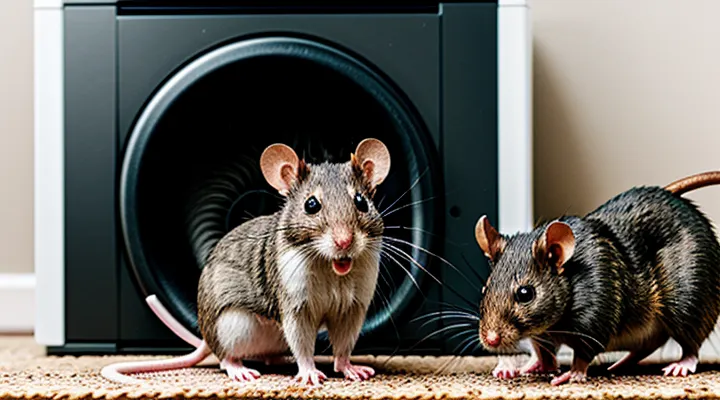
Understanding Ultrasonic Pest Repellers
How Ultrasonic Devices Work
Sound Frequencies and Pest Response
Ultrasonic pest control relies on frequencies that exceed the audible range of humans but fall within the hearing capabilities of rodents. Mice detect sounds between 1 kHz and 100 kHz, with peak sensitivity around 10–20 kHz. Rats share a similar range, extending slightly higher to 80 kHz. Devices calibrated to emit continuous or pulsed tones within 18–30 kHz exploit this sensitivity, provoking startle responses that discourage nesting and foraging.
Response patterns vary with frequency, intensity, and exposure duration:
- 18–22 kHz: Strong startle effect; rodents retreat quickly but may habituate after several hours of uninterrupted exposure.
- 24–28 kHz: Moderate discomfort; sustained exposure reduces activity levels without immediate avoidance.
- 30–35 kHz: Minimal aversion; rodents often ignore signals, indicating the upper limit of effective deterrence.
Intensity must exceed the auditory threshold of the target species, typically 85–95 dB SPL at the source, while remaining below safety limits for humans and pets. Proper placement ensures the sound field reaches all entry points and nesting zones; obstacles such as solid walls and dense insulation attenuate ultrasonic waves significantly.
Habituation occurs when rodents are subjected to constant, unvarying tones. Introducing irregular pulse patterns, varying frequencies, or intermittent operation (e.g., 10‑minute bursts every hour) disrupts adaptation and maintains deterrent efficacy. Monitoring rodent activity through visual inspection or motion sensors confirms the operational impact and informs adjustments to frequency schedules.
Effective ultrasonic deterrence combines precise frequency selection, adequate sound pressure, strategic device distribution, and variability in signal delivery to sustain rodent aversion and reduce infestation risk.
Limitations of Ultrasonic Technology
Ultrasonic repellents rely on high‑frequency sound waves that rodents cannot hear, yet several inherent constraints reduce their effectiveness.
- Limited coverage area – Sound intensity drops sharply beyond a few meters, leaving gaps where pests can travel undetected.
- Obstruction sensitivity – Furniture, walls, and clutter absorb or reflect waves, creating dead zones that compromise uniform exposure.
- Species variation – Different rodent species respond to distinct frequency ranges; a single device may not target all common pests.
- Habituation risk – Continuous exposure can lead to desensitization, after which the animals ignore the signal entirely.
- Ambient noise interference – Household appliances, HVAC systems, and external sounds can mask ultrasonic emissions, diminishing perceived intensity.
- Power and placement requirements – Reliable operation demands consistent electricity and strategic positioning, increasing installation complexity.
Understanding these constraints is essential for anyone implementing ultrasonic solutions to control mouse and rat populations, ensuring realistic expectations and informed device deployment.
Preparation Before Activation
Choosing the Right Device
Power Source Considerations
When selecting an ultrasonic repeller for rodent control, the power source determines reliability, placement flexibility, and long‑term cost.
-
Mains electricity provides continuous operation without frequent replacement. Devices must include voltage regulation to protect against surges and comply with safety standards for indoor use. Installation near outlets simplifies wiring but limits placement to areas with accessible sockets.
-
Battery operation offers mobility for hard‑to‑reach locations such as attics or crawl spaces. Choose units that accept alkaline, lithium, or rechargeable packs rated for at least 8 hours of continuous output. Consider the device’s current draw; higher output frequencies consume more power, reducing runtime.
-
Solar panels serve outdoor installations where sunlight is abundant. Pair a solar array with a sealed‑lead‑acid or lithium‑ion storage battery to maintain operation during night or cloudy periods. Verify that the panel’s wattage matches the device’s average consumption.
-
Hybrid systems combine mains and battery backup, ensuring uninterrupted performance during power outages. Automatic switching circuitry prevents loss of coverage and extends battery life by activating only when grid power fails.
Additional considerations:
- Voltage and frequency compatibility – confirm that the unit matches local mains specifications (e.g., 120 V 60 Hz or 230 V 50 Hz) to avoid malfunction.
- Energy efficiency – models with pulse‑width modulation or duty‑cycle control reduce average power use while preserving ultrasonic efficacy.
- Maintenance – replace batteries before capacity drops below 70 % of rated value; inspect cords and connectors for wear.
- Safety certifications – look for CE, UL, or equivalent marks to ensure compliance with electrical safety regulations.
Choosing the appropriate power solution aligns device performance with the environment, minimizes downtime, and optimizes overall cost effectiveness.
Coverage Area and Device Placement
Ultrasonic pest‑control units typically cover 500–1,200 sq ft, depending on frequency, power output, and environmental conditions. Higher frequencies attenuate more quickly, reducing effective radius in cluttered spaces. Open layouts allow full‑range propagation; solid walls, furniture, and insulation absorb sound, creating dead zones. Manufacturer specifications often list a “effective radius” measured in feet; multiply by two for a rough square‑foot estimate, then subtract 20‑30 % for typical indoor obstacles.
Effective placement maximizes exposure while avoiding interference:
- Install devices at 4–6 ft height, the zone where rodents travel.
- Position units near entry points (doors, windows, utility openings) but at least 12 in away from solid surfaces to prevent sound reflection.
- Use one unit per 400 sq ft in cluttered rooms; add additional units in large, open areas to overlap coverage.
- Avoid placing devices directly above or below large metal appliances, which can block ultrasonic waves.
- For multi‑room dwellings, locate a unit in each primary corridor or connect units through a central hub if the system permits.
Regularly verify that no objects have been moved into the ultrasonic field, as rearranged furniture can create new blind spots and diminish overall efficacy.
Site Preparation
Clearing Obstructions
Before an ultrasonic deterrent can emit sound effectively, any physical barrier that blocks the device’s line of sight must be removed. Obstructions such as furniture, stored boxes, or wall hangings reflect or absorb ultrasonic waves, reducing the range and intensity that reaches target rodents.
- Inspect the area where the unit will operate. Identify items that stand between the device and typical rodent pathways (e.g., baseboard gaps, pantry shelves, under‑sink spaces).
- Relocate or discard objects that are within a three‑foot radius of the emitter. Clear floor space to allow unobstructed propagation in all directions.
- Trim excess wiring, cords, or decorative elements that could create acoustic shadow zones.
- Ensure the device is mounted at least six inches above the floor and away from walls, as close proximity creates echo chambers that diminish output.
After clearing, test the unit by measuring signal strength at several points using a calibrated ultrasonic detector. Adjust placement if readings drop sharply in any sector, indicating residual blockage. Maintaining an open environment maximizes the deterrent’s effectiveness against mice and rats.
Identifying Pest Entry Points
Effective ultrasonic deterrents work only when rodents cannot bypass them. Locate all potential entry routes before installation. Begin with a systematic exterior inspection, then move to interior gaps.
- Gaps around utility penetrations (pipes, wires, cables) measuring less than ¼ in.
- Openings at foundation joints, cracks in concrete, or unsealed slab edges.
- Spaces beneath doors and windows, including weather‑stripping gaps.
- Holes in siding, soffits, and eaves where insulation is missing.
- Open vents, dryer exhausts, and chimney flues lacking mesh screens.
- Unfinished attic or crawl‑space access points, such as roof hatches without tight lids.
Inside the building, examine:
- Gaps around baseboard trim and floor seams, especially where flooring meets walls.
- Openings around plumbing fixtures, dishwasher hoses, and refrigerator water lines.
- Unsealed openings around HVAC ducts and return air vents.
- Holes in cabinets or pantry shelves that lead to wall cavities.
Document each opening, measure its size, and seal it with steel wool, metal mesh, or appropriate caulking before positioning ultrasonic units. Securing these points eliminates routes that rodents could use to evade the acoustic field, ensuring the devices operate at full efficiency.
Activating and Optimizing Your Device
Initial Setup
Plugging in the Device
Plugging in an ultrasonic pest‑control unit begins with confirming that the power outlet matches the device’s voltage rating. Use a grounded, 120‑V or 230‑V socket as indicated on the label; mismatched voltage can damage the circuitry and reduce effectiveness.
Before connecting, inspect the plug and cord for cuts, frayed insulation, or exposed conductors. Replace any damaged components to prevent short circuits and maintain reliable operation.
Insert the plug firmly until the latch clicks into place. A secure connection eliminates intermittent power loss, which can cause the device to reset or emit inconsistent frequencies.
After the unit powers on, verify the indicator light or display confirms active status. If the light does not illuminate, repeat the plug‑in procedure, ensuring the outlet is functional by testing with another appliance.
For optimal coverage, position the device on a stable, flat surface away from large metal objects or furniture that could reflect or absorb ultrasonic waves. Maintain a minimum distance of 6 inches from the plug to avoid heat accumulation.
Routine checks include:
- Confirming the plug remains seated after each cleaning cycle.
- Testing the outlet with a multimeter or voltage tester quarterly.
- Replacing the unit’s power cord if wear is observed.
Following these steps guarantees a stable power supply, enabling the ultrasonic system to emit the intended high‑frequency signals that deter rodents effectively.
Indicator Lights Explained
Indicator lights provide immediate visual feedback on the operational status of ultrasonic pest‑control units. A steady green illumination confirms that the device receives power and emits ultrasonic waves at the preset frequency. A blinking amber signal typically indicates that the unit is in a warm‑up phase, during which the transducer reaches optimal output levels before full activation. A red or flashing red light warns of a fault condition, such as a power supply issue, overheating, or a blocked transducer; the device should be inspected and, if necessary, the power source reset or the unit cleaned.
Different light patterns also convey specific modes:
- Continuous green – normal operation, full‑power emission.
- Slow amber pulse – timer mode active; the unit will shut off after the programmed interval.
- Rapid amber flash – low‑battery or insufficient voltage; replace or reconnect the power source.
- Red steady or flashing – internal error; consult the manual for diagnostic steps.
Understanding these signals enables rapid troubleshooting without disassembly. When a red alert appears, verify that the outlet provides the correct voltage, ensure that the device’s vent openings are free of debris, and confirm that the protective housing is intact. If the amber timer indicator persists beyond the expected duration, reset the timer function or adjust the programmed interval according to the manufacturer’s guidelines.
Proper interpretation of indicator lights ensures that ultrasonic devices remain effective against rodent intruders, reducing downtime and maintaining consistent emission levels throughout the treatment period.
Optimal Placement Strategies
Avoiding Soft Surfaces
When ultrasonic emitters are positioned on cushions, carpets, or foam, the material absorbs and scatters high‑frequency sound waves. This diminishes the intensity that reaches rodent pathways, reducing the device’s effectiveness. Hard, flat surfaces such as wood, tile, or metal reflect the waves, preserving their power across the intended coverage zone.
To maintain optimal performance, follow these guidelines:
- Place the unit on a non‑porous, rigid surface; avoid beds, sofas, and thick rugs.
- If a soft floor covering is unavoidable, elevate the device using a small wooden platform or metal bracket at least two inches above the surface.
- Ensure the emitter’s face is unobstructed; do not cover it with fabric or padding.
- Verify that the device remains stable; wobbling on a soft base can shift the acoustic focus away from target areas.
By eliminating soft substrates, the ultrasonic field remains directed toward walls, baseboards, and entry points where mice and rats travel, maximizing the likelihood of deterrence.
Strategic Device Distribution
Effective deployment of ultrasonic pest‑control units requires a planned layout that reflects rodent movement patterns and environmental constraints. The placement strategy determines coverage efficiency, reduces overlap, and maximizes the acoustic field where mice and rats are most active.
Identify critical zones: entry points such as cracks and gaps, nesting sites within walls or attics, and travel corridors along walls, pipes, and utility lines. Each zone demands a specific device density to maintain uninterrupted ultrasonic emission throughout the 24‑hour cycle.
- Conduct a site survey to map all potential ingress and shelter locations.
- Allocate one device per 150 sq ft in high‑traffic corridors; increase to one per 75 sq ft in nesting clusters.
- Position units at least 12 inches above the floor and away from solid obstacles that could block sound waves.
- Ensure power sources are reliable; use battery‑backed models for areas prone to outages.
- Record device serial numbers and installation coordinates for future reference.
After installation, monitor rodent activity using visual inspections and motion‑triggered cameras. Adjust device locations if activity persists, shifting units toward uncovered hotspots. Maintain a log of battery replacements and firmware updates to preserve optimal performance.
Monitoring and Maintenance
Regular Performance Checks
Regular performance checks ensure ultrasonic repellents continue to deter rodents effectively. Conducting systematic inspections prevents loss of acoustic output, reduces the risk of device failure, and maintains the intended coverage zone.
A practical checklist includes:
- Verify power source. Confirm that the outlet delivers stable voltage or that batteries hold charge above the manufacturer’s minimum threshold.
- Measure frequency output. Use a calibrated ultrasonic meter to confirm that the device emits within the specified 20‑65 kHz range.
- Assess acoustic intensity. Ensure the sound pressure level meets the advertised decibel rating at the device’s intended distance.
- Inspect emitter surface. Remove dust, debris, or pet hair that could obstruct sound transmission.
- Confirm placement. Check that the unit remains positioned at the recommended height and angle, free from obstacles that block the sound field.
- Review timer or sensor settings. Ensure programmed schedules align with periods of rodent activity.
Document findings after each inspection. Record date, observed values, and corrective actions. Replace or service components that fall outside acceptable parameters promptly.
Schedule checks at intervals recommended by the manufacturer, typically monthly for continuous‑use models and quarterly for battery‑operated units. Adjust frequency based on seasonal rodent behavior patterns to sustain optimal deterrence.
Cleaning and Device Longevity
Proper maintenance directly influences the performance and lifespan of ultrasonic pest deterrents. Dust accumulation on transducers reduces ultrasonic output, diminishing the device’s ability to repel rodents. Regular cleaning restores acoustic efficiency and prevents overheating caused by blocked ventilation.
- Power off and unplug the unit before any cleaning.
- Remove the outer casing according to the manufacturer’s instructions.
- Use a soft brush or compressed air to clear dust from the speaker surface and vent openings.
- Wipe the exterior with a lightly damp cloth; avoid excessive moisture that could reach internal components.
- Reassemble the device, ensure all connections are secure, and test operation before returning it to service.
Adhering to a cleaning schedule—weekly for high‑traffic areas, monthly for low‑traffic zones—extends functional life by reducing wear on electronic parts. Replacing the power source according to the supplier’s guidelines further prevents voltage fluctuations that can degrade the ultrasonic emitter. Consistent upkeep minimizes downtime and maintains the device’s effectiveness against mice and rats.
Troubleshooting Common Issues
Device Not Working
Power Supply Problems
Power supply reliability determines whether ultrasonic pest‑control units function continuously and emit the intended frequencies. Inadequate voltage, unstable current, or depleted batteries cause the devices to stop emitting or to produce distorted sound, reducing effectiveness against rodents.
Common power‑related failures include:
- Insufficient mains voltage – low household supply (<110 V in some regions) prevents the internal oscillator from reaching its design frequency. Verify voltage with a multimeter and use a step‑up transformer if necessary.
- Fluctuating current – frequent surges or drops trigger built‑in protection circuits, shutting the unit off. Install a surge protector or line conditioner to smooth the input.
- Battery depletion – rechargeable cells lose capacity after repeated cycles, leading to reduced output power. Replace batteries with fresh, high‑capacity units and follow the manufacturer’s charge‑discharge schedule.
- Loose or corroded connectors – poor contact at the power plug or internal solder joints creates intermittent operation. Inspect and clean connectors, tighten screws, and re‑solder any cracked joints.
- Incorrect polarity – connecting DC power with reversed polarity damages the driver circuit. Confirm polarity markings before attachment.
Mitigation steps:
- Measure incoming voltage and current stability before installation.
- Use certified adapters that match the device’s voltage and amperage specifications.
- Employ backup power solutions, such as uninterruptible power supplies (UPS), for critical locations.
- Schedule regular maintenance checks of batteries, connectors, and wiring.
- Keep a spare power module on hand to replace a faulty unit promptly.
Addressing these power supply issues ensures that ultrasonic devices maintain continuous operation, delivering the acoustic emissions required to deter mice and rats effectively.
Unit Malfunctions
Effective rodent deterrence with ultrasonic emitters depends on reliable unit performance. Malfunctions compromise acoustic output, allowing mice and rats to bypass protection. Identifying and correcting faults promptly restores efficacy.
Typical failure modes include:
- Power supply loss: intermittent or absent voltage, often caused by degraded batteries, loose wiring, or faulty adapters.
- Speaker degradation: reduced frequency range or no sound due to membrane wear, moisture exposure, or overheating.
- Circuit board damage: burnt components, corrosion, or cracked solder joints that interrupt signal flow.
- Software lockout: firmware glitches that freeze operation, usually triggered by abrupt power cuts or firmware incompatibility.
Troubleshooting steps:
- Verify power source integrity; replace batteries or test the adapter with a multimeter.
- Inspect the speaker diaphragm for visible damage; clean with a dry cloth, replace if crackling persists.
- Examine the circuit board for discoloration, residue, or broken traces; re‑solder connections or replace the board if necessary.
- Reset the device by disconnecting power for 60 seconds, then reconnect; if the problem recurs, update or reinstall firmware following manufacturer instructions.
Preventive measures reduce downtime:
- Keep units in dry, dust‑free locations; avoid direct sunlight and extreme temperatures.
- Schedule monthly visual inspections of cables and housings.
- Use surge protectors to shield electronics from voltage spikes.
- Maintain a log of battery replacements and firmware versions.
Addressing these malfunctions promptly ensures continuous ultrasonic emission, preserving the deterrent effect against rodent infestations.
Ineffective Repellence
Incorrect Placement
Effective rodent deterrence with ultrasonic emitters depends on proper positioning. Devices installed in unsuitable locations waste energy, create silent zones, and fail to reach target areas.
- Placing the unit inside a closed cabinet or drawer blocks sound waves.
- Mounting the emitter near large metal objects reflects ultrasonic pulses away from the intended field.
- Installing the device behind furniture, curtains, or dense fabrics absorbs the signal.
- Positioning the unit on a high shelf while rodents occupy floor level reduces coverage.
- Using multiple units in the same room without spacing creates overlapping dead zones.
Incorrect placement creates acoustic shadows where mice and rats remain unaffected. Reflected or absorbed waves diminish the intensity that reaches the pest habitat, allowing populations to persist despite active devices.
For optimal results, locate the emitter on an unobstructed wall at mouse‑height (approximately 6–12 inches above the floor). Ensure a clear line of sight to all corners of the area, avoid proximity to metal cabinets, and keep the unit at least 12 inches away from large furniture. Space multiple units evenly, allowing each to cover a distinct sector without overlap. Regularly verify that the acoustic field reaches known rodent pathways and adjust placement as needed.
High Pest Infestation Levels
High pest infestation levels indicate dense rodent activity that can overwhelm passive control methods. When populations exceed a threshold—typically more than ten sightings per night per 100 sq ft—ultrasonic emitters must be positioned strategically to ensure coverage of all active zones. Dense nesting sites, food sources, and travel corridors create acoustic dead zones if devices are spaced too widely.
Key actions for effective ultrasonic deployment under heavy infestation:
- Map rodent pathways and identify hotspots; place units at entry points, along walls, and near concealed nests.
- Maintain a minimum overlap of 20 % between adjacent devices to prevent signal gaps.
- Use models with adjustable frequencies (20–65 kHz) and automatic sweep functions to counter habituation.
- Verify power supply stability; continuous operation requires uninterrupted electricity or reliable battery backup.
- Conduct weekly performance checks by monitoring rodent sightings; adjust placement or add units if activity persists.
Proper configuration in high‑infestation scenarios maximizes deterrent efficacy, reduces the likelihood of adaptation, and supports integrated pest management strategies.
Understanding Pest Adaptation
Rodents quickly adjust their auditory sensitivity when exposed to continuous ultrasonic emissions, diminishing the deterrent effect. This physiological plasticity involves shifting hearing thresholds, habituation to predictable patterns, and selective breeding for tolerance.
Adaptation manifests through three primary mechanisms:
- Frequency desensitization, where the auditory system raises the detection threshold for the emitted tone.
- Temporal habituation, resulting from constant, unvarying signal timing that the animal learns to ignore.
- Genetic selection, favoring individuals that reproduce despite exposure, gradually increasing population‑level resistance.
Effective deployment of ultrasonic repellents requires counter‑measures that disrupt these processes. Recommended practices include:
- Rotate frequency bands every few days to prevent threshold elevation.
- Introduce irregular pulse intervals, avoiding a fixed on/off schedule.
- Combine ultrasonic units with physical barriers, traps, or exclusion techniques to reduce reliance on sound alone.
- Maintain device cleanliness and replace transducers according to manufacturer lifespan to preserve output intensity.
- Position emitters at strategic points—near entryways, nesting sites, and travel corridors—to maximize coverage and limit dead zones.
By integrating frequency variation, irregular timing, and complementary control methods, users can mitigate rodent adaptation and sustain the efficacy of ultrasonic deterrents.