
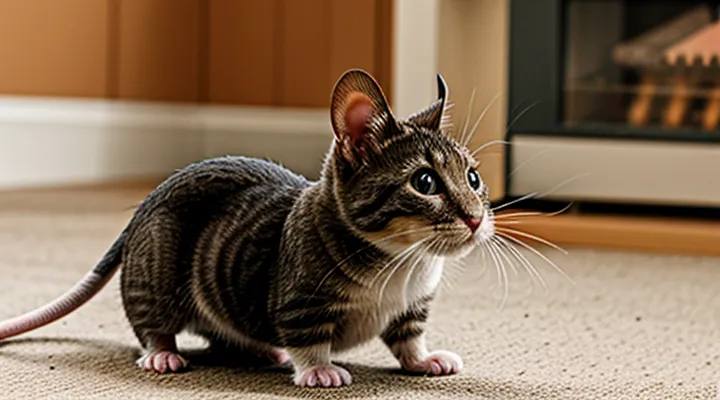
Why Cats Love to Watch
Instinctual Predatory Behavior
Cats respond to moving imagery that mimics prey. When a screen displays a mouse scurrying, the cat’s visual system triggers the same neural pathways activated by a live rodent, producing the characteristic stalk‑and‑pounce sequence. This reaction stems from evolutionary hard‑wiring: felines evolved to detect rapid, erratic motion as a signal of vulnerable food.
The stimulus provides mental engagement without the mess of actual hunting. Cats can practice tracking, timing, and striking motions, which helps preserve muscle tone and coordination. Regular exposure to realistic prey videos can reduce boredom‑related behaviors such as excessive meowing or furniture scratching.
Practical guidelines for using rodent videos as enrichment:
- Choose high‑definition clips with clear contrast and natural lighting; low‑quality footage fails to elicit a strong response.
- Limit sessions to 5–10 minutes; prolonged viewing may lead to frustration when the cat cannot capture the target.
- Observe the cat’s reaction; signs of stress (flattened ears, rapid tail flicking) indicate the need to stop.
- Rotate content between different mouse species and movement patterns to prevent habituation.
- Combine video sessions with interactive play, using wand toys that mimic the on‑screen motion for a seamless transition to physical activity.
Mental Stimulation and Enrichment
Mouse-focused video content delivers targeted mental stimulation for indoor felines. Rapid movements, unpredictable trajectories, and varied lighting activate the visual and predatory circuits that cats rely on during hunting. This engagement prevents monotony, encourages problem‑solving, and supports cognitive health.
Key benefits include:
- Enhanced focus as cats track swift mouse silhouettes across the screen.
- Improved reaction time when the virtual prey darts, pauses, and reappears.
- Reduced stress indicators, such as excessive grooming or vocalization, when the cat receives regular visual challenges.
Effective implementation requires consistent scheduling and appropriate screen placement. Sessions of three to five minutes, two to three times daily, provide sufficient stimulus without overstimulation. Position the display at cat eye level, ensure the screen brightness mirrors natural lighting, and avoid reflective surfaces that could distract or confuse the animal.
When selecting video material, prioritize clips that feature realistic mouse behavior: sudden bursts, subtle pauses, and varied angles. High‑definition resolution enhances detail perception, while a steady frame rate prevents motion blur that could diminish engagement.
Monitoring the cat’s response is essential. Signs of interest—focused stare, ear forward, occasional paw swipes—indicate successful enrichment. Conversely, indifference or agitation suggests a need to adjust duration, content, or viewing environment.
Integrating mouse videos into a broader enrichment program, alongside interactive toys and puzzle feeders, maximizes cognitive development and maintains overall well‑being.
Alleviating Boredom
Cats experience boredom when environmental stimulation declines, manifesting as excessive grooming, restlessness, or repetitive behaviors. Visual deprivation is a primary factor; without moving targets, feline attention wanes, leading to reduced activity levels.
Rapid, erratic motion of small rodents on screen activates innate hunting circuits. The contrast between foreground and background, coupled with sudden direction changes, triggers pursuit impulses, providing mental engagement comparable to live prey observation.
Effective use of rodent footage requires attention to content and schedule. Choose high‑definition clips that display clear, swift movements against a neutral backdrop. Limit individual sessions to 5–10 minutes to prevent overstimulation. Space repetitions throughout the day, aligning with periods when the cat typically seeks play.
- Position the display at eye level, approximately 30 cm from the cat’s face.
- Ensure the screen surface is stable and free of cords that could be chewed.
- Observe the cat’s response; discontinue if signs of stress appear.
- Rotate videos regularly to maintain novelty.
- Complement visual sessions with interactive toys to reinforce physical activity.
When integrated responsibly, mouse videos serve as a practical tool for reducing feline boredom, preserving mental health, and supporting overall well‑being.
Selecting the Best Mouse Videos for Your Cat
Characteristics of Effective Videos
Effective cat‑entertainment videos featuring rodents rely on specific visual and auditory traits that capture feline attention and sustain engagement. High‑definition footage ensures that the mouse’s outline remains sharp, allowing the cat’s visual system to detect fine movements. Rapid, unpredictable darting patterns trigger the predator instinct, while occasional pauses give the cat time to focus and react.
Key characteristics include:
- Bright contrast between the mouse and background, preventing visual blending.
- Motion speed calibrated to a cat’s reaction time, typically 0.2–0.5 seconds per burst.
- Natural rustling or squeaking sounds synchronized with movement, enhancing realism.
- Short runtime, generally 30 seconds to 2 minutes, to avoid habituation.
- Varied angles and perspectives, offering fresh visual cues with each clip.
- Absence of harmful elements, such as flashing lights or loud spikes, which could distress the animal.
Consistent application of these elements produces videos that reliably stimulate a cat’s hunting drive, providing safe, low‑effort amusement for owners seeking to occupy their pets.
Realistic Movement and Sounds
Realistic movement and sounds are essential components of cat entertainment videos that simulate mouse behavior. Accurate locomotion triggers a cat’s hunting reflex, while authentic audio reinforces the illusion of live prey.
Effective movement mimics a mouse’s natural gait: alternating short bursts, sudden direction changes, and brief pauses. Variable speed prevents predictability, encouraging a cat to track the “prey” across the screen. Smooth frame transitions avoid jerky visuals that could break immersion.
Authentic sounds include high‑frequency squeaks, soft footfalls on different surfaces, and subtle rustling of fur or bedding. Audio should be synchronized with visual cues; a squeak accompanies a rapid dash, while a rustle follows a pause. Frequency ranges comparable to a real mouse ensure the cat’s sensitive hearing detects the cues.
Guidelines for selecting or producing suitable videos:
- Use recordings captured at a minimum of 60 fps to preserve fluid motion.
- Incorporate multi‑directional paths rather than linear trajectories.
- Include occasional stops and pauses to emulate natural foraging behavior.
- Record audio with a high‑quality microphone, preserving frequencies between 2 kHz and 20 kHz.
- Avoid background music or excessive sound effects that mask the mouse noises.
Implementing these characteristics increases a cat’s visual focus, prolongs viewing time, and reduces signs of boredom. The combination of lifelike motion and precise audio creates a compelling stimulus that satisfies instinctual predatory drives.
Appropriate Length and Pace
When selecting or creating mouse‑focused clips for feline viewers, the duration should match a cat’s typical attention span. Videos that run between 30 seconds and 2 minutes keep the animal engaged without prompting disengagement or overstimulation. Clips longer than this range often lose the cat’s focus, while those shorter than 20 seconds may not provide enough visual stimulus to trigger hunting behavior.
Pace influences the effectiveness of the footage. An optimal sequence includes:
- Rapid initial movement to capture interest within the first few seconds.
- Moderate speed during the middle segment, allowing the cat to track the mouse’s path.
- Occasional pauses or slower motions to create moments of anticipation and encourage stalking.
Maintaining this rhythm ensures continuous engagement and maximizes the entertainment value of the video for the pet.
High-Quality Visuals
High‑definition recordings capture the rapid, erratic movements of a mouse with clarity that low‑resolution footage cannot provide. A resolution of at least 1080p preserves fine details such as whisker twitching and tail flicks, which are crucial for triggering a cat’s predatory instincts. Frame rates of 60 fps or higher eliminate motion blur, allowing the feline viewer to follow the prey’s trajectory without visual distortion.
Proper lighting enhances contrast and color fidelity. Soft, diffused illumination prevents harsh shadows that could obscure the mouse’s outline, while balanced white balance ensures natural hues. Consistent color reproduction helps cats distinguish subtle variations in the mouse’s coat, maintaining engagement over longer viewing periods.
Audio is secondary but benefits from clear, low‑frequency sounds of rustling or squeaking, which complement the visual stimulus. When paired with crisp visuals, these sounds reinforce the perception of a live hunt.
Technical considerations for delivering high‑quality content include:
- Encoding in H.264 or H.265 to retain detail while minimizing file size.
- Bitrates of 5 Mbps or greater for 1080p, 15 Mbps for 4K.
- Streaming platforms that support adaptive bitrate to avoid compression artifacts on variable connections.
Investing in superior visual production maximizes the likelihood that a cat will focus, stalk, and react to the simulated prey, thereby providing effective mental stimulation and reducing boredom‑related behaviors.
Where to Find Cat-Friendly Content
Finding reliable sources of cat‑friendly video content is essential for consistent stimulation. Established platforms host curated collections designed specifically for feline viewers.
- YouTube: Search for channels dedicated to small‑animal footage, such as “Mouse TV for Cats” or “Rodent Run.” Verify that videos are labeled as “cat‑safe” and feature steady pacing without abrupt cuts.
- Pet‑focused streaming services: Subscriptions like KittyFlix or CatPlay provide ad‑free libraries of rodent‑themed clips, organized by duration and activity level.
- Manufacturer websites: Brands that produce interactive toys often embed short mouse videos on product pages; examples include “WhiskerTech” and “PurrMotion.”
- Social media accounts: Instagram and TikTok creators specializing in pet entertainment post daily short clips; look for verified accounts with high engagement from cat owners.
- Online forums and community boards: Sites such as Reddit’s r/catvideos compile user‑vetted recommendations, including links to high‑resolution mouse footage.
When selecting content, prioritize videos with clear visuals, gentle background sounds, and a minimum length of three minutes to sustain attention. Avoid clips containing sudden loud noises, rapid zooms, or human faces, as these can distract or stress the animal. Regularly rotate sources to prevent habituation and maintain novelty in the cat’s viewing experience.
YouTube Channels Dedicated to Pet Entertainment
YouTube hosts several channels that specialize in creating short, high‑contrast videos of small rodents designed to capture a cat’s attention. These channels produce content in formats that trigger feline hunting instincts while remaining safe and stress‑free for the animals involved.
- MicePlay TV – uploads 15‑second clips of white mice darting across textured surfaces; each video includes a subtle background soundtrack to enhance visual stimulation.
- CatChase Clips – offers a series of looping videos featuring gray field mice navigating obstacle courses; the pacing is adjusted to maintain a cat’s focus for up to five minutes.
- Rodent Reel – provides high‑definition footage of live‑caught house mice exploring tunnels and wheels; videos are captioned with feeding times to encourage natural predatory behavior.
- Feline Focus – combines footage of mice with occasional slow‑motion replays; the channel includes a “pause and play” feature that lets owners control the length of each segment.
- Pet Predator – curates a playlist of mouse videos filmed from multiple angles; each clip ends with a fade‑out to prevent overstimulation.
Creators of these channels follow animal‑welfare guidelines: mice are handled gently, environments are enriched, and filming sessions are brief. The content is optimized for mobile devices, allowing owners to stream videos on smartphones or tablets during short play breaks. Regular exposure to such visual stimuli can reduce boredom‑related behaviors in indoor cats, providing a low‑effort enrichment tool for pet caretakers.
Streaming Services with Animal Content
Streaming platforms now include dedicated libraries of animal footage tailored for feline viewers. These collections feature high‑definition recordings of small rodents, birds, and insects moving across natural and artificial environments. The visual motion and rapid pacing trigger predatory instincts, providing mental stimulation while owners are away.
Key providers offering such content include:
- YouTube Premium – channels specializing in rodent chase videos, ad‑free playback, and offline download options.
- Netflix – curated “Animal World” series with episodes focusing on mouse and rat behavior, accessible through the standard subscription.
- Amazon Prime Video – “Cat TV” channel delivering continuous streams of small‑animal footage, compatible with smart‑TV apps.
- Apple TV+ – “Wild Play” collection, featuring 4K recordings of mice navigating mazes, with parental‑control settings to limit viewing time.
- Vimeo – professional creators upload high‑frame‑rate mouse videos, available for purchase or subscription via Vimeo OTT.
When selecting a service, consider the following criteria:
- Resolution – 1080p or higher ensures clear detail for cats to track movement.
- Playback flexibility – ability to schedule loops or set timers prevents overexposure.
- Device compatibility – support for tablets, smart displays, and television apps simplifies placement in the cat’s favorite spot.
- Content variety – inclusion of different species and environments maintains novelty and reduces habituation.
Integrating these streaming options into a cat’s daily routine can replace repetitive toys, reduce boredom, and support cognitive health without requiring additional physical resources. Regularly rotating titles preserves engagement and aligns with the animal’s natural hunting cycles.
Considerations for Safe Viewing
When offering mouse‑themed videos to a cat, prioritize safety for both the animal and the environment.
- Choose reputable sources that guarantee non‑violent, natural footage without sudden flashes or loud sounds.
- Verify video resolution and frame rate; high‑contrast or flickering images can strain a cat’s eyes.
- Set audio at a low level to avoid stress; many cats react strongly to unexpected noises.
- Position the screen at eye level and secure it to prevent tipping or accidental contact with cords.
- Limit viewing sessions to 5–10 minutes; prolonged exposure may lead to hyper‑stimulation or fatigue.
- Observe the cat’s reactions; discontinue playback if signs of anxiety, aggression, or obsession appear.
- Ensure the device is protected from chewing; use cord covers or wireless setups to eliminate ingestion hazards.
- Adapt content for cats with health issues such as vision impairment or seizure susceptibility; avoid rapid movements and high‑contrast patterns.
- Rotate videos regularly to prevent habituation, which can reduce engagement and increase frustration.
Implementing these measures creates a controlled, enjoyable experience while safeguarding the pet’s well‑being.
Screen Placement and Distance
When displaying mouse‑themed videos for a cat, the screen’s position and the viewing distance directly affect the animal’s engagement and safety. Place the monitor at eye level for the cat, which typically means a height of 30–45 cm from the floor, depending on the cat’s size. This alignment allows the cat to focus on the moving image without straining its neck.
Maintain a distance of 60–90 cm between the screen and the cat’s usual perch. At this range, the image remains clear, and the cat cannot reach the screen with its paws, reducing the risk of damage. If the cat prefers higher perches, adjust the height while preserving the 60–90 cm horizontal gap.
Key considerations for optimal setup:
- Angle: Tilt the screen slightly upward (5–10°) to keep the moving mouse visible when the cat is seated or lying down.
- Brightness: Set luminance to a moderate level (150–200 cd/m²) to prevent glare that could deter the cat’s attention.
- Stability: Secure the monitor on a sturdy stand or wall mount to avoid accidental tipping.
- Safety margin: Ensure at least a 10‑cm buffer between the screen edges and any reachable surfaces.
Regularly observe the cat’s behavior. If the animal appears disinterested or attempts to touch the display, adjust the height or distance incrementally by 5 cm until the cat maintains a comfortable, focused watch.
Avoiding Overstimulation
When a cat watches moving mice on a screen, visual excitement can quickly turn into stress. Monitor the animal’s body language; flattened ears, rapid tail flicks, or sudden pauses indicate the threshold is near. Limit each viewing session to 1–2 minutes, then observe for signs of calm before resuming.
- Choose videos with moderate speed; erratic, high‑frequency movements increase the risk of sensory overload.
- Position the screen at eye level and keep the distance at least one shoulder width away; close proximity intensifies the stimulus.
- Provide an escape route such as a nearby perch or a quiet corner, allowing the cat to disengage without pressure.
- Alternate video sessions with tactile play (e.g., feather wand) to balance visual and physical stimulation.
If a cat begins to swat aggressively, vocalize, or attempts to jump at the display, stop the video immediately. Reset the environment with a calming scent or a brief rest period before trying again. Consistent observation and controlled exposure prevent the shift from entertainment to agitation.
Enhancing the Viewing Experience
Creating a Comfortable Environment
A suitable viewing zone encourages a cat to focus on moving silhouettes without strain. Place the screen at eye level for the animal, typically a few inches above the floor, and keep the distance between 2 and 3 feet. Use a matte surface to reduce glare, and ensure the room is dimly lit to highlight the contrast of the moving images.
Safety considerations prevent accidental damage. Secure cords out of reach, use a stable stand for the display, and choose a video format that does not contain sudden loud noises. A low‑volume setting protects the cat’s hearing while still providing sufficient auditory cues.
Comfort elements sustain interest over multiple sessions. Provide a soft blanket or a padded mat directly in front of the screen, and add a few familiar toys nearby for occasional interaction. Maintain a consistent temperature; cats prefer environments between 20 °C and 24 °C.
Practical checklist:
- Screen positioned 2–3 ft from the cat, slightly elevated.
- Matte backdrop to minimize reflections.
- Cord management to eliminate chew hazards.
- Stable stand or wall mount for the display.
- Soft bedding placed directly in front of the screen.
- Ambient temperature regulated within the preferred range.
Implementing these measures creates an inviting space where the feline can safely enjoy moving mouse footage for extended periods.
Optimal Lighting and Sound
Effective video content for feline viewers depends on visual clarity and auditory appeal. Proper illumination and sound design enhance engagement and reduce stress, allowing cats to follow motion without discomfort.
-
Use bright, even lighting that mimics natural daylight. Position light sources to eliminate shadows on the mouse‑like object. Avoid flickering LEDs, as rapid changes can trigger agitation.
-
Maintain a contrast between the moving element and the background; a neutral backdrop highlights motion and prevents visual confusion.
-
Keep the camera angle low, approximating the cat’s eye level, to align the field of view with the animal’s perspective.
-
Record audio at a consistent volume, preferably between 50‑60 dB SPL, matching typical indoor conversation levels.
-
Include high‑frequency components (15‑20 kHz) that fall within a cat’s hearing range, but filter out harsh peaks that could cause discomfort.
-
Use low‑pass filters to remove background hum and sudden spikes, ensuring a smooth auditory experience.
Combining these visual and auditory parameters produces videos that capture a cat’s attention while maintaining a calm viewing environment. Implementing the guidelines consistently yields reliable results across different playback devices.
Cozy Viewing Spots
Creating a comfortable area for a cat to watch mouse videos enhances engagement and reduces stress. Choose a location that balances visibility, safety, and relaxation.
- Position the screen at cat eye level, about 12‑18 inches from the floor, to prevent neck strain.
- Use a soft, washable blanket or a low‑pile rug as the base; this encourages the cat to lie down and stay for longer periods.
- Add a small, stable cushion or a memory‑foam pad to support joints, especially for older cats.
- Ensure the spot is away from direct sunlight or harsh artificial lighting; moderate ambient light reduces glare on the display.
- Keep cords and accessories out of reach to prevent chewing hazards.
- Incorporate a familiar scent, such as a lightly scented catnip sachet, to make the area more inviting without overwhelming the animal.
Maintain a consistent placement so the cat associates the area with entertainment. Regularly clean the surface to remove hair and debris, preserving hygiene and prolonging the comfort of the viewing zone. This structured approach maximizes the effectiveness of mouse video content as a source of stimulation for feline companions.
Interactive Elements
Interactive components enhance the effectiveness of mouse‑themed videos designed to captivate cats. By integrating stimuli that respond to a feline’s behavior, these clips transform passive viewing into an engaging experience.
- Motion‑triggered overlays appear when the cat swipes at the screen, creating the illusion of a fleeing mouse.
- Variable speed playback adjusts automatically to the animal’s level of interest, slowing down during prolonged focus and accelerating when attention wanes.
- Embedded sound cues, such as squeaks or rustling, synchronize with on‑screen movement, reinforcing the perception of a live prey.
- Touch‑sensitive zones at the screen edges allow the cat to “catch” the virtual mouse, prompting a brief reward animation.
- Randomized path patterns prevent predictability, maintaining curiosity over extended viewing periods.
Implementing these features requires minimal hardware—standard touchscreen devices or monitors equipped with motion sensors suffice. Software solutions should support real‑time video manipulation and low latency audio playback to preserve the natural feel of the prey simulation. Proper calibration ensures that the interactive response aligns with typical feline reaction times, maximizing engagement without overstimulation.
Introducing Toys During Viewing
When a cat watches a short clip of a scurrying mouse, the visual stimulus can be amplified with tactile play objects. Adding a toy at the moment the prey image appears redirects the cat’s focus from passive observation to active engagement, strengthening the link between screen and real‑world hunting behavior.
Select toys that mimic the movement and texture of a mouse. Small plush rodents, feather‑tipped wands, or motorized “prey” devices work well because they respond to the cat’s swats and pounces. Ensure the toy is safe: no loose parts, non‑toxic materials, and a size that prevents accidental swallowing.
Timing matters. Introduce the toy just as the video reaches the peak of motion—typically when the mouse darts across the screen. This cue trains the cat to associate rapid visual cues with a physical target, encouraging quick reflexes and mental stimulation.
A practical routine:
- Play a 30‑second mouse video on a stable surface.
- Immediately present the chosen toy within arm’s reach.
- Allow the cat to chase, catch, and release the toy for 1–2 minutes.
- Remove the toy, let the cat rest, then repeat with a different clip or toy to maintain novelty.
Monitoring the cat’s reaction informs future selections. If the animal loses interest quickly, switch to a toy with a different texture or sound. Consistent pairing of video and toy creates a predictable entertainment loop that satisfies predatory instincts while preventing boredom.
Post-Video Playtime
After a cat finishes watching a mouse‑themed video, immediate engagement reinforces the visual stimulus and prevents boredom. Transition from passive viewing to active play by offering a tactile toy that mimics the on‑screen prey, such as a feather wand or a battery‑powered mouse replica. This continuity leverages the cat’s heightened predatory drive and supports physical exercise.
Key steps for effective post‑video play:
- Choose a toy that moves unpredictably; erratic motion sustains interest.
- Initiate short, high‑intensity bursts (15–30 seconds) followed by brief rest periods; this mirrors natural hunting cycles.
- Rotate toys daily to maintain novelty and reduce habituation.
- Observe the cat’s body language; signs of overstimulation (flattened ears, rapid tail flicks) indicate a need to pause.
Integrating brief grooming or stretching sessions after the interactive segment helps the cat transition to a calm state. Provide a comfortable resting spot near the viewing area so the cat can settle without relocating. Monitoring the cat’s overall activity level over several days ensures the combined visual and physical stimulation contributes positively to health and wellbeing.
Potential Downsides and Alternatives
Addressing Aggression or Frustration
Mouse videos designed for feline amusement can trigger aggressive or frustrated responses, especially when the cat cannot reach the moving prey on screen. Recognizing early signs—rapid tail flicking, swatting at the monitor, vocalizations—prevents escalation.
- Limit exposure time – short sessions (one to two minutes) keep interest high without overstimulation.
- Provide a physical outlet – immediately after viewing, engage the cat with a wand toy that mimics the on‑screen movement, allowing the animal to act on predatory instincts safely.
- Adjust video content – select clips with slower pacing or fewer sudden jumps; avoid high‑speed chase scenes that may heighten arousal.
- Monitor environment – ensure the viewing area is free of obstacles that could cause the cat to become trapped or frustrated while attempting to reach the screen.
If aggression persists, discontinue video use and replace it with interactive play that offers tactile feedback. Consistent routine, combined with appropriate enrichment, reduces frustration and channels predatory energy into constructive behavior.
Eye Strain and Other Health Concerns
Cats that regularly watch moving mouse footage on screens may develop visual fatigue. Prolonged exposure to bright pixels forces the feline retina to accommodate constantly changing contrast, leading to reduced blink rate and dry ocular surfaces. Symptoms include frequent pawing at the eyes, squinting, and reluctance to engage in other activities. Reducing session length to five‑minute intervals and providing a dimly lit environment mitigates these effects.
Other health considerations include:
- Musculoskeletal tension – rapid head turns while tracking fast‑moving objects can strain neck muscles, especially in older cats.
- Behavioral overstimulation – heightened predatory arousal may trigger excessive vocalization or aggressive play, potentially resulting in injuries to owners or household items.
- Obesity risk – sedentary viewing replaces natural hunting and exercise, contributing to weight gain if not balanced with physical activity.
- Screen-induced heat – prolonged contact with warm devices can raise skin temperature, causing discomfort in paws or ears.
Preventive measures:
- Limit viewing to short, supervised periods.
- Alternate video sessions with interactive toys that encourage physical movement.
- Ensure the display’s brightness is set to a low, comfortable level.
- Offer regular eye‑care checks with a veterinarian, especially for cats with pre‑existing ocular conditions.
Implementing these guidelines preserves the entertainment value of digital prey while protecting feline visual health and overall well‑being.
Alternative Enrichment Activities
Digital prey videos can capture a cat’s attention, but reliance on a single stimulus may lead to habituation. Providing a range of sensory and physical challenges sustains interest, reduces boredom, and supports natural hunting behaviors.
- Puzzle feeders that require manipulation to release kibble or treats.
- Interactive toys with feather or wand attachments that mimic erratic prey movements.
- Rotating a selection of small, safe chewable items such as catnip‑infused fabric strips.
- Structured play sessions using laser pointers, varying speed and direction to simulate unpredictable prey.
- Environmental enrichment through climbing towers, shelving, and hide‑away tunnels that encourage exploration and vertical movement.
- Scent trails laid with diluted feline‑appeasing pheromones or diluted broth to stimulate tracking instincts.
Implement each activity for short intervals (5–10 minutes) several times daily, alternating between them to prevent predictability. Observe the cat’s response; increase complexity when the animal shows proficiency, and rotate items regularly to maintain novelty. Combining visual media with these tactile and olfactory options creates a comprehensive enrichment program that satisfies multiple predatory drives.
Puzzle Feeders and Interactive Toys
Puzzle feeders transform a simple snack into a problem‑solving exercise. When a cat watches a moving mouse on a screen, the visual stimulus triggers a predatory response; a feeder that requires manipulation delays gratification and extends the engagement. Designs range from rotating cylinders that release kibble after a set number of turns to sliding compartments that open only when a lever is pressed. Materials such as BPA‑free plastic or untreated wood withstand repeated pawing and biting while remaining safe for ingestion.
Interactive toys complement video stimulation by providing tactile feedback. Battery‑operated mice that dart erratically mimic real prey, prompting the cat to chase, pounce, and capture. Toys equipped with motion sensors adjust speed based on the cat’s activity level, preventing habituation. Some models incorporate scent dispensers that release feline‑appeasing pheromones, reducing stress during prolonged play sessions.
Key advantages of combining visual media with puzzle devices include:
- Extended playtime: cats alternate between watching and manipulating, preventing rapid boredom.
- Mental enrichment: problem‑solving tasks develop hunting instincts and improve cognitive resilience.
- Physical exercise: pawing, swatting, and retrieving promote muscle tone and joint mobility.
- Controlled feeding: portioned release of treats supports weight management while satisfying predatory drives.
When selecting equipment, prioritize:
- Adjustable difficulty settings to match the cat’s skill progression.
- Secure, non‑toxic construction that endures aggressive handling.
- Easy cleaning mechanisms to maintain hygiene.
- Compatibility with the cat’s size and preferred play style.
Integrating puzzle feeders and interactive toys with cat‑focused mouse videos creates a multi‑sensory environment that sustains interest, reinforces natural behaviors, and contributes to overall well‑being.
Supervised Outdoor Time
Supervised outdoor sessions complement visual mouse stimuli by providing real‑world movement and scent cues that reinforce a cat’s hunting instincts. A secure harness, adjustable leash, and a quiet, fenced area create a controlled environment where the cat can chase, pounce, and explore without risk of escape or injury.
Before the outing, fit the harness snugly, verify the leash length allows freedom yet prevents sudden lunges toward traffic. Begin with short intervals—five to ten minutes—to gauge the animal’s comfort level, then gradually extend the duration as confidence grows.
During the walk, alternate between following the cat’s lead and directing attention toward natural prey analogues such as fluttering insects or rustling leaves. This dynamic interaction enhances the effectiveness of indoor mouse videos by linking virtual motion with tangible experiences.
After each session, inspect the harness for wear, clean any debris from the cat’s paws, and provide a calm indoor space for recovery. Consistent supervised outdoor exposure, combined with engaging mouse footage, sustains mental stimulation and supports overall well‑being.
Training and Socialization
Videos featuring small rodent movements can serve as a structured stimulus for feline training and socialization. By presenting the visual cue repeatedly, owners can shape desired responses and acclimate cats to dynamic prey-like objects without live animals.
- Begin each session with a brief observation period; allow the cat to watch the screen for 30‑60 seconds before any interaction.
- Reward calm gazing with a treat or gentle petting; repeat the reward each time the cat maintains focus for the set duration.
- Introduce a click‑train cue after the cat watches the video for the predetermined time; associate the click with a treat to reinforce attentive behavior.
- Gradually shorten the video length while maintaining the reward schedule, encouraging the cat to stay engaged with less visual input.
- Incorporate short pause intervals between clips; use these moments to practice recall commands, strengthening obedience under distraction.
Socialization benefits from the controlled exposure. Regular viewing reduces over‑excitement when a real mouse appears, diminishes fear of rapid movements, and promotes balanced play. To maximize these effects, rotate video content every few days, varying the mouse’s speed, direction, and background. Monitor the cat’s body language; signs of stress—flattened ears, rapid tail flicks, or vocalization—should prompt an immediate pause and a return to a calmer environment.
Consistent application of these steps builds focus, improves impulse control, and integrates visual prey stimuli into a broader behavioral program. The result is a cat that enjoys screen entertainment while displaying measured, trainable reactions in real‑world interactions.