
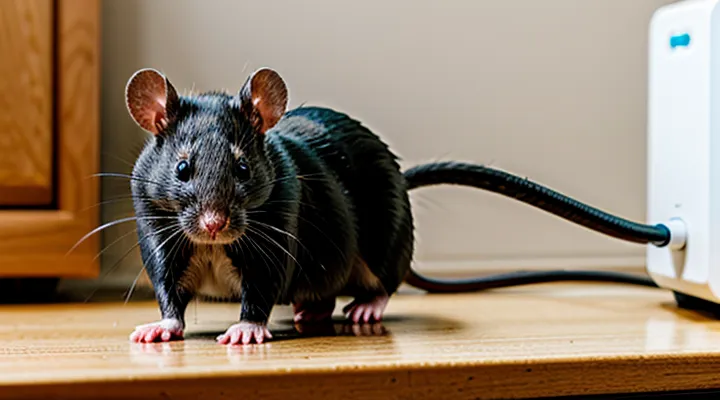
Understanding Ultrasonic Repellers
How Ultrasonic Repellers Work
Ultrasonic repellers emit sound waves in the 20‑65 kHz range, a spectrum inaudible to humans but within the hearing capabilities of rats and mice. The devices generate acoustic pressure that the rodents perceive as irritating, prompting them to vacate the area.
The emitted waves interfere with the animals’ communication signals and balance perception. Continuous exposure disrupts mating calls, territorial markers, and navigation cues, creating an environment that rodents instinctively avoid.
Key technical characteristics include:
- Frequency selection (often adjustable to target specific species)
- Pulse modulation (varying on/off intervals to prevent habituation)
- Coverage radius (typically 10‑30 ft, dependent on power output and obstacle density)
- Power source (plug‑in AC, battery, or solar options)
Effectiveness depends on proper placement: devices should be positioned at rodent pathways, near entry points, and mounted at a height of 4‑6 inches above the floor. Solid surfaces such as walls and furniture reflect ultrasonic energy, extending reach, while dense materials like concrete absorb it, reducing efficacy. Regular relocation or rotation of units helps maintain deterrent impact.
Most models incorporate safety features: automatic shut‑off after a preset duration, low‑voltage operation to protect pets and children, and compliance with electromagnetic emission standards. Adjusting frequency and pulse patterns according to manufacturer guidelines optimizes performance while minimizing potential tolerance development in target rodents.
Types of Ultrasonic Repellers
Plug-in Units
Plug‑in units are the primary interface between a power source and an ultrasonic device designed to deter rodents. Each unit contains a built‑in transformer that converts standard household voltage to the frequency range required for ultrasonic emission. The transformer’s specifications determine the maximum output power and the stability of the signal across varying load conditions.
Installation involves inserting the unit directly into a wall socket, ensuring the socket is grounded and capable of delivering the rated amperage. Once seated, the unit’s indicator LED confirms proper connection; a steady light indicates that the converter is delivering power, while a flashing pattern signals a fault such as an overload or voltage drop.
Key considerations for reliable operation include:
- Selecting units with a certified safety rating (e.g., UL, CE) to prevent electrical hazards.
- Verifying that the unit’s frequency band matches the repeller’s ultrasonic transducer (typically 20–65 kHz).
- Positioning the plug‑in away from metal surfaces that could reflect or dampen the sound waves.
Regular maintenance consists of checking the LED status monthly and inspecting the socket for signs of wear or heat. Replacing a malfunctioning unit restores full functionality without altering the repeller’s internal components.
Battery-Powered Units
Battery‑powered ultrasonic devices provide a portable solution for deterring rodents without the need for external wiring. Each unit contains a sealed battery compartment, a frequency generator, and a speaker array calibrated to emit sounds above 20 kHz. The design eliminates the risk of accidental contact with live wires and allows placement in areas where mains power is unavailable.
To prepare a battery‑operated repeller for use, follow these steps:
- Verify that the battery type matches the manufacturer’s specification (typically AA, AAA, or 9 V). Use only fresh, non‑rechargeable cells unless the model explicitly supports rechargeable packs.
- Open the compartment, insert the batteries with correct polarity, and close the latch securely.
- Press the power button; an indicator LED should illuminate, confirming that the circuit is energized.
- Position the device at least 1 meter above the floor and away from solid surfaces that could block sound propagation.
- Activate the timer or continuous mode as required; most models default to a 24‑hour cycle after initial power‑on.
Maintenance considerations include:
- Replacing batteries every 30‑45 days under normal usage; high‑traffic environments may demand more frequent changes.
- Inspecting the battery contacts for corrosion; clean with a dry cloth if necessary.
- Testing the LED indicator periodically; a dim or absent light indicates depleted power and should prompt immediate replacement.
Troubleshooting common issues:
- No LED illumination – check battery insertion and replace if cells are exhausted.
- Weak ultrasonic output – ensure the speaker grille is free of debris; clean gently with a soft brush.
- Intermittent operation – examine the latch for proper sealing; a loose compartment can cause power loss.
By adhering to these procedures, users can reliably activate and maintain battery‑driven ultrasonic repellents, ensuring continuous rodent deterrence in locations lacking fixed electrical sources.
Solar-Powered Units
Solar‑powered ultrasonic deterrents combine a photovoltaic panel with a built‑in battery, allowing continuous operation without external electricity. The panel captures sunlight, converts it to electrical energy, and stores the charge for nighttime use, ensuring the device emits ultrasonic waves around the clock.
To start a solar‑driven unit, follow these steps:
- Position the panel in direct sunlight, ideally facing south (in the northern hemisphere) or north (in the southern hemisphere) with an unobstructed view of the sky.
- Secure the device on a wall or pole at a height of 3–5 feet, away from large metal objects that could block the signal.
- Connect the panel to the repeller using the supplied cable; the indicator light will turn green once the battery reaches the required charge level.
- Press the power button; the unit will emit a brief test tone, confirming activation.
- Set the mode selector to “continuous” or “timer” according to the desired schedule; the built‑in timer defaults to 12 hours of operation if left unchanged.
Key considerations for optimal performance:
- Ensure the panel remains clean; dust or snow reduces energy intake and shortens operating time.
- Verify that the battery voltage stays above the manufacturer’s minimum threshold; replace the battery after 2–3 years of service.
- Avoid placing the device near bright artificial lights, which can interfere with the solar sensor and cause premature shutdown.
- Position the repeller at least 10 feet from any food storage areas to prevent rodents from adapting to the ultrasonic frequency.
Routine maintenance consists of wiping the panel with a damp cloth, inspecting the wiring for wear, and testing the output tone monthly. When these practices are followed, a solar‑powered ultrasonic repeller provides reliable, self‑sustaining protection against rats and mice without the need for external power sources.
Before Activation: Preparation and Placement
Choosing the Right Location
Considering Obstacles
When installing an ultrasonic rodent deterrent, physical and environmental factors can limit effectiveness. Identify and address these obstacles before activation.
- Solid walls, metal cabinets, or thick insulation block ultrasonic waves; place the unit where the signal can travel unobstructed.
- Furniture, clutter, and stacked boxes create reflections that dilute the sound field; keep the area around the device clear.
- Open windows, doors, or ventilation ducts allow sound to escape the target zone; seal gaps or position the unit away from such openings.
- Other electronic devices, especially those emitting radio frequencies, may interfere with the emitted ultrasound; maintain a minimum distance of 30 cm from routers, cordless phones, and microwaves.
- Pets such as cats, dogs, or small mammals can be affected by the same frequencies; ensure the device is mounted out of reach or select a model with a pet‑safe mode.
- Low battery levels or unstable power supply reduce output intensity; verify full charge or continuous mains connection before use.
Mitigation steps include mounting the repeller on a wall at a height of 1–2 m, aligning it toward known rodent pathways, and conducting a brief test by listening for the faint high‑frequency tone with a specialized detector. Adjust the position until the signal reaches all entry points without being obstructed. Regularly inspect the surrounding area for new obstacles and reposition the unit as needed to sustain optimal coverage.
Optimal Height for Placement
Position the ultrasonic rodent deterrent at a height that maximizes line‑of‑sight across the target area. Devices emit sound waves primarily in a horizontal plane; elevation determines the coverage width and reduces interference from furniture or walls.
- For wall‑mounted units, mount the speaker 4–6 feet (1.2–1.8 m) above the floor.
- For ceiling‑suspended models, suspend the emitter 8–10 feet (2.4–3.0 m) from the floor, centered between walls.
- For free‑standing units, place the base on a stable platform 3–5 feet (0.9–1.5 m) high, ensuring the speaker faces outward.
Higher placement expands the horizontal spread but may weaken intensity near the floor where rodents travel. Lower mounting confines the field to a narrower zone, allowing pests to circumvent the barrier. The 4–6 foot range balances coverage and acoustic strength for most residential settings.
Maintain a clear perimeter of at least 12 inches (30 cm) around the device. Avoid obstructing the speaker with curtains, cabinets, or large appliances. Verify that the unit is level; an angled orientation can distort the ultrasonic beam and reduce effectiveness.
Cleaning the Area
Before powering the ultrasonic deterrent, remove food residues, droppings, and nesting material from the surrounding floor, shelves, and countertops. A clean surface prevents sound reflections that can diminish the device’s effective range.
- Sweep or vacuum to eliminate loose debris.
- Wipe hard surfaces with a mild detergent solution; rinse and dry thoroughly.
- Dispose of any contaminated waste in sealed bags and remove it from the premises.
- Inspect corners, crevices, and under appliances; clear obstructions that could block ultrasonic waves.
After the area is free of contaminants, place the unit on a stable, level surface away from direct contact with walls or furniture. The cleaned environment ensures optimal transmission of ultrasonic frequencies, maximizing the repeller’s impact on rodent activity.
Clearing Potential Hiding Spots
Eliminate all possible shelters before the device begins emitting ultrasonic waves. Rodents will avoid open areas but will remain hidden in clutter, gaps, and unused spaces.
- Remove cardboard boxes, paper stacks, and fabric piles from storage rooms, basements, and attics.
- Seal cracks, gaps, and holes in walls, floors, and foundation with steel wool, caulk, or expanding foam.
- Clear debris from behind appliances, under sinks, and beneath furniture; vacuum dust and droppings to prevent lingering scent trails.
- Trim vegetation, mulch, and stored firewood near entry points; keep yard waste away from the building envelope.
- Install door sweeps and weatherstripping on exterior doors to block entry into concealed cavities.
After the environment is cleared, position the ultrasonic unit according to the manufacturer’s layout guide, ensuring unobstructed line‑of‑sight across the treated zone. The absence of hiding spots maximizes exposure to the emitted frequencies, forcing rodents to vacate the premises.
What Not to Do
When installing an ultrasonic rodent deterrent, avoid the following errors:
- Placing the device near walls, corners, or furniture that block sound waves. Direct line‑of‑sight between the unit and the target area is required for effective coverage.
- Using the unit in an environment with excessive background noise, such as loud music, fans, or other electronic emitters. High ambient sound masks the ultrasonic frequencies.
- Setting the volume to the maximum level without testing. Over‑amplification can cause discomfort for pets and humans, and may reduce battery life.
- Ignoring manufacturer‑specified power source requirements. Connecting to an incompatible outlet or using depleted batteries leads to intermittent operation.
- Neglecting regular cleaning of the transducer surface. Dust and debris diminish the emitted signal.
- Assuming a single unit can protect an entire building. Large spaces need multiple devices positioned according to the layout.
- Removing the device after a short trial period. Ultrasonic deterrents require several days to establish a deterrent effect.
- Relying on the device as the sole control method while ignoring sanitation and exclusion practices. Food sources and entry points must be eliminated concurrently.
Activating Your Ultrasonic Repeller
Step-by-Step Activation Process
Plugging in the Device
Plug the ultrasonic rodent repeller into a standard 120 V or 230 V outlet that matches the device’s voltage rating. Verify that the power source is protected by a functioning circuit breaker or fuse; a faulty circuit can damage the unit and reduce effectiveness. Use a grounded outlet to prevent electrical hazards and ensure the device’s metal housing remains at earth potential.
To connect the unit correctly, follow these steps:
- Locate the power cord’s plug and confirm that the prongs correspond to the local mains configuration.
- Insert the plug fully into the socket until it clicks, ensuring no wobble.
- Observe the indicator light; a steady green or blue illumination confirms proper power reception.
- If the light fails to appear, disconnect the plug, inspect the cord for damage, and test the outlet with another appliance.
After successful connection, the repeller begins emitting ultrasonic frequencies that deter rats and mice. Position the device away from large metal objects that could reflect sound and maintain a clear line of sight across the target area.
Battery Installation
Proper battery installation is essential for reliable operation of an ultrasonic rodent deterrent. Follow these steps to ensure correct placement and secure contact.
- Verify the device is unplugged and placed on a stable surface.
- Open the battery compartment by sliding or lifting the cover, according to the model’s design.
- Identify the polarity markings inside the compartment; positive (+) and negative (–) symbols indicate the correct orientation.
- Insert fresh alkaline or rechargeable batteries, aligning the terminals with the markings. Avoid mixing old and new cells or different brands.
- Press the batteries gently until they seat firmly, ensuring no movement when the cover is closed.
- Close the compartment, snapping or screwing the cover securely to prevent accidental opening.
After installation, activate the unit by pressing the power button. The indicator light should illuminate, confirming that the power source is delivering the required voltage. If the light remains off, re‑check battery orientation and replace any depleted cells. Regularly inspect the batteries for corrosion or leakage and replace them according to the manufacturer’s schedule to maintain optimal performance.
Solar Panel Positioning
Solar panels supply the power required for ultrasonic rodent deterrents; their orientation directly influences device uptime. Proper positioning ensures the repeller receives sufficient energy to emit consistent high‑frequency pulses that discourage rats and mice.
Optimal tilt matches the site’s latitude, adding 10–15° during summer and subtracting the same amount in winter to maximize solar gain. Align the panel’s surface toward true south (or north in the Southern Hemisphere) to capture the greatest daily irradiance. Avoid east‑west placement unless shading constraints dictate otherwise.
Practical steps for installation:
- Measure local latitude and set panel angle accordingly.
- Use a compass or digital inclinometer to verify true south alignment.
- Confirm the mounting surface is level and free of obstructions that could cast shadows during peak sunlight hours.
- Secure brackets with corrosion‑resistant fasteners; tighten after initial exposure to temperature cycles.
- Periodically clean the panel surface to prevent dust accumulation that reduces efficiency.
By following these guidelines, the ultrasonic deterrent maintains reliable operation, extending battery life and reducing the likelihood of rodent intrusion.
Initial Device Check
Before any operation, confirm that the repeller is complete and undamaged. Remove the unit from its packaging, set it on a stable surface, and inspect all components. Look for cracked casing, missing parts, or loose connections.
- Verify power source: if the model uses batteries, ensure they are fresh and installed according to polarity markings; for plug‑in units, check that the cord is intact and the plug matches local voltage standards.
- Examine the control panel: confirm that buttons, switches, and indicator LEDs are present and unobstructed.
- Review the included documentation: locate the quick‑start guide and safety warnings; note the specified frequency range (typically 20–65 kHz) to ensure the device targets rodents.
- Perform a functional test: activate the unit briefly, observe that the indicator light illuminates, and listen for a faint ultrasonic tone using a compatible detector or a smartphone app designed for high‑frequency sounds.
If any defect is detected—damaged housing, missing battery, broken cord, or non‑responsive controls—replace the affected part or contact the manufacturer before proceeding to placement and full activation. This preliminary verification guarantees reliable performance and prevents premature failure.
Understanding Indicator Lights
Indicator lights serve as the primary visual interface for confirming that the ultrasonic deterrent is powered, functional, and correctly configured. A steady green illumination confirms that the unit receives adequate voltage and that the ultrasonic emitter is active. A flashing green signal indicates that the device is cycling through its automatic frequency‑adjustment routine, which optimizes coverage for varying rodent activity.
A solid red light warns of a power‑supply fault, such as insufficient voltage or a damaged cord. A blinking red signal denotes an internal error, often related to the ultrasonic transducer; the device should be unplugged, inspected for damage, and replaced if necessary. Amber or yellow illumination typically signals that the unit is in standby mode, awaiting manual activation or a scheduled timer.
Blink patterns convey additional information. A slow (approximately one flash per second) blink usually means the built‑in timer is counting down before the device enters full‑power operation. A rapid (two to three flashes per second) blink often indicates that the device is performing a self‑diagnostic check; normal operation resumes once the pattern stabilizes.
During activation, follow these steps:
- Connect the unit to a grounded outlet; observe a steady green light within three seconds.
- Press the activation button; verify that the green light switches to a flashing state, confirming frequency modulation.
- If the red light appears at any point, disconnect power immediately, inspect connections, and resolve the fault before proceeding.
When troubleshooting, match the observed light status to the described meanings. Replace any component that triggers a persistent red or amber indication, and reset the device by unplugging it for 30 seconds before re‑powering. Consistent green illumination confirms successful activation and ongoing operation.
Optimizing Repeller Effectiveness
Maintaining Consistent Operation
Consistent performance of an ultrasonic rodent deterrent depends on reliable power, stable placement, and regular maintenance.
Secure a continuous power source. Connect the unit to a dedicated outlet rather than a shared power strip to avoid voltage fluctuations. If the model includes a battery backup, verify that the battery is fully charged and replace it according to the manufacturer’s schedule.
Position the device where sound waves can travel unobstructed. Mount it at a height of 12–18 inches, facing away from walls and large furniture. Ensure the surrounding area remains free of dust, debris, and moisture, which can attenuate ultrasonic emissions.
Implement a routine inspection cycle. Every two weeks, perform the following checks:
- Verify that the indicator light confirms active emission.
- Listen for abnormal noises that may signal a malfunction.
- Clean the surface with a dry cloth; avoid liquids that could damage internal components.
- Confirm that the timer or automatic shut‑off feature is set correctly for the intended operating hours.
Document each inspection in a simple log, noting date, observations, and any corrective actions taken. This record provides traceability and helps identify patterns that could affect reliability.
Avoid relocating the unit frequently. Each move requires re‑evaluation of coverage zones and may introduce gaps where rodents can re‑enter. If relocation is unavoidable, repeat the placement guidelines before resuming operation.
By adhering to these practices, the ultrasonic repeller maintains uninterrupted emission, maximizing its effectiveness against rats and mice.
Combining with Other Pest Control Methods
Traps
When integrating mechanical capture devices with an ultrasonic deterrent system, select traps that complement the repeller’s non‑lethal approach.
Choose a trap type based on the target species’ behavior and the environment where the device will operate.
- Snap traps: Provide immediate kill, suitable for indoor or confined spaces where rapid removal is required.
- Live‑catch traps: Allow relocation, ideal for humane strategies and areas where disposal regulations are strict.
- Glue boards: Effective for monitoring activity and detecting low‑level infestations, but unsuitable for large populations.
Position traps along established rodent pathways, typically near walls, behind appliances, and close to food sources. Ensure the ultrasonic emitter is installed at least 12 inches above the floor to cover the same transit routes; the device’s sound waves penetrate the same zones where traps are placed, increasing overall efficacy.
Maintain the system by inspecting traps daily, disposing of captured rodents promptly, and resetting or replacing bait as needed. Verify that the repeller’s power source remains functional; a depleted battery reduces acoustic coverage, diminishing the synergy between the two control methods.
Regular monitoring of trap captures provides quantitative data on infestation levels, informing adjustments to repeller settings such as frequency range or activation schedule. This feedback loop ensures that both devices operate at peak performance, delivering consistent reduction of rodent activity.
Baits
Effective rodent control with an ultrasonic deterrent begins with proper bait selection. Baits serve as a lure that draws rats and mice into the coverage zone, allowing the device’s sound emissions to act while the pests are present.
- Grain‑based pellets: high palatability for rats, stable in humid conditions.
- Peanut butter blocks: strong odor, suitable for mice, requires airtight storage.
- Commercial rodent gel: non‑food formulation, reduces mess, compatible with indoor use.
- Protein‑rich cubes: attract larger rodents, useful in basement environments.
Placement must follow precise guidelines. Position bait stations within 12–18 inches of walls, directly adjacent to known entry points. Maintain a minimum separation of 24 inches between bait and the ultrasonic emitter to prevent acoustic interference. Secure stations on a flat surface to avoid displacement by animal activity.
Replace bait every 3–5 days, or sooner if moisture or contamination occurs. Inspect stations weekly for depletion, mold, or foreign material. Use non‑toxic formulations to protect pets and humans while preserving rodent attraction.
Synchronize bait deployment with device activation. Initiate the ultrasonic unit after bait placement, allowing rodents to encounter the lure before exposure to sound waves. Monitor activity for 48 hours; adjust bait quantity or location if capture rates decline, then re‑activate the emitter to maintain deterrent pressure.
Sealing Entry Points
Sealing entry points prevents rodents from bypassing the ultrasonic deterrent and re‑entering the protected area. Identify all potential openings, including gaps around pipes, vents, foundation cracks, and door frames. Use a flashlight and a thin rod to probe for hidden spaces.
- Apply steel wool or copper mesh to gaps larger than ¼ inch, then cover with expanding foam or caulk for a durable seal.
- Install weatherstripping on doors and windows; choose a product with a compression rating that maintains contact when the opening is closed.
- Repair damaged screens with fiberglass mesh and a strong adhesive, ensuring the repair does not create new gaps.
- Seal utility penetrations with silicone‑based sealant, pressing the material firmly to eliminate air pockets.
After sealing, verify the integrity of each closure by running a hand along the surface; any detectable draft indicates a remaining opening that requires additional treatment. A fully sealed environment maximizes the effectiveness of the ultrasonic device, allowing it to maintain a consistent acoustic field without interference from rodent ingress.
Regular Device Checks and Maintenance
Regular inspections ensure that the ultrasonic repeller continues to emit frequencies that deter rodents effectively. Without consistent checks, battery depletion, dust accumulation, or component wear can reduce performance, allowing rats and mice to return.
Daily checks:
- Verify the device powers on and produces a faint audible tone (a sign the circuitry is active).
- Confirm the indicator light (if present) shows the correct status.
- Listen for any abnormal sounds that may indicate a malfunction.
Weekly checks:
- Remove the outer casing and clean the speaker grille with a soft brush or compressed air.
- Inspect the power source: replace disposable batteries or recharge the internal pack if voltage falls below the manufacturer’s threshold.
- Examine mounting brackets and ensure the unit remains level and securely attached to the wall or ceiling.
Monthly maintenance:
- Perform a visual inspection of wiring and connections for signs of corrosion or loose terminals.
- Test the output frequency with a handheld ultrasonic detector to confirm it remains within the specified range (typically 20–65 kHz).
- Update firmware, if the model supports over‑the‑air upgrades, to incorporate the latest anti‑rodent algorithms.
Document each inspection in a log, noting date, observations, and corrective actions. Consistent record‑keeping facilitates trend analysis and preemptive replacement before a failure compromises pest control.
Troubleshooting Common Issues
No Power
When an ultrasonic repeller for rodents shows no power, the device cannot emit the high‑frequency sound needed to deter rats and mice. The problem typically stems from one of several straightforward causes.
- Verify the power source. If the unit runs on batteries, remove them and test each with a multimeter; replace any that read below the rated voltage. For mains‑powered models, confirm that the outlet supplies the correct voltage and that the plug is fully inserted.
- Inspect the power switch. Ensure the switch is in the “on” position and that the indicator light, if present, illuminates. A faulty switch may require replacement.
- Examine the power cord and connector. Look for cuts, exposed wires, or loose connections. Replace a damaged cord before attempting further use.
- Check for an internal fuse. Some devices include a resettable fuse that blows when a surge occurs. Locate the fuse, assess its condition, and replace it with one of identical rating if necessary.
- Perform a reset. Disconnect the unit from its power source, wait 30 seconds, then reconnect. This can clear minor electronic glitches.
- Consult the user manual for model‑specific troubleshooting steps. Manufacturers often provide diagnostic codes or LED patterns that pinpoint power‑related faults.
If all components test functional and the device still shows no power, the internal circuitry may be defective. At this stage, contact the supplier for warranty service or consider a professional repair, as further disassembly can void guarantees.
Ineffective Repulsion
Ineffective ultrasonic repulsion often stems from improper device placement. Position the unit at least 12 inches above ground and away from walls or furniture that could block sound waves. Direct line‑of‑sight to target areas maximizes coverage.
Common technical shortcomings include:
- Low‑frequency output that falls below the species‑specific sensitivity range. Verify that the device emits frequencies between 18 kHz and 30 kHz, the range most rats and mice detect.
- Inadequate power supply. Batteries drained below 80 % capacity reduce acoustic intensity; replace or recharge promptly.
- Interference from ambient noise. Continuous background sounds above 20 dB SPL can mask ultrasonic pulses, diminishing effectiveness.
Environmental factors also reduce performance:
- Dense insulation, thick drywall, or metal studs reflect or absorb ultrasonic energy, creating dead zones.
- Open doors or windows allow external sounds to dominate, weakening the device’s impact inside the treated space.
- Presence of other ultrasonic devices (e.g., pest‑control emitters, pet trainers) can cause frequency overlap, resulting in signal cancellation.
To improve results, conduct a simple field test. Use a handheld ultrasonic detector to map sound levels across the area; adjust placement until readings exceed 90 dB SPL at target locations. Ensure continuous operation for at least 24 hours before evaluating rodent activity.
Unusual Noises
When an ultrasonic rodent deterrent is powered on, it may emit sounds that differ from the standard high‑frequency hum. Recognizing these anomalies prevents misinterpretation of device status and ensures effective operation.
- Low‑frequency buzzing – Indicates a malfunctioning oscillator or insufficient power supply.
- Intermittent clicking – Signals the internal safety circuit engaging due to temperature rise or voltage fluctuation.
- Continuous high‑pitched whine – Often results from a damaged transducer emitting outside its designed frequency band.
- Irregular rattling – Points to loose components or external vibrations affecting the housing.
Each noise corresponds to a specific fault:
- Buzzing – Verify that the power adapter matches the device’s voltage and amperage specifications; replace if inconsistent.
- Clicking – Allow the unit to cool for several minutes before restarting; inspect the power cord for damage.
- Whine – Examine the transducer for cracks or debris; replace the unit if the element shows physical wear.
- Rattling – Tighten all screws and secure the device on a stable surface; avoid placement near heavy machinery that may transmit vibrations.
To maintain reliable performance, follow these precautions:
- Use only the manufacturer‑approved power source.
- Install the repeller on a flat, solid surface away from resonant structures.
- Conduct a brief test run after each relocation to confirm the absence of abnormal sounds.
- Schedule periodic visual inspections of the housing and connections.
By systematically identifying and addressing unusual noises, users ensure that the ultrasonic deterrent functions at peak efficacy, delivering consistent rodent control without unintended interruptions.
Safety Considerations
For Humans
Activating an ultrasonic rodent deterrent requires direct interaction with the device’s control interface. Begin by ensuring the unit is properly positioned according to the manufacturer’s placement guidelines, typically at a height of 30–45 cm and away from solid surfaces that could block sound waves.
- Connect the power source. Verify that the outlet provides the voltage specified on the label; a mismatched supply may impair functionality.
- Press the power button until the indicator LED switches on. The LED confirms emission of ultrasonic frequencies within the 20–65 kHz range.
- Adjust the intensity setting using the dial or digital slider. Higher levels increase coverage but may cause discomfort for pets; select a moderate setting for residential use.
- Activate the timer function, if available, to schedule operation during nighttime hours when rodent activity peaks. Set the start and stop times, then confirm with the “Set” button.
After activation, monitor the device for at least 24 hours. Observe any reduction in rodent signs such as droppings or gnaw marks. If no change occurs, repeat the placement step, moving the unit to a more central location within the affected area.
Safety considerations: keep the unit out of reach of children, avoid direct exposure of ears to the emitted frequencies, and disconnect the appliance before cleaning. Use a dry cloth; do not immerse the unit in water.
For Pets
When employing an ultrasonic rodent deterrent in a household with animals, verify that the device is labeled as safe for pets. Choose a model that emits frequencies above the hearing range of dogs and cats, typically above 30 kHz, to prevent distress.
Before powering the unit, place it at least one meter away from pet feeding stations, water bowls, and sleeping areas. Ensure the surface is stable and free of obstructions that could reflect the sound back toward the animal.
Activate the device according to the manufacturer’s instructions, then observe pet behavior for any signs of discomfort such as excessive ear twitching, agitation, or avoidance of the area. If adverse reactions occur, relocate the unit or select a lower‑intensity setting.
Maintain effectiveness by:
- Cleaning the exterior weekly to remove dust that may attenuate the signal.
- Replacing the power source or resetting the unit as recommended, usually every six months.
- Periodically testing the device with a handheld frequency meter to confirm output remains within the intended range.
For Electronics and Appliances
Ultrasonic pest deterrents are incorporated into many household devices to emit high‑frequency sound that discourages rats and mice without chemicals. When such a unit is built into an appliance, activation follows the same electrical principles as any other consumer electronic product.
First, verify that the power source matches the device specifications—typically 110‑240 V AC or a 12 V DC adapter. Connect the unit to a grounded outlet or to the appliance’s power rail, ensuring that polarity and voltage limits are observed. If the device includes a manual switch, set it to the “on” position; otherwise, it will power up automatically when the appliance is turned on.
To start the ultrasonic function:
- Locate the activation button or touch sensor on the device’s control panel.
- Press and hold for three seconds until an indicator light flashes, confirming the emitter is active.
- Adjust the frequency range, if available, using the dial or digital menu to target the species of concern.
- Release the button; the device will continue emitting until powered off or a timer expires.
Routine care includes cleaning the speaker grille with a dry cloth to prevent dust buildup, checking that the indicator light remains functional, and replacing the power adapter if voltage drops are detected. If the unit fails to emit sound, test the outlet with a multimeter, inspect the fuse or circuit breaker, and consult the manufacturer’s troubleshooting guide for error codes.